
Longhorn
Configure Longhorn to store Kubernetes volume backups in RustFS through its S3 backup target.
This guide connects Longhorn — the distributed block storage system for Kubernetes — to RustFS as its S3 backup target. You will configure the backup target, back up a volume that contains data, delete the volume, restore it from RustFS, and verify the data. The workflow was verified with Longhorn 1.9.0 on k3s (Kubernetes 1.30) and rustfs/rustfs-x86-musl:v2.3.1.
You need a Kubernetes cluster with Longhorn installed and kubectl access to it. This guide is intended for integration testing, not production.
Architecture
Longhorn stores backups in the backupstore/volumes/ prefix of the target bucket as content-addressed blocks plus a small volume configuration file. Restores read those objects back into a new volume on any node that can reach RustFS.
Create the backup bucket
Create a dedicated bucket with the rc client, using your own endpoint and credentials:
rc alias set rustfs http://<your-rustfs-endpoint>:9000 <your-access-key> <your-secret-key>
rc mb rustfs/longhorn-backups
Longhorn does not create the bucket, so this step must complete before the first backup.
Configure the backup target
Store the RustFS credentials in a secret in the longhorn-system namespace. AWS_ENDPOINTS must be an endpoint every node can reach — use the node IP or an internal load balancer address, not a port forward from your workstation:
kubectl -n longhorn-system create secret generic rustfs-s3-secret \
  --from-literal=AWS_ACCESS_KEY_ID=<your-access-key> \
  --from-literal=AWS_SECRET_ACCESS_KEY=<your-secret-key> \
  --from-literal=AWS_ENDPOINTS=http://<your-rustfs-endpoint>:9000
Longhorn 1.9 manages backup targets through the BackupTarget resource. Patch the default target with the RustFS bucket:
kubectl -n longhorn-system patch backupTarget default --type merge -p '
spec:
  backupTargetURL: s3://longhorn-backups@us-east-1/
  credentialSecret: rustfs-s3-secret
  pollInterval: 5m'
The @us-east-1 segment is the region annotation in the S3 URL format; it does not need to match a real deployment region.
Wait for the target to become available — it confirms that Longhorn reached the bucket through the secret:
kubectl -n longhorn-system get backupTarget defaultNAME URL CREDENTIAL AVAILABLE LASTSYNCEDAT
default s3://longhorn-backups@us-east-1/ rustfs-s3-secret true 2026-09-21T08:36:55ZWrite data and create a backup
Create a test volume with data in it. The following manifest creates a 1 GiB PVC and a pod that writes a marker file:
apiVersion: v1
kind: PersistentVolumeClaim
metadata:
  name: demo-vol
spec:
  accessModes: [ReadWriteOnce]
  storageClassName: longhorn
  resources:
    requests:
      storage: 1Gi
---
apiVersion: v1
kind: Pod
metadata:
  name: demo-app
spec:
  volumes:
  - name: data
    persistentVolumeClaim:
      claimName: demo-vol
  containers:
  - name: app
    image: busybox:1.36
    command: ["sh", "-c", "echo 'longhorn rustfs demo' > /data/hello.txt && sleep 3600"]
    volumeMounts:
    - name: data
      mountPath: /data
Apply it and wait for the pod to run:
kubectl apply -f demo.yaml
kubectl get pod demo-app
Create a snapshot and back it up. You can do this in the Longhorn UI (Volume → Snapshot → Backup) or declaratively:
VOLUME=$(kubectl get pvc demo-vol -o jsonpath='{.spec.volumeName}')
kubectl -n longhorn-system apply -f - <<EOF
apiVersion: longhorn.io/v1beta2
kind: Snapshot
metadata:
  name: demo-snap
  namespace: longhorn-system
spec:
  volume: $VOLUME
EOF
Then create the Backup resource for that snapshot:
kubectl -n longhorn-system apply -f - <<EOF
apiVersion: longhorn.io/v1beta2
kind: Backup
metadata:
  name: demo-backup
  namespace: longhorn-system
spec:
  snapshotName: demo-snap
EOF
Wait for the backup to complete:
kubectl -n longhorn-system wait --for=jsonpath='{.status.state}'=Completed backup/demo-backup --timeout=300s
kubectl -n longhorn-system get backup demo-backup -o jsonpath='{.status.backupURL}'
Verify the backup in RustFS
List the bucket:
rc ls rustfs/longhorn-backups/ -rThe output should include the volume configuration and the content-addressed blocks:
backupstore/volumes/08/62/pvc-b73aeb3a-1482-4146-a8c9-749954c5dd7d/backups/backup_backup-f52accbdf3984e3d.cfg
backupstore/volumes/08/62/pvc-b73aeb3a-1482-4146-a8c9-749954c5dd7d/blocks/15/22/15220b19...blk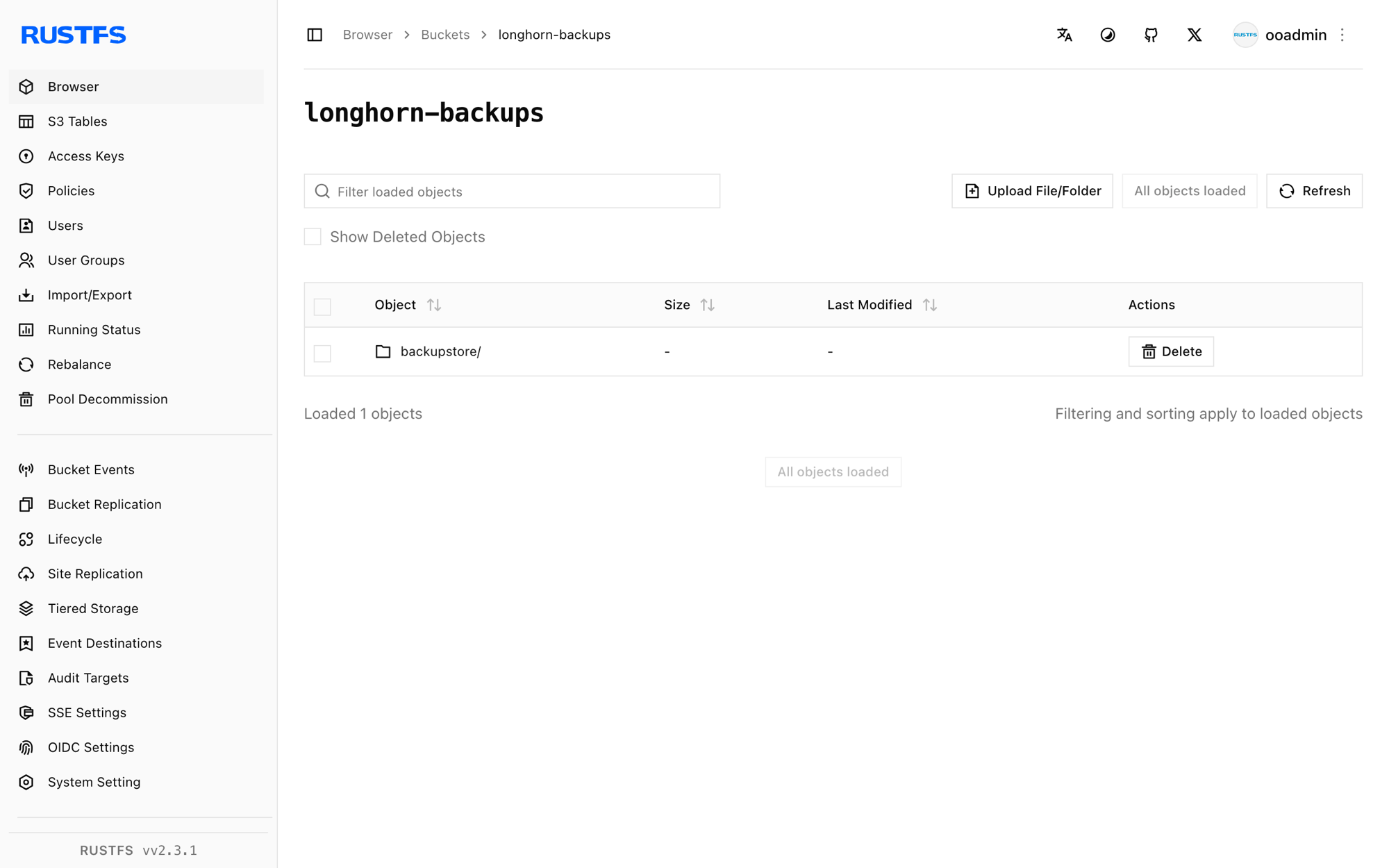
Restore and verify the data
Create a new volume that restores from the backup, using the backupURL from step 3:
kubectl -n longhorn-system apply -f - <<EOF
apiVersion: longhorn.io/v1beta2
kind: Volume
metadata:
  name: demo-restored
  namespace: longhorn-system
spec:
  size: "1073741824"
  numberOfReplicas: 1
  fromBackup: "<backupURL-from-step-3>"
EOF
The restore runs when the volume is first attached. Create a PVC bound to the restored volume through a static PV, then mount it:
kubectl apply -f - <<EOF
apiVersion: v1
kind: PersistentVolume
metadata:
  name: demo-restored-pv
spec:
  capacity:
    storage: 1Gi
  accessModes: [ReadWriteOnce]
  claimRef:
    name: demo-restored
    namespace: default
  csi:
    driver: driver.longhorn.io
    volumeHandle: demo-restored
    fsType: ext4
  storageClassName: longhorn-static
---
apiVersion: v1
kind: PersistentVolumeClaim
metadata:
  name: demo-restored
spec:
  accessModes: [ReadWriteOnce]
  storageClassName: longhorn-static
  volumeName: demo-restored-pv
  resources:
    requests:
      storage: 1Gi
EOF
Mount the restored volume in a verification pod:
kubectl apply -f - <<EOF
apiVersion: v1
kind: Pod
metadata:
  name: restore-verify
spec:
  volumes:
  - name: data
    persistentVolumeClaim:
      claimName: demo-restored
  containers:
  - name: verify
    image: busybox:1.36
    command: ["sh", "-c", "cat /data/hello.txt && sleep 300"]
    volumeMounts:
    - name: data
      mountPath: /data
EOF
sleep 40
kubectl logs restore-verify
The output prints the marker file from step 3, proving that the data round-tripped through RustFS:
longhorn rustfs demoClean up
Delete the test workloads and the restored volume:
kubectl delete pod restore-verify demo-app
kubectl delete pvc demo-restored demo-vol
kubectl -n longhorn-system delete volume/demo-restored
The backup in RustFS stays in place until you remove it from the Longhorn UI or the bucket.
Troubleshooting
No available disk candidates to create a new replica
Longhorn has no schedulable disk on the node. Verify that the node registered its default disk:
kubectl -n longhorn-system get nodes.longhorn.io -o jsonpath='{.items[0].status.diskStatus}'If the map is empty, create /var/lib/longhorn on the node and register the disk:
kubectl -n longhorn-system patch nodes.longhorn.io <node-name> --type merge -p '
spec:
  disks:
    default:
      path: /var/lib/longhorn
      allowScheduling: true'
failed to create backup ... missing input parameter
The backup ran before the default backup target was configured. Complete step 2, confirm AVAILABLE is true, and create the backup again.
The backup target never becomes available
The secret must exist before the target syncs, and AWS_ENDPOINTS must be reachable from the nodes themselves. Check the longhorn-manager logs for S3 errors:
kubectl -n longhorn-system logs -l app=longhorn-manager | grep -i s3 | tailNext steps
- Review S3 compatibility notes before adopting additional backup targets.
- Create dedicated production credentials with Access Key Management.
- Follow the Longhorn backup documentation to configure recurring backup jobs and scheduled snapshots.