
Velero
Back up Kubernetes cluster resources to RustFS with Velero's AWS object store provider.
This guide connects Velero — the Kubernetes backup and restore tool — to RustFS as its object storage backend. You will install Velero into a Kubernetes cluster with a RustFS backup location, back up cluster resources, delete them, restore from the bucket, and verify the restored objects. The workflow was verified with Velero CLI 1.16.2, velero-plugin-for-aws:v1.12.2 on k3s (Kubernetes 1.30), and rustfs/rustfs-x86-musl:v2.3.1.
You need a Kubernetes cluster with kubectl access and the Velero CLI. This guide is intended for integration testing, not production.
Architecture
Velero serializes Kubernetes resources and (optionally) pod volume data into gzip archives under backups/<name>/ in the bucket. Restores download those archives and recreate the resources in the cluster.
Create the backup bucket
Create a dedicated bucket — Velero does not create buckets:
rc alias set rustfs http://<your-rustfs-endpoint>:9000 <your-access-key> <your-secret-key>
rc mb rustfs/velero-backups
Install Velero
Write the credentials to a file and install the Velero server. The s3Url must be an endpoint reachable from the cluster pods themselves — use the node IP or an internal address, not a port forward from your workstation:
cat > velero-creds <<EOF
[default]
aws_access_key_id=<your-access-key>
aws_secret_access_key=<your-secret-key>
EOF

kubectl create namespace velero
kubectl create secret generic cloud-credentials \
  --namespace velero --from-file=cloud=velero-creds

velero install \
  --provider aws \
  --plugins velero/velero-plugin-for-aws:v1.12.2 \
  --bucket velero-backups \
  --backup-location-config region=us-east-1,s3ForcePathStyle="true",s3Url=http://<your-rustfs-endpoint>:9000 \
  --secret-file velero-creds \
  --use-volume-snapshots=false
Wait for the deployment to become ready and the backup location to turn Available:
kubectl -n velero get pods
velero backup-location get
NAME PROVIDER BUCKET/PREFIX PHASE LAST VALIDATED ACCESS MODE DEFAULT
default aws velero-backups Available 2026-09-22 ... ReadWrite trueBack up cluster resources
Create two demo resources and back up the whole default namespace scope:
kubectl create configmap demo-cm --from-literal=key=rustfs-velero-demo
kubectl create deployment nginx --image=nginx:1.27

velero backup create demo-backup --wait
velero backup get
The backup uploads the resource archives and logs to RustFS.
Verify the backup in RustFS
List the bucket:
rc ls rustfs/velero-backups/ -rThe backup archive set is stored under the backups/ prefix:
backups/demo-backup/demo-backup-resources.json.gz
backups/demo-backup/demo-backup-logs.gz
backups/demo-backup/demo-backup-itemoperations.json.gz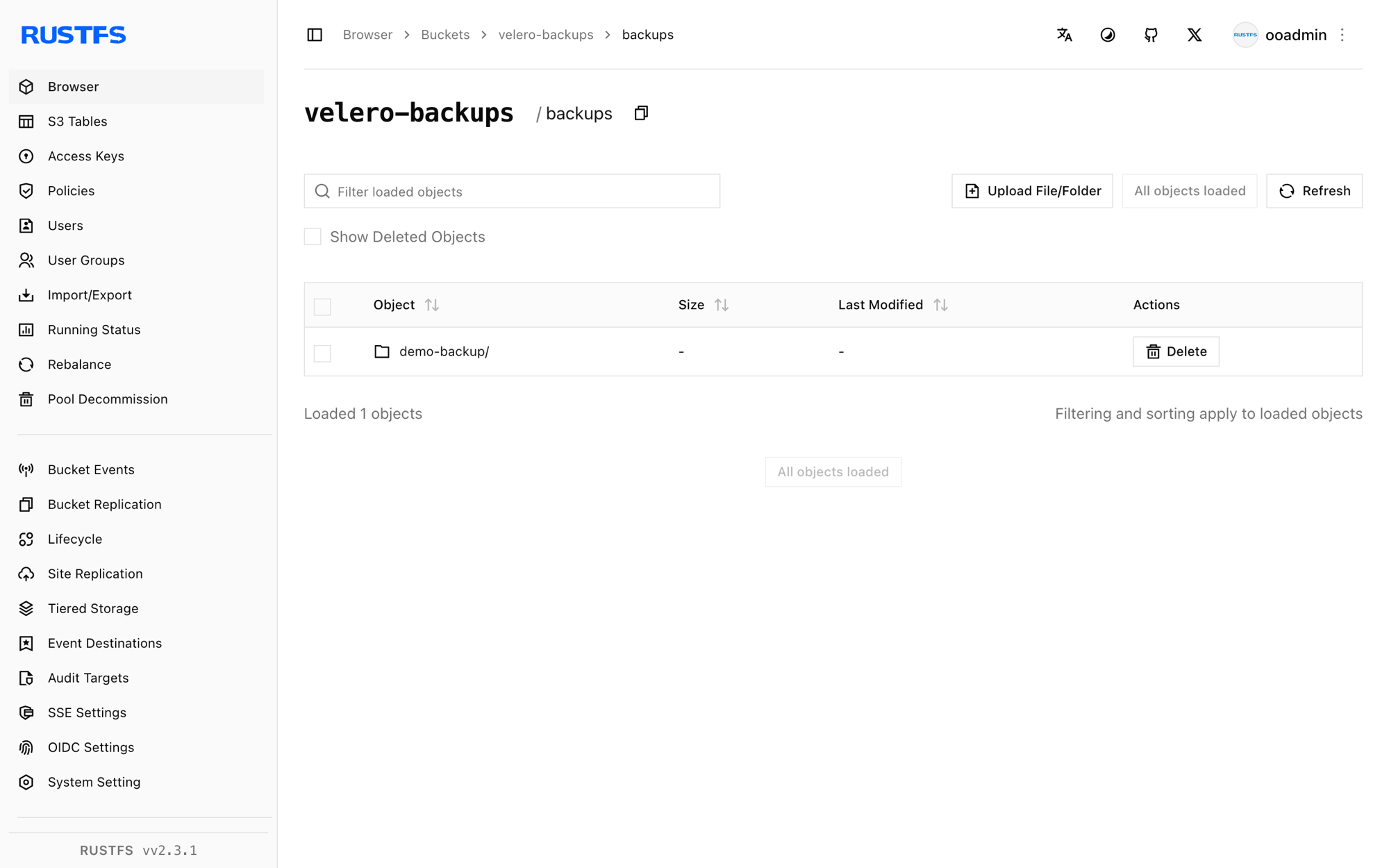
Restore and verify
Delete the demo resources and restore them from the backup. The restore reads the archives from RustFS and recreates the resources:
kubectl delete configmap demo-cm
kubectl delete deployment nginx

velero restore create --from-backup demo-backup --wait
Confirm the resources are back with their original content:
kubectl get configmap demo-cm -o jsonpath="{.data.key}"
kubectl get deployment nginx
rustfs-velero-demo
NAME READY UP-TO-DATE AVAILABLE AGE
nginx 1/1 1 1 10sStop or reset
The backups stay in the velero-backups bucket and restore into any cluster that runs Velero against the same bucket. To remove the demo backup from RustFS:
velero backup delete demo-backup --confirm
rc rm rustfs/velero-backups/backups/ --recursive --force
Troubleshooting
The backup location stays Unavailable
The Velero pod cannot reach the s3Url. Endpoints on a Docker custom bridge network are not routable from Kubernetes pods — use the Docker host bridge IP (for example http://172.17.0.1:9000 on a single-host cluster) or a node address. Patch the location and let Velero revalidate:
kubectl -n velero patch backupstoragelocation default --type merge -p \
  '{"spec":{"config":{"s3Url":"http://172.17.0.1:9000"}}}'
The backup ends PartiallyFailed with a daemonset error
The error daemonset pod not found in running state means the node-agent pod (used for pod volume backups) was not running. It does not affect the cluster-resource archives. Wait for the agent or keep --default-volumes-to-fs-backup only when the agent is running.
FailedValidation right after install
The first backup attempt runs against a location that has not validated yet. Wait for velero backup-location get to report Available before creating backups.
Next steps
- Review S3 compatibility notes before adopting additional Velero operations.
- Create dedicated production credentials with Access Key Management.
- Follow the Velero documentation to add schedules, volume snapshots, and cluster migration flows.