
Paimon
Run Paimon lakehouse tables on RustFS with Spark.
This guide connects Apache Paimon — the streaming lakehouse table format — to RustFS as its warehouse storage. You will create a Paimon catalog over a RustFS bucket with Spark, write a primary-key table, and read it back. The workflow was verified with Paimon 1.2.0 on Spark 3.5.6 against rustfs/rustfs-x86-musl:v2.3.1.
You need Docker and the rc client.
Architecture
Paimon stores each table under the catalog warehouse as a *.db directory containing schema/, snapshot/, and data files. All I/O goes through Paimon's own S3 FileIO (paimon-s3), not Hadoop S3A.
Run Spark
docker run -d --name spark-paimon --hostname spark --network oo-rustfs_default \
  spark:3.5.6-scala2.12-java17-python3-ubuntu sleep infinity
docker cp paimon_test.sql spark-paimon:/tmp/paimon_test.sql
Create the SQL file (note: the catalog options are passed on the CLI below, not in the file):
CREATE TABLE paimon.default.events (id INT, label STRING) TBLPROPERTIES ("primary-key"="id");
INSERT INTO paimon.default.events VALUES (1,'alpha'),(2,'beta'),(3,'gamma');
SELECT * FROM paimon.default.events ORDER BY id;
Run the SQL script
Three pieces are required: the Spark extensions, Paimon's own S3 FileIO (paimon-s3 — the Hadoop S3A jars are not used by Paimon's reader), and the catalog-level s3.* options:
docker exec -u root spark-paimon bash -c "cd /opt/spark && \
  ./bin/spark-sql \
  --packages org.apache.paimon:paimon-spark-3.5:1.2.0,org.apache.paimon:paimon-s3:1.2.0,org.apache.hadoop:hadoop-aws:3.3.4 \
  --conf spark.sql.extensions=org.apache.paimon.spark.extensions.PaimonSparkSessionExtensions \
  --conf spark.sql.catalog.paimon=org.apache.paimon.spark.SparkCatalog \
  --conf spark.sql.catalog.paimon.warehouse=s3://paimon-demo/warehouse \
  --conf spark.sql.catalog.paimon.s3.endpoint=http://rustfs:9000 \
  --conf spark.sql.catalog.paimon.s3.access-key=<your-access-key> \
  --conf spark.sql.catalog.paimon.s3.secret-key=<your-secret-key> \
  --conf spark.sql.catalog.paimon.s3.path-style-access=true \
-f /tmp/paimon_test.sql"Time taken: 9.447 seconds
1 alpha
2 beta
3 gamma
Time taken: 1.257 seconds, Fetched 3 row(s)Without the extensions line Paimon fails fast with a requiredSparkConfsCheck error; without paimon-s3 the catalog fails with UnsupportedSchemeException: Could not find a file io implementation for scheme 's3'.
Verify objects in RustFS
rc ls rustfs/paimon-demo/warehouse/ -r | head -6warehouse/default.db/events/schema/schema-0
warehouse/default.db/events/snapshot/snapshot-1
warehouse/default.db/events/bucket-0/data-...
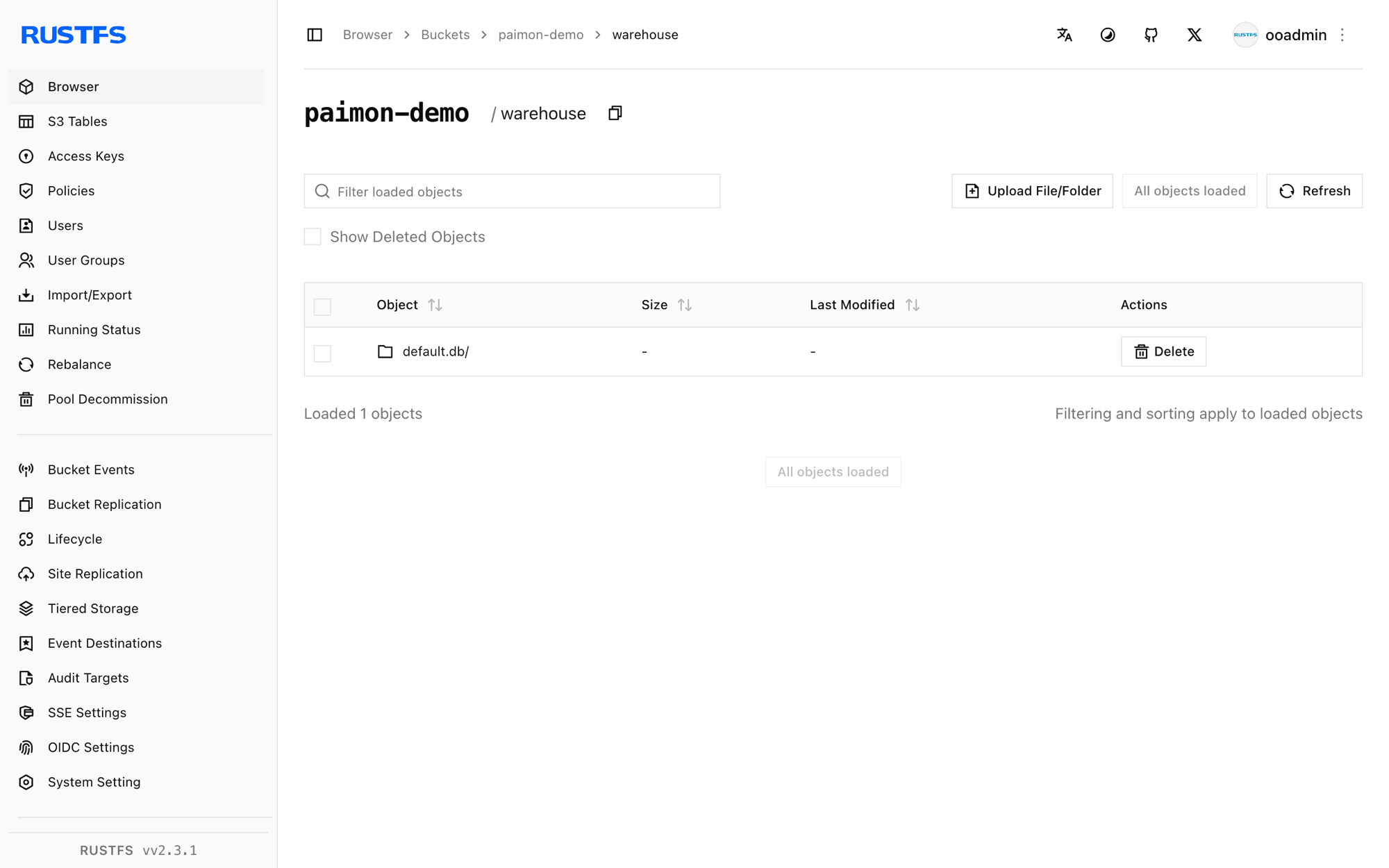
warehouse/default.db/events/manifest/...The bucket holds the full lakehouse layout: schemas, snapshots, manifests, and data files per bucket.
Stop or reset
docker rm -f spark-paimon
rc rm rustfs/paimon-demo/ --recursive --force
Troubleshooting
UnsupportedSchemeException: Could not find a file io implementation for scheme 's3'
Paimon's own FileIO needs its S3 plugin on the classpath. Add org.apache.paimon:paimon-s3:1.2.0 to --packages alongside the Spark connector.
When using Paimon, it is necessary to configure spark.sql.extensions...
Add --conf spark.sql.extensions=org.apache.paimon.spark.extensions.PaimonSparkSessionExtensions — Paimon fails fast without it.
SCHEMA_NOT_FOUND: The schema paimon cannot be found
The catalog was not registered. Register it as spark.sql.catalog.paimon and qualify table names with paimon..
Writes fail with S3 errors on the exec side
The catalog-level s3.* options (s3.endpoint, s3.access-key, s3.secret-key, s3.path-style-access) are what Paimon's FileIO reads — Hadoop fs.s3a.* settings alone are not used by the exec-side file operations.
Next steps
- Compare with the Iceberg, Hudi, and Delta Lake guides for the other lakehouse formats on the same bucket.
- Create dedicated production credentials with Access Key Management.
- Follow the Paimon documentation for compaction, changelog producers, and Flink streaming writes on the same bucket.