
Vitess
Back up Vitess to RustFS through the S3 backup storage implementation.
This guide connects Vitess — the database clustering system for horizontal scaling of MySQL — to RustFS through Vitess's S3 backup storage implementation. You will bring up a minimal Vitess topology on a single host, run Backup on a tablet, and confirm the backup chunks and MANIFEST in the bucket, then read the backup list back from RustFS. The workflow was verified with vitess/lite (Vitess v25.0.0-SNAPSHOT, built 2026-09-22), MySQL 8.4, and rustfs/rustfs-x86-musl:v2.3.1; stable Vitess 20+ releases use the same flags.
You need Docker. This deployment is intended for local integration testing, not production.
Architecture
vtctld triggers the backup, but the vttablet owning the tablet performs it: it snapshots MySQL, compresses the data into numbered chunks, and uploads them together with a MANIFEST through the S3-compatible endpoint.
Run etcd and the Vitess image
Vitess stores its topology in etcd, and the vitess/lite image ships all Vitess binaries plus MySQL:
docker run -d --name etcd --hostname etcd --network oo-rustfs_default \
  quay.io/coreos/etcd:v3.5.17 etcd \
  --advertise-client-urls http://etcd:2379 \
  --listen-client-urls http://0.0.0.0:2379

docker run -d --name vtess --hostname vtess --network oo-rustfs_default \
  -e AWS_ACCESS_KEY_ID=<your-access-key> \
  -e AWS_SECRET_ACCESS_KEY=<your-secret-key> \
  vitess/lite:latest sleep infinity
The AWS environment variables supply the credentials for the S3 backup storage in both vtctld and vttablet.
Initialize MySQL
Initialize a MySQL instance in the standard Vitess tablet directory so vttablet can load its my.cnf later:
docker exec vtess sh -c \
  "/vt/bin/mysqlctl --log_dir /tmp/vtlogs init --tablet-dir vt_0000000100"
The instance is ready when the socket file exists:
/vt/vtdataroot/vt_0000000100/mysql.sockStart vtctld and vttablet
Start vtctld with the S3 backup flags, register the cell, and start the tablet. Replace all connection placeholders:
docker exec vtess sh -c "nohup /vt/bin/vtctld \
  --topo-implementation etcd2 \
  --topo-global-server-address etcd:2379 \
  --topo-global-root /vitess/global \
  --service-map grpc-vtctl,grpc-vtctld \
  --backup-storage-implementation s3 \
  --s3-backup-aws-endpoint http://<your-rustfs-endpoint>:9000 \
  --s3-backup-aws-region us-east-1 \
  --s3-backup-force-path-style \
  --s3-backup-storage-bucket vitess-backups \
  --s3-backup-storage-root commerce \
  --port 15999 --grpc-port 15998 \
  --log_dir /tmp/vtlogs > /tmp/vtlogs/vtctld.out 2>&1 &"

docker exec vtess sh -c \
  "/vt/bin/vtctldclient --server localhost:15998 \
  AddCellInfo --root /vitess/zone1 --server-address etcd:2379 zone1"

docker exec vtess sh -c "nohup /vt/bin/vttablet \
  --topo-implementation etcd2 \
  --topo-global-server-address etcd:2379 \
  --topo-global-root /vitess/global \
  --tablet-path zone1-0000000100 \
  --init-keyspace commerce --init-shard 0 --init-tablet-type replica \
  --port 15100 --grpc-port 15101 \
  --service-map grpc-queryservice,grpc-tabletmanager,grpc-throttler \
  --mycnf-file /vt/vtdataroot/vt_0000000100/my.cnf \
  --db-dba-user root --db-allprivs-user root --db-app-user root --db-repl-user root \
  --db-dba-use-ssl=false --db-allprivs-use-ssl=false \
  --db-app-use-ssl=false --db-repl-use-ssl=false \
  --backup-storage-implementation s3 \
  --s3-backup-aws-endpoint http://<your-rustfs-endpoint>:9000 \
  --s3-backup-aws-region us-east-1 \
  --s3-backup-force-path-style \
  --s3-backup-storage-bucket vitess-backups \
  --s3-backup-storage-root commerce \
  --log_dir /tmp/vtlogs > /tmp/vtlogs/vttablet.out 2>&1 &"
Both processes carry the S3 flags because vttablet performs the backup while vtctld lists and removes backups. --s3-backup-force-path-style is mandatory for non-AWS endpoints. Check that the tablet registered:
docker exec vtess /vt/bin/vtctldclient --server localhost:15998 GetTabletszone1-0000000100 commerce 0 replica vtess:15100 vtess:3306 [] <null>Run the backup
Create the bucket and trigger the backup:
rc mb rustfs/vitess-backups

docker exec vtess /vt/bin/vtctldclient --server localhost:15998 \
  Backup zone1-0000000100
The stream ends with the engine writing the manifest:
commerce/0 (zone1-0000000100): ... value:"Completed backing up MANIFEST (attempt 1/2)"Verify objects in RustFS
List the backup prefix:
rc ls rustfs/vitess-backups/ -r | head -4The tablet uploaded compressed data chunks plus the metadata files:
commerce/commerce/0/2026-09-23.011225.zone1-0000000100/0
commerce/commerce/0/2026-09-23.011225.zone1-0000000100/1
commerce/commerce/0/2026-09-23.011225.zone1-0000000100/MANIFEST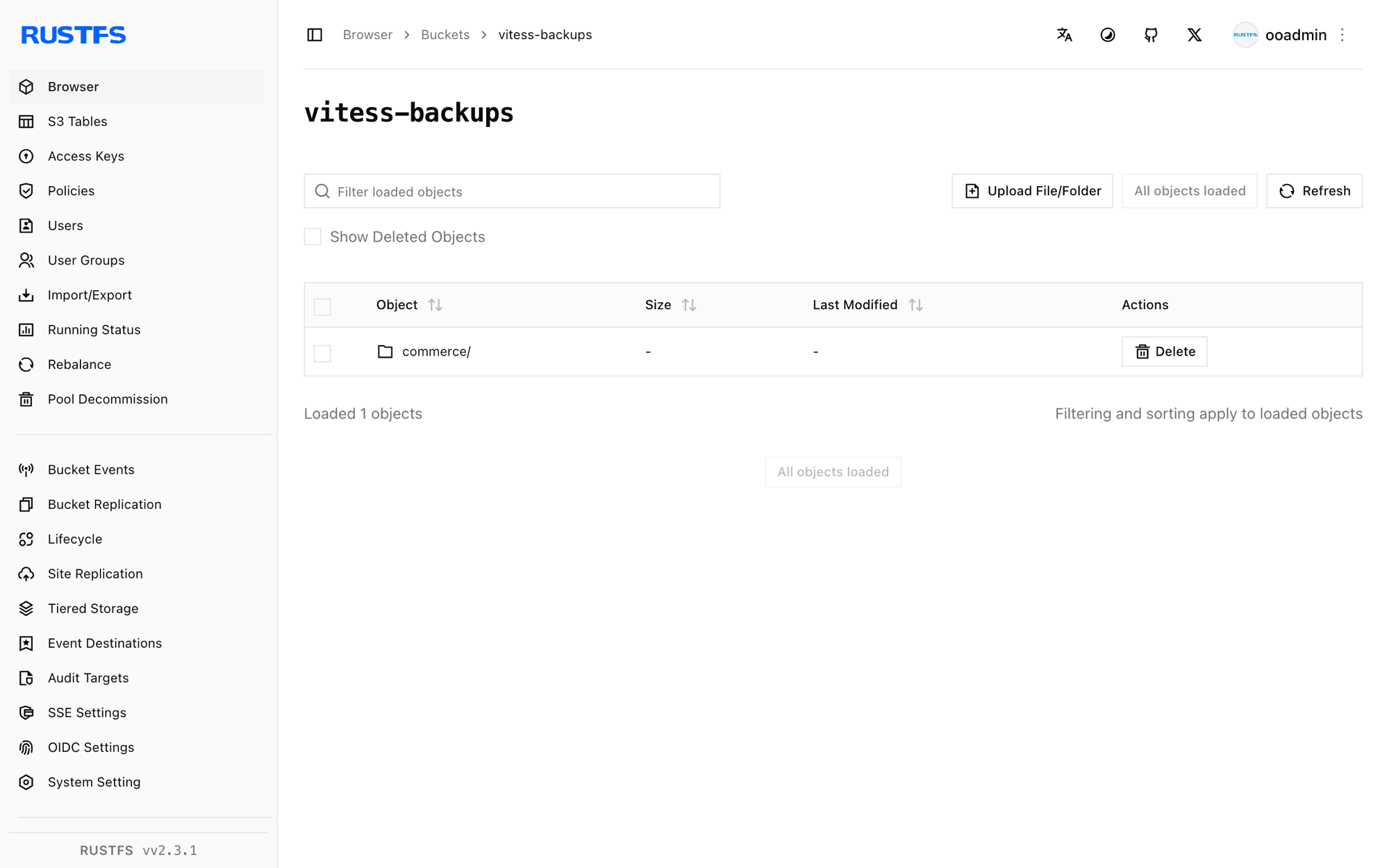
Read the backup list back from RustFS through vtctld:
docker exec vtess /vt/bin/vtctldclient --server localhost:15998 GetBackups commerce/02026-09-23.011225.zone1-0000000100Stop or reset
To tear down the demo while keeping the bucket objects:
docker rm -f vtess etcdTo delete the stored backups:
rc rm rustfs/vitess-backups/ --recursive --forceTroubleshooting
cannot perform backup without my.cnf
Passing connection parameters such as --db-socket or --db-host makes vttablet skip loading my.cnf, and backups refuse to run. Start vttablet with --mycnf-file pointing at the instance config and let it discover the socket from there — this is why the MySQL instance lives in the vt_0000000100 directory from step 2.
unknown service vtctlservice.Vtctld
vtctld exposes the API used by vtctldclient only when the service map includes it: --service-map grpc-vtctl,grpc-vtctld. Also make sure vtctldclient --server points at the gRPC port (15998 here), not the web UI port.
node doesn't exist: /vitess/global/cells/zone1/CellInfo
The cell must exist before tablets register. Run vtctldclient AddCellInfo as shown in step 3 before starting vttablet.
Flag parse errors such as unknown shorthand flag
Vitess 20+ normalizes underscores to dashes, so write flags in dash style (--tablet-path). A single-dash long flag like -tablet_dir is parsed as shorthand options and fails.
Next steps
- Review S3 compatibility notes before adopting additional Vitess storage options.
- Create dedicated production credentials with Access Key Management.
- Follow the Vitess backup and restore documentation to schedule backups and restore tablets from the bucket.