
OpenTelemetry
Export OpenTelemetry Collector logs to RustFS with the AWS S3 exporter.
This guide connects the OpenTelemetry Collector — the CNCF telemetry pipeline — to RustFS through the collector's awss3 exporter. You will run the contrib collector with a filelog receiver, ship the log lines of a file into the otel-data bucket, and verify the partitioned objects in RustFS. The workflow was verified with otel/opentelemetry-collector-contrib:0.138.0 and rustfs/rustfs-x86-musl:v2.3.1.
You need Docker. This deployment is intended for local integration testing, not production.
Architecture
The filelog receiver tails the log file and the awss3 exporter uploads batches to the bucket, partitioned into time-based prefixes. Metrics and traces can be routed through the same exporter with their own pipelines.
Create the project files
Create the bucket first — the exporter does not create buckets:
rc alias set rustfs http://<your-rustfs-endpoint>:9000 <your-access-key> <your-secret-key>
rc mb rustfs/otel-data
Create the collector configuration, replacing both credential placeholders:
receivers:
  filelog:
    include: [/var/log/app.log]
    start_at: beginning

exporters:
  awss3:
    s3uploader:
      region: us-east-1
      s3_bucket: otel-data
      endpoint: http://rustfs:9000
      s3_force_path_style: true
      disable_ssl: true
      file_prefix: logs/app
    marshaler: body

service:
  pipelines:
    logs:
      receivers: [filelog]
      exporters: [awss3]
The exporter reads credentials from the standard AWS_ACCESS_KEY_ID, AWS_SECRET_ACCESS_KEY, and AWS_REGION environment variables. marshaler: body writes each log line as plain text; omit it to store OTLP JSON instead. s3_force_path_style and disable_ssl are required for a plain-HTTP, non-AWS endpoint.
Create the Compose file:
services:
  collector:
    image: otel/opentelemetry-collector-contrib:0.138.0
    command: ["--config=/etc/otelcol-contrib/config.yaml"]
    environment:
      AWS_ACCESS_KEY_ID: <your-access-key>
      AWS_SECRET_ACCESS_KEY: <your-secret-key>
      AWS_REGION: us-east-1
    volumes:
      - ./config.yaml:/etc/otelcol-contrib/config.yaml:ro
      - ./app.log:/var/log/app.log
    networks:
      - otel

networks:
  otel:
Start the collector and produce logs
Start the stack and append lines to the watched file:
echo "otel demo log line one" > app.log
docker compose up -d
echo "second line after start" >> app.log
The collector tails the file from the beginning and uploads each buffer when the partition rolls over, so allow about a minute after the last line before checking.
Verify objects in RustFS
List the bucket:
rc ls rustfs/otel-data/ -rLog records are uploaded under time-based partitions with the configured file prefix:
year=2026/month=09/day=21/hour=15/minute=53/logs/applogs_288361608.txtRead one object back to confirm the lines arrived intact:
rc cat rustfs/otel-data/year=2026/month=09/day=21/hour=15/minute=53/logs/applogs_288361608.txtotel demo log line one
second line after start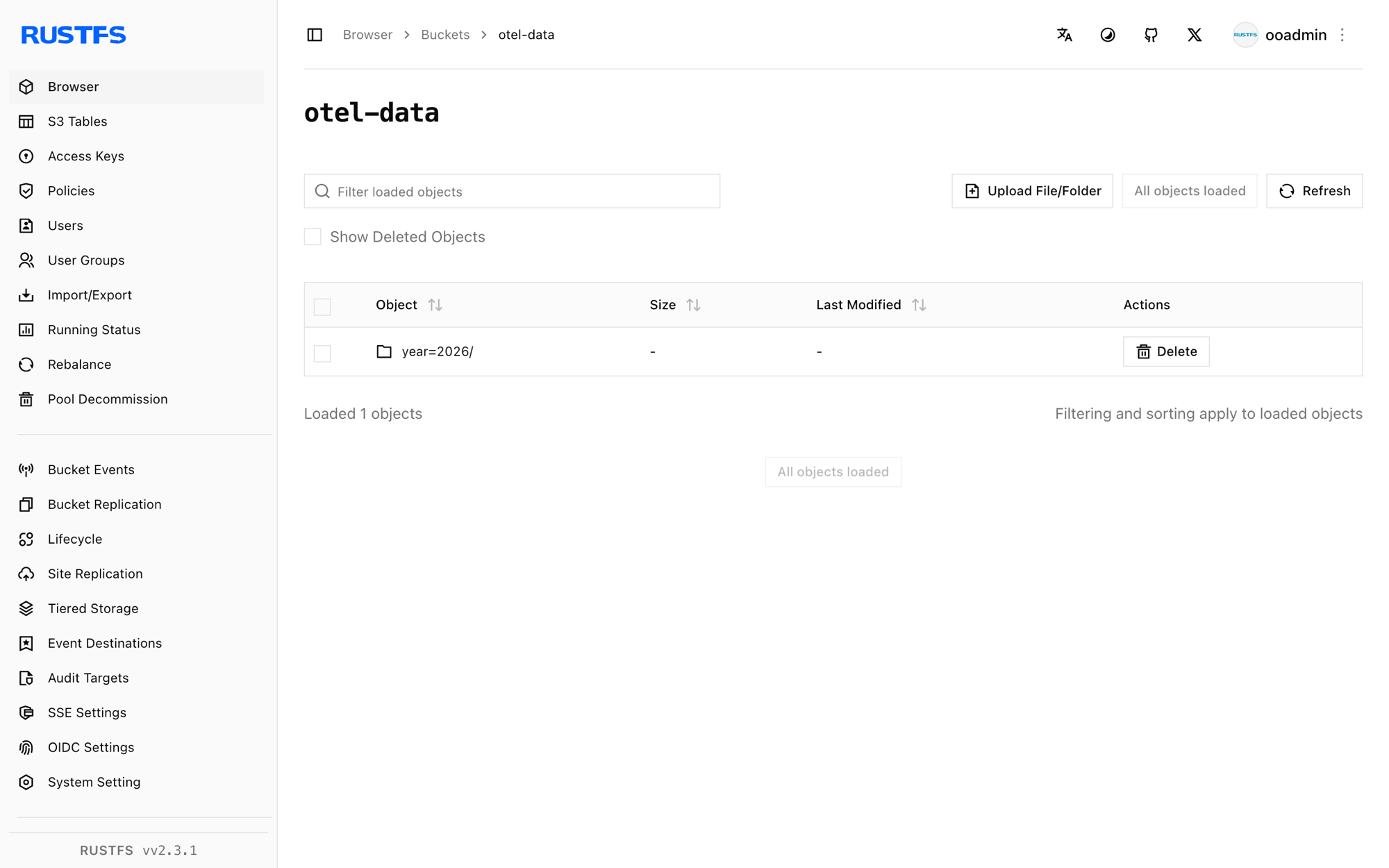
Stop or reset the deployment
Stop the collector while keeping the data:
docker compose downThe objects stay in the otel-data bucket. To delete them, remove the bucket:
rc rb rustfs/otel-data --forceTroubleshooting
has invalid keys when the collector starts
The awss3 exporter schema differs between collector releases. Version 0.138 nests the upload settings under s3uploader as shown above; the endpoint key is endpoint (not s3_endpoint). Newer releases move these keys to the top level — check the README for your exact collector version.
Nothing appears in the bucket
Confirm the credentials environment variables are set on the collector container, that s3_force_path_style is true, and that the exporter can reach http://rustfs:9000 from inside the Compose network. Enable the debug exporter on the same pipeline to see whether records flow at all.
Next steps
- Review S3 compatibility notes before adopting additional collector operations.
- Create dedicated production credentials with Access Key Management.
- Follow the AWS S3 exporter documentation to add metrics and traces pipelines.