
SeaTunnel
Move data between SeaTunnel and RustFS with the S3File connector.
This guide connects Apache SeaTunnel — the data integration engine — to RustFS through the S3File connector. You will run a batch job that generates rows with FakeSource and writes them as JSON files into a RustFS bucket. The workflow was verified with SeaTunnel 2.3.12 against rustfs/rustfs-x86-musl:v2.3.1.
You need Docker and the rc client.
Architecture
The S3File sink writes through the Hadoop S3A filesystem, so the connector accepts both its own credential options and the standard fs.s3a.* Hadoop keys.
Run the engine
The connector and the Hadoop AWS jars ship inside the image:
docker run --rm apache/seatunnel:2.3.12 \
sh -c "ls /opt/seatunnel/connectors/ | grep s3; ls /opt/seatunnel/lib/ | grep hadoop-aws"connector-file-s3-2.3.12.jar
seatunnel-hadoop-aws.jarWrite the job config
The tricky part: the sink validates access_key/secret_key at compile time, while the actual S3A client reads the fs.s3a.* keys. Provide both, and keep the endpoint without a scheme — the bundled Hadoop version rejects http:// endpoints:
env {
  parallelism = 1
  job.mode = "BATCH"
}

source {
  FakeSource {
    plugin_output = "fake"
    row.num = 5
    schema = {
      fields {
        id = "int"
        name = "string"
        value = "double"
      }
    }
  }
}

sink {
  S3File {
    bucket = "s3a://seatunnel-demo"
    access_key = "<your-access-key>"
    secret_key = "<your-secret-key>"
    fs.s3a.endpoint = "<your-rustfs-endpoint>:9000"
    fs.s3a.access.key = "<your-access-key>"
    fs.s3a.secret.key = "<your-secret-key>"
    fs.s3a.aws.credentials.provider = "org.apache.hadoop.fs.s3a.SimpleAWSCredentialsProvider"
    fs.s3a.connection.ssl.enabled = "false"
    file_format_type = "json"
    path = "/out"
  }
}
Run the job
docker run --rm --network oo-rustfs_default \
  -v "$PWD/seatunnel-rustfs.conf":/task.conf:ro \
  apache/seatunnel:2.3.12 \
sh -c "cd /opt/seatunnel && ./bin/seatunnel.sh --config /task.conf -e local"2026-10-07 ... INFO ... Submit job finished, job id: 1159846059493556225Verify objects in RustFS
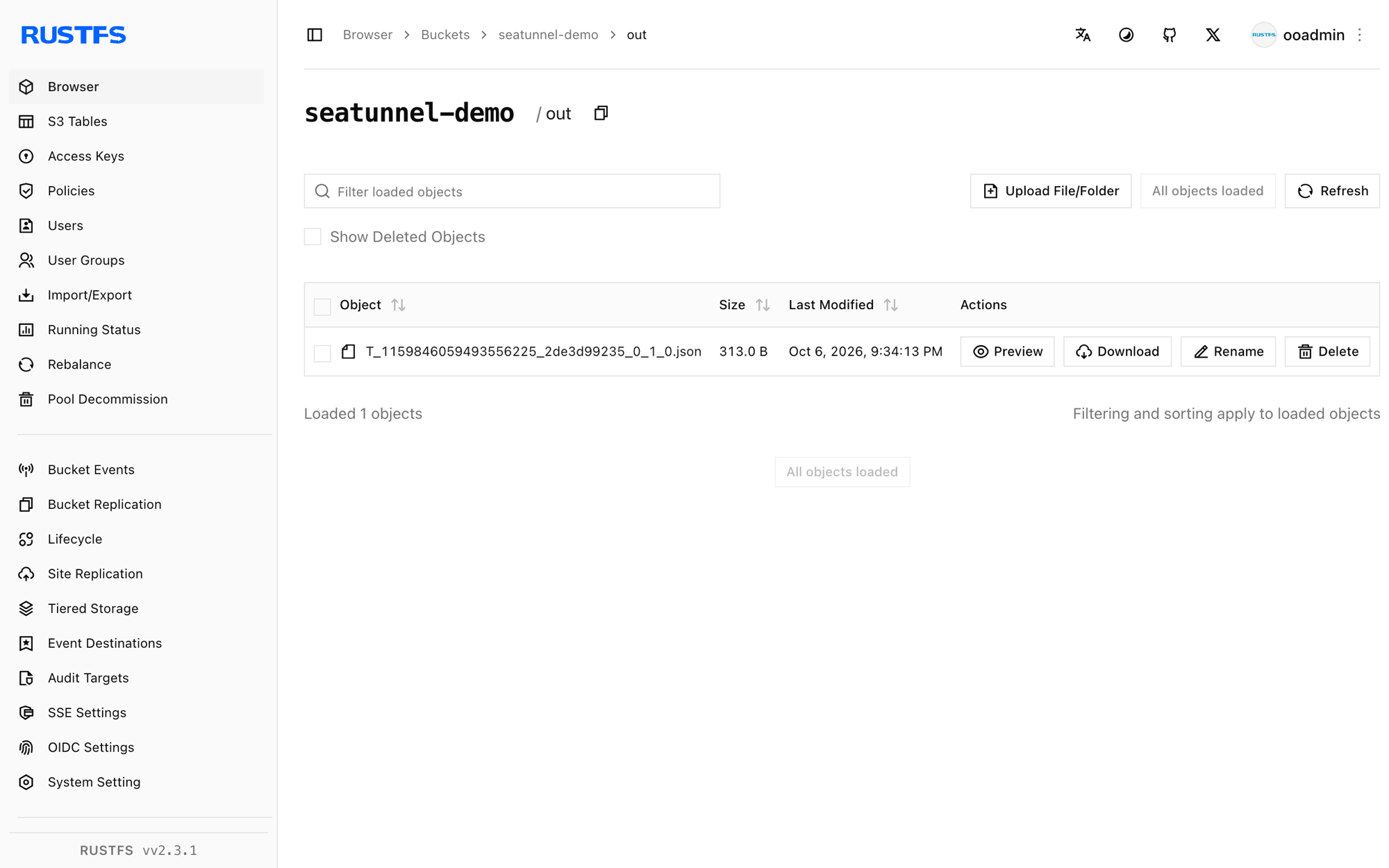
rc ls rustfs/seatunnel-demo/out/
rc cat rustfs/seatunnel-demo/out/T_1159846059493556225_2de3d99235_0_1_0.json | head -1out/T_1159846059493556225_2de3d99235_0_1_0.json
{"id":168282592,"name":"ELyqD","value":1.594479327987022E308}Five FakeSource rows landed as one JSON file in the bucket.
Stop or reset
SeaTunnel in -e local mode is stateless. To delete the output:
rc rm rustfs/seatunnel-demo/ --recursive --forceTroubleshooting
Plugin PluginIdentifier{... pluginName='S3'} not found
The sink class is registered as S3File, not S3.
There are unconfigured options, the options('access_key', 'secret_key') are required
The S3File sink requires its own access_key/secret_key options even when fs.s3a.* keys are present. Provide both sets as in step 2.
No AWS Credentials provided by InstanceProfileCredentialsProvider
The S3A client on the coordinator side fell back to the instance-profile provider because fs.s3a.aws.credentials.provider and the fs.s3a.access.key/fs.s3a.secret.key pair were missing. Add all three as in step 2.
Job hangs on doesBucketExist
The bundled Hadoop version rejects http:// scheme endpoints. Use the bare host:port form for fs.s3a.endpoint and add fs.s3a.connection.ssl.enabled = "false".
Next steps
- Review S3 compatibility notes before adopting additional SeaTunnel connectors.
- Create dedicated production credentials with Access Key Management.
- Follow the SeaTunnel S3File documentation for parquet/orc formats, partitioned writes, and the matching S3File source.