
Elasticsearch
Use RustFS as the S3 snapshot repository for Elasticsearch indices, deployed with Docker Compose.
This guide connects Elasticsearch — the distributed search and analytics engine — to RustFS as the S3 snapshot repository for its indices. You will start Elasticsearch with the repository-s3 plugin, register a snapshot repository backed by RustFS, index documents, take a snapshot, and prove the full cycle by deleting the index and restoring it from RustFS. The workflow was verified with docker.elastic.co/elasticsearch/elasticsearch:8.18.0 and rustfs/rustfs-x86-musl:v2.3.1.
You need Docker with the Compose plugin. This deployment is intended for local integration testing, not production.
Architecture
Elasticsearch stores its primary data on local disks and offloads index backups to a snapshot repository. The repository-s3 plugin writes snapshot metadata and shard data blobs to RustFS through the S3 API with path-style addressing over plain HTTP.
Create the project files
Create a working directory:
mkdir rustfs-elasticsearch
cd rustfs-elasticsearch
Create an environment file and replace both credential placeholders:
RUSTFS_ACCESS_KEY=<your-access-key>
RUSTFS_SECRET_KEY=<your-secret-key>
Use dedicated credentials for the bucket. Do not commit .env to source control.
Elasticsearch splits its S3 settings between elasticsearch.yml (non-secret values) and the keystore (credentials). Create the configuration file:
discovery.type: single-node
xpack.security.enabled: false
s3.client.default.endpoint: "rustfs:9000"
s3.client.default.protocol: "http"
s3.client.default.path_style_access: "true"
s3.client.default.region: "us-east-1"
Create the Compose file:
services:
  rustfs:
    image: rustfs/rustfs-x86-musl:v2.3.1
    environment:
      RUSTFS_ACCESS_KEY: ${RUSTFS_ACCESS_KEY}
      RUSTFS_SECRET_KEY: ${RUSTFS_SECRET_KEY}
      RUSTFS_VOLUMES: /data
      RUSTFS_ADDRESS: ":9000"
      RUSTFS_CONSOLE_ADDRESS: ":9001"
      RUSTFS_CONSOLE_ENABLE: "true"
    volumes:
      - rustfs-data:/data
    ports:
      - "9000:9000"
      - "9001:9001"
    healthcheck:
      test: ["CMD", "curl", "-sf", "http://127.0.0.1:9000/health"]
      interval: 10s
      timeout: 5s
      retries: 6
      start_period: 10s
    networks:
      - es

  create-bucket:
    image: rustfs/rc:latest
    depends_on:
      rustfs:
        condition: service_healthy
    environment:
      RUSTFS_ACCESS_KEY: ${RUSTFS_ACCESS_KEY}
      RUSTFS_SECRET_KEY: ${RUSTFS_SECRET_KEY}
    entrypoint:
      - /bin/sh
      - -c
      - |
        until /usr/bin/rc alias set rustfs http://rustfs:9000 "$${RUSTFS_ACCESS_KEY}" "$${RUSTFS_SECRET_KEY}"; do
          echo "Waiting for RustFS..."
          sleep 2
        done
        /usr/bin/rc ls rustfs/my-bucket >/dev/null 2>&1 || /usr/bin/rc mb rustfs/my-bucket
    networks:
      - es

  elasticsearch:
    image: docker.elastic.co/elasticsearch/elasticsearch:8.18.0
    environment:
      ES_JAVA_OPTS: "-Xms512m -Xmx512m"
    volumes:
      - ./elasticsearch.yml:/usr/share/elasticsearch/config/elasticsearch.yml:ro
    entrypoint: >
      bash -c '
        bin/elasticsearch-plugin install --batch repository-s3 &&
        echo "$${RUSTFS_ACCESS_KEY}" | bin/elasticsearch-keystore add -f -x s3.client.default.access_key &&
        echo "$${RUSTFS_SECRET_KEY}" | bin/elasticsearch-keystore add -f -x s3.client.default.secret_key &&
        exec bin/elasticsearch'
    ports:
      - "9200:9200"
    depends_on:
      create-bucket:
        condition: service_completed_successfully
    networks:
      - es

networks:
  es:

volumes:
  rustfs-data:
repository-s3 is a bundled plugin and installs without network access. Only the access key and secret key belong in the keystore — non-secure settings such as the endpoint must live in elasticsearch.yml, otherwise the node refuses to start.
Start the deployment
Resolve the Compose file before starting containers:
docker compose configStart the services and wait for Elasticsearch to finish booting (the first start installs the plugin and creates the keystore entries, which takes a minute or two):
docker compose up -d
curl -s http://localhost:9200
Register the snapshot repository and index documents
Register RustFS as the snapshot repository, create an index, and index five documents:
curl -s -X PUT "http://localhost:9200/_snapshot/rustfs_repo" \
  -H "Content-Type: application/json" \
  -d '{"type":"s3","settings":{"bucket":"my-bucket"}}'

curl -s -X PUT "http://localhost:9200/rustfs_index" \
  -H "Content-Type: application/json" \
  -d '{"mappings":{"properties":{"label":{"type":"keyword"}}}}'

for v in 1 2 3 4 5; do
  curl -s -X POST "http://localhost:9200/rustfs_index/_doc" \
    -H "Content-Type: application/json" \
    -d "{\"label\":\"rustfs-es-doc-$v\",\"value\":$v}" > /dev/null
done
curl -s -X POST "http://localhost:9200/rustfs_index/_refresh" > /dev/null
curl -s "http://localhost:9200/rustfs_index/_count"{"count":5,...}Take a snapshot
Create a snapshot with wait_for_completion so the result is known immediately:
curl -s -X PUT "http://localhost:9200/_snapshot/rustfs_repo/snap1?wait_for_completion=true"{"snapshot":{"snapshot":"snap1",...,"indices":["rustfs_index"],"shards":{"total":1,"failed":0,"successful":1}}}Verify objects in RustFS
List the snapshot objects through the bucket-initializer image:
docker compose run --rm --entrypoint /bin/sh create-bucket -c \
  '/usr/bin/rc alias set rustfs http://rustfs:9000 "$RUSTFS_ACCESS_KEY" "$RUSTFS_SECRET_KEY" >/dev/null && /usr/bin/rc ls rustfs/my-bucket/indices --recursive'
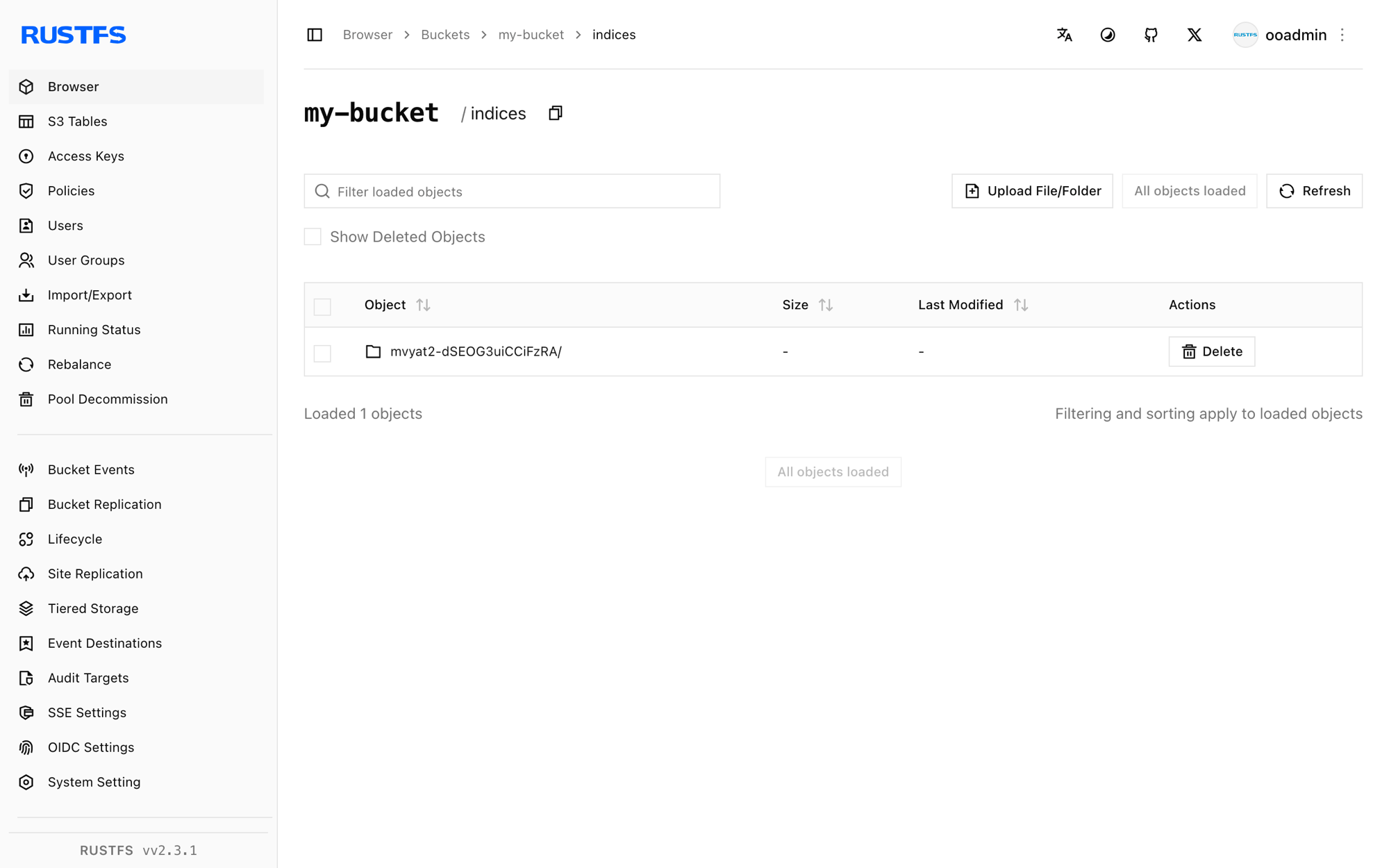
Snapshot metadata and shard data blobs live under indices/ in the bucket:
[2026-09-21 02:58:01]   3.56 KiB indices/mvyat2-dSEOG3uiCCiFzRA/0/__LbLsSgUUTpqji_EXvqHYCg
[2026-09-21 02:58:01]   3.21 KiB indices/mvyat2-dSEOG3uiCCiFzRA/0/__VIuGNJn3RB-RBWvr4tMn7Q
[2026-09-21 02:58:01]   1.00 KiB indices/mvyat2-dSEOG3uiCCiFzRA/0/index-e9P8q6E9QhitpkiOdgjVDQ
You can also browse the prefix in the RustFS Console:
Restore the index from RustFS
Delete the index, then restore it from the snapshot:
curl -s -X DELETE "http://localhost:9200/rustfs_index" > /dev/null
curl -s -X POST "http://localhost:9200/_snapshot/rustfs_repo/snap1/_restore?wait_for_completion=true" > /dev/null
curl -s "http://localhost:9200/rustfs_index/_count"{"count":5,...}The documents come back because the snapshot blobs were read from RustFS.
Stop or reset the stack
Stop the containers while keeping the RustFS data volume:
docker compose downTo delete the snapshots and start from an empty RustFS volume, explicitly include --volumes:
docker compose down --volumesTroubleshooting
The node refuses to start with "non-secure setting ... must be stored inside elasticsearch.yml"
Only s3.client.default.access_key and s3.client.default.secret_key belong in the keystore. Endpoint, protocol, path-style access, and region are non-secure settings and must be defined in elasticsearch.yml.
Restored or new shards stay unassigned
Elasticsearch stops allocating shards when disk usage passes the low watermark (85 percent by default). Free disk space, or disable the check for a local test:
curl -s -X PUT "http://localhost:9200/_cluster/settings" \
  -H "Content-Type: application/json" \
  -d '{"transient":{"cluster.routing.allocation.disk.threshold_enabled":false}}'
Restore fails because the index already exists
A previous failed restore leaves the index behind. Delete it with DELETE /rustfs_index and run the restore again.
AccessDenied or 403 responses
Confirm that the credentials in the keystore match the RustFS credentials and that the create-bucket service completed successfully:
docker compose logs create-bucketNext steps
- Review S3 compatibility notes before adopting additional S3 operations.
- Create dedicated production credentials with Access Key Management.
- Follow the Elasticsearch snapshot documentation for snapshot lifecycle management (SLM).