
Terraform
Store Terraform state in RustFS object storage with the S3 backend, including state locking.
This guide connects Terraform — the infrastructure as code tool from HashiCorp — to RustFS through the S3 backend: the state file, and the lock file that prevents concurrent runs, are stored as objects in RustFS. You will initialize the backend, apply a small configuration, and verify the state object in RustFS. The workflow was verified with terraform 1.12.2 and rustfs/rustfs-x86-musl:v2.3.1.
You need a RustFS deployment reachable from your workstation (see the guides under Installation) and Terraform 1.10 or later, which supports S3-native locking via use_lockfile.
Architecture
The S3 backend stores the state file under the key prefix in the bucket. With use_lockfile = true, Terraform writes a <key>.tflock object while a run holds the lock, replacing the former DynamoDB-based locking for this setup.
Create the project files
Create a working directory:
mkdir rustfs-terraform
cd rustfs-terraform
Create the configuration. Replace the credential placeholders and point the endpoint at your RustFS server — localhost:9000 when Terraform runs on the same host:
terraform {
  backend "s3" {
    bucket                      = "my-bucket"
    key                         = "rustfs-demo/terraform.tfstate"
    region                      = "us-east-1"
    endpoint                    = "http://localhost:9000"
    access_key                  = "<your-access-key>"
    secret_key                  = "<your-secret-key>"
    skip_credentials_validation = true
    skip_region_validation      = true
    skip_metadata_api_check     = true
    skip_requesting_account_id  = true
    force_path_style            = true
    insecure                    = true
    use_lockfile                = true
  }
}

provider "local" {}

resource "local_file" "demo" {
  content  = "provisioned with terraform, state stored in RustFS"
  filename = "${path.module}/demo.txt"
}
force_path_style and insecure select path-style addressing over plain HTTP, which is what RustFS expects for the local endpoint. use_lockfile enables S3-native state locking so concurrent runs cannot corrupt the state.
Initialize the backend
Download the provider and configure the S3 backend:
terraform init -input=falseSuccessfully configured the backend "s3"! Terraform will automatically
use this backend unless the backend configuration changes.Apply the configuration
Create the resource and write the state to RustFS:
terraform apply -auto-approve -input=falseApply complete! Resources: 1 added, 0 changed, 0 destroyed.Verify the state in RustFS
List the state objects through the rc CLI:
docker run --rm --network <rustfs-network> -v "$PWD:/m" \
  --entrypoint /bin/sh rustfs/rc:latest \
  -c 'rc alias set rustfs http://rustfs:9000 <your-access-key> <your-secret-key> >/dev/null && rc ls rustfs/my-bucket/rustfs-demo --recursive'
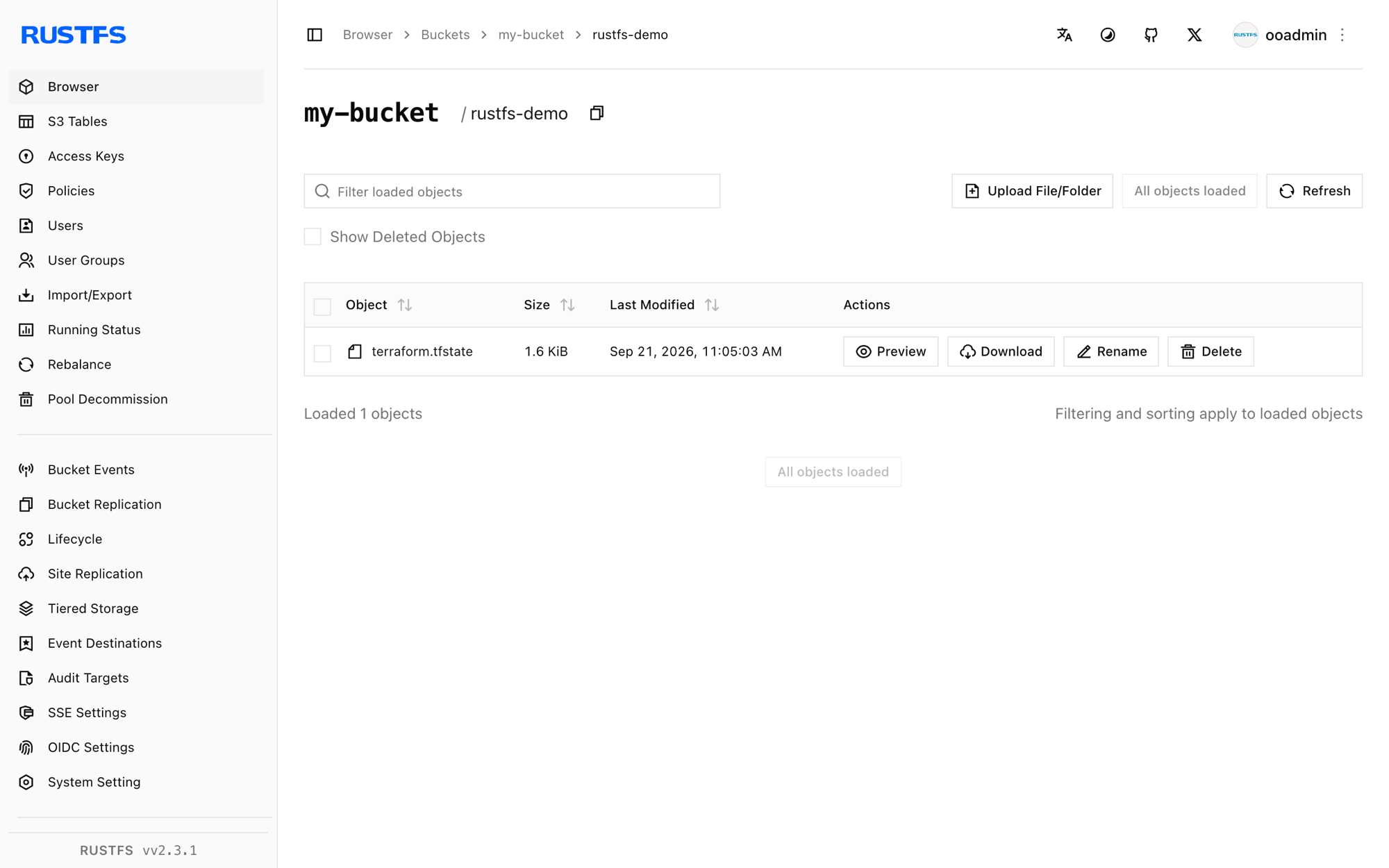
[2026-09-21 03:05:03] 1.62 KiB rustfs-demo/terraform.tfstateYou can also browse the prefix in the RustFS Console:
Confirm the state is reloaded from RustFS
Run a plan — Terraform reads the state from RustFS and compares it against the configuration:
terraform plan -input=falseNo changes. Your infrastructure matches the configuration.The plan is clean because the state was read back from RustFS, not from any local file.
Destroy and reset
Tear the resource down; the state update is written to RustFS the same way:
terraform destroy -auto-approve -input=falseDelete the state objects in the RustFS Console (or with rc rm) to start from scratch.
Troubleshooting
"dial tcp: lookup rustfs ... server misbehaving" or connection failures
The endpoint must be reachable from the machine where Terraform runs. Inside a Compose network use http://rustfs:9000; from the host use http://localhost:9000.
"Bucket cannot have ACLs set" or signature errors
skip_credentials_validation, skip_region_validation, skip_metadata_api_check, skip_requesting_account_id, force_path_style, and insecure are all required for a non-AWS endpoint; missing any of them makes the backend talk to AWS defaults instead of RustFS.
The state does not appear in the bucket
Confirm that the bucket exists and that the credentials match the RustFS credentials. The state object appears under the key path (rustfs-demo/terraform.tfstate in this guide) after the first init or apply.
Next steps
- Review S3 compatibility notes before adopting additional S3 operations.
- Create dedicated production credentials with Access Key Management.
- Follow the Terraform S3 backend documentation for options such as workspace prefixes and role assumption.