
JuiceFS
Build a POSIX filesystem on RustFS with JuiceFS S3 object storage.
This guide connects JuiceFS — the cloud-native distributed POSIX filesystem — to RustFS as its object storage backend. You will format a volume whose data chunks live in a RustFS bucket, mount it locally, and read and write files through the mount. The workflow was verified with juicefs v1.3.1 (community edition, SQLite metadata engine) against rustfs/rustfs-x86-musl:v2.3.1.
You need the JuiceFS binary, a metadata engine, and FUSE (fuse3 on Linux). This deployment is intended for local integration testing, not production.
Architecture
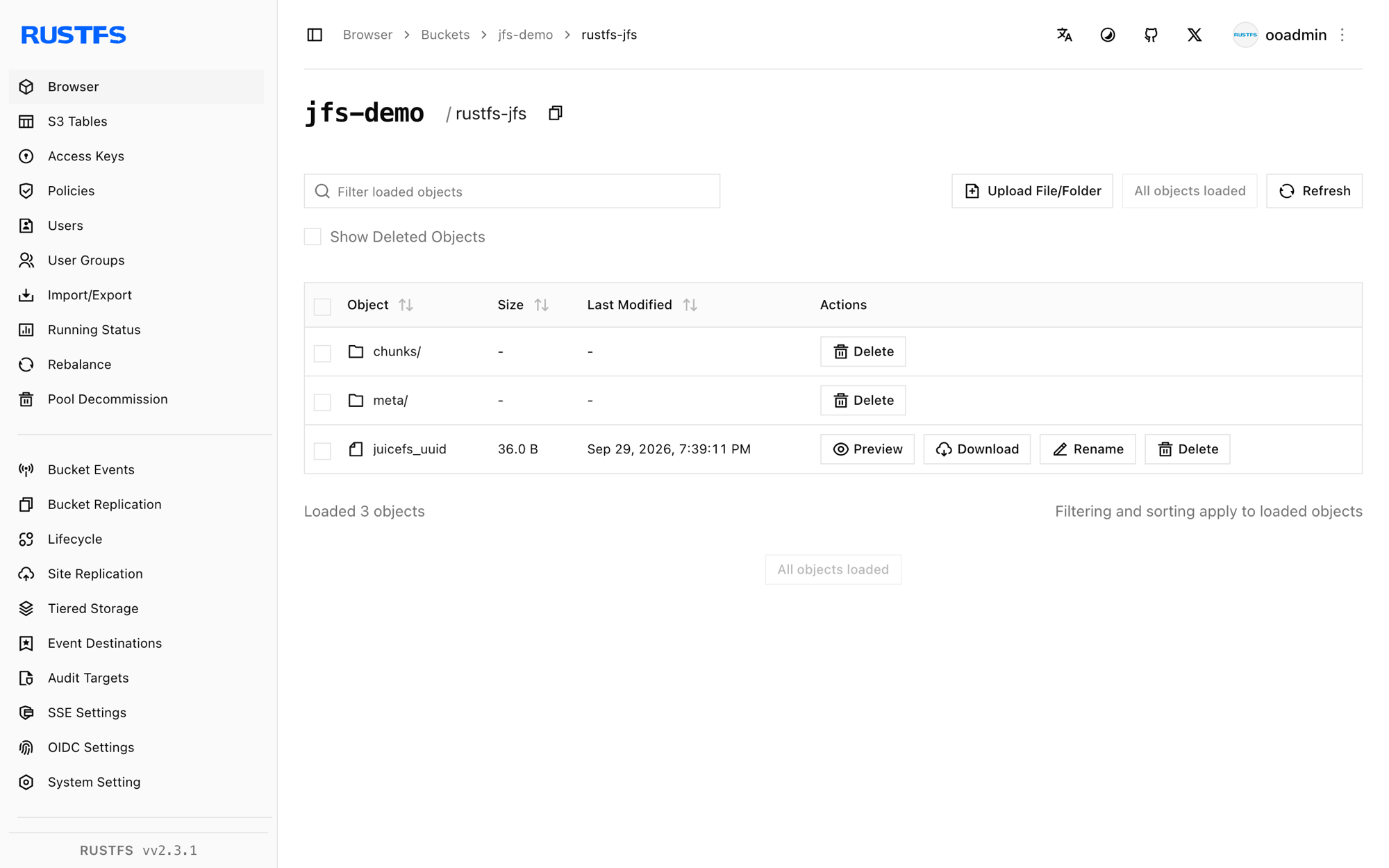
JuiceFS splits every file into chunks and stores them as objects under chunks/ in the bucket, while the metadata engine tracks names, inodes, and layout. The filesystem behaves like a local disk but holds no data locally.
Format the volume
Create the bucket and format a JuiceFS volume backed by RustFS, replacing all connection placeholders. The bucket URL carries the endpoint, which selects path-style addressing:
rc mb rustfs/jfs-demo

juicefs format \
  --storage s3 \
  --bucket http://<your-rustfs-endpoint>:9000/jfs-demo \
  --access-key <your-access-key> \
  --secret-key <your-secret-key> \
  sqlite3:///opt/juicefs/jfs.db \
  rustfs-jfs
Data use s3://<your-rustfs-endpoint>:9000/jfs-demo/rustfs-jfs/
<STATUS> OK, rustfs-jfs is readysqlite3:///opt/juicefs/jfs.db is the metadata engine for this test. In production, use Redis, MySQL, or PostgreSQL instead so multiple clients can mount the same volume.
Mount the volume
Mount the filesystem with the same metadata URL:
mkdir -p /mnt/jfs
juicefs mount -d sqlite3:///opt/juicefs/jfs.db /mnt/jfs
OK, rustfs-jfs is ready at /mnt/jfsThe -d flag runs the mount in the background. The volume is now a POSIX filesystem.
Read and write files
Use the mount like any other directory:
echo "hello rustfs jfs" > /mnt/jfs/hello.txt
dd if=/dev/urandom of=/mnt/jfs/blob.bin bs=1M count=3
mkdir -p /mnt/jfs/dir1 && echo nested > /mnt/jfs/dir1/nested.txt
cat /mnt/jfs/hello.txt
hello rustfs jfsInspect the volume with juicefs info:
/mnt/jfs :
  inode: 1
  files: 2
   dirs: 2
 length: 3.00 MiB
Verify chunks in RustFS
List the bucket prefixes:
rc ls rustfs/jfs-demo/ -rEvery file was split into content-addressed chunk objects:
rustfs-jfs/chunks/0/0/1_0_17
rustfs-jfs/chunks/0/0/3_0_3145728
rustfs-jfs/chunks/0/0/4_0_7
The chunk name encodes the inode, chunk index, and size — for example 3_0_3145728 is the 3 MiB file written in step 3.
Stop or reset
Unmount the volume, then optionally wipe the volume metadata and bucket data:
juicefs umount /mnt/jfs
juicefs destroy --force sqlite3:///opt/juicefs/jfs.db rustfs-jfs
rc rm rustfs/jfs-demo/ --recursive --force
Troubleshooting
unknown option: --daemon
The background flag is a single dash: juicefs mount -d. Running without it keeps the mount in the foreground (useful for debugging).
fusermount3: mount failed: Permission denied
Mounting requires the FUSE device. Inside a container, add --device /dev/fuse --cap-add SYS_ADMIN (or --privileged); on a host, install fuse3 and confirm /dev/fuse exists.
Mount hangs or fails to reach storage
The client must reach both the metadata engine and the bucket endpoint. Because the bucket URL embeds the endpoint, verify it from the mounting host with curl before formatting.
Next steps
- Review S3 compatibility notes before adopting additional JuiceFS storage backends.
- Create dedicated production credentials with Access Key Management.
- Follow the JuiceFS documentation to switch the metadata engine to Redis and mount the volume from multiple clients.