
tusd
Receive resumable uploads into RustFS with the tusd server's S3 backend.
This guide connects tusd — the official reference implementation of the tus resumable-upload protocol — to RustFS as its S3 storage backend. You will run tusd against a RustFS bucket, create an upload with the tus protocol, send the file in two chunks with an interruption in between, resume from the reported offset, and verify the assembled object in the bucket. The workflow was verified with tusproject/tusd:v2.10.1 against rustfs/rustfs-x86-musl:v2.3.1.
You need Docker, or a local tusd binary. This deployment is intended for local integration testing, not production.
Architecture
tusd stores each in-progress upload as S3 multipart parts in the bucket. A client that loses its connection asks the server for the last committed offset with HEAD and continues from there — the data already received is never sent twice.
Run tusd
Create the bucket and start tusd with the S3 backend, replacing all connection placeholders. The AWS region must be set even though RustFS ignores it:
rc mb rustfs/tus-uploads

docker run -d --name tusd --network oo-rustfs_default -p 8080:8080 \
  -e AWS_ACCESS_KEY_ID=<your-access-key> \
  -e AWS_SECRET_ACCESS_KEY=<your-secret-key> \
  -e AWS_REGION=us-east-1 \
  tusproject/tusd:latest \
  -s3-bucket tus-uploads \
  -s3-endpoint http://<your-rustfs-endpoint>:9000
Check that the server is healthy:
curl -s -o /dev/null -w "%{http_code}\n" http://localhost:8080/health200Create the upload
Create a 6 MiB upload and read the Location header:
curl -s -D - -o /dev/null -X POST http://localhost:8080/files/ \
  -H "Upload-Length: 6291456" -H "Tus-Resumable: 1.0.0" \
  | grep -i "^Location:"
Location: http://localhost:8080/files/b7338250daa9...+NGVmNDRhZjEt...The upload URL contains the file ID and a message-authentication tag. Strip the scheme and host before re-sending it (the server echoes whatever Host it received, which may not be reachable from your next client).
Upload in chunks with an interruption
Send the first 2.5 MB, then stop — this is the point where a mobile client would lose its connection:
head -c 2500000 demo.bin > part1.bin

curl -s -o /dev/null -w "%{http_code}\n" -X PATCH "http://localhost:8080${LOC}" \
  -H "Upload-Offset: 0" -H "Tus-Resumable: 1.0.0" \
  -H "Content-Type: application/offset+octet-stream" \
--data-binary @part1.bin204Ask the server how much it actually has — this is the resumable-upload core:
curl -s -X HEAD "http://localhost:8080${LOC}" \
  -H "Tus-Resumable: 1.0.0" -D - -o /dev/null | grep -i upload-offset
Upload-Offset: 2500000Resume and finish
Continue from offset 2500000 with the remaining bytes:
tail -c 3791456 demo.bin > part2.bin

curl -s -o /dev/null -w "%{http_code}\n" -X PATCH "http://localhost:8080${LOC}" \
  -H "Upload-Offset: 2500000" -H "Tus-Resumable: 1.0.0" \
  -H "Content-Type: application/offset+octet-stream" \
--data-binary @part2.bin204Download the finished upload through tusd and compare checksums with the source:
curl -s -o download.bin "http://localhost:8080${LOC}"
sha1sum demo.bin download.bin
d9016032ced6c7515b67a0c556e006c4b25a5858 demo.bin
d9016032ced6c7515b67a0c556e006c4b25a5858 download.binVerify objects in RustFS
List the bucket:
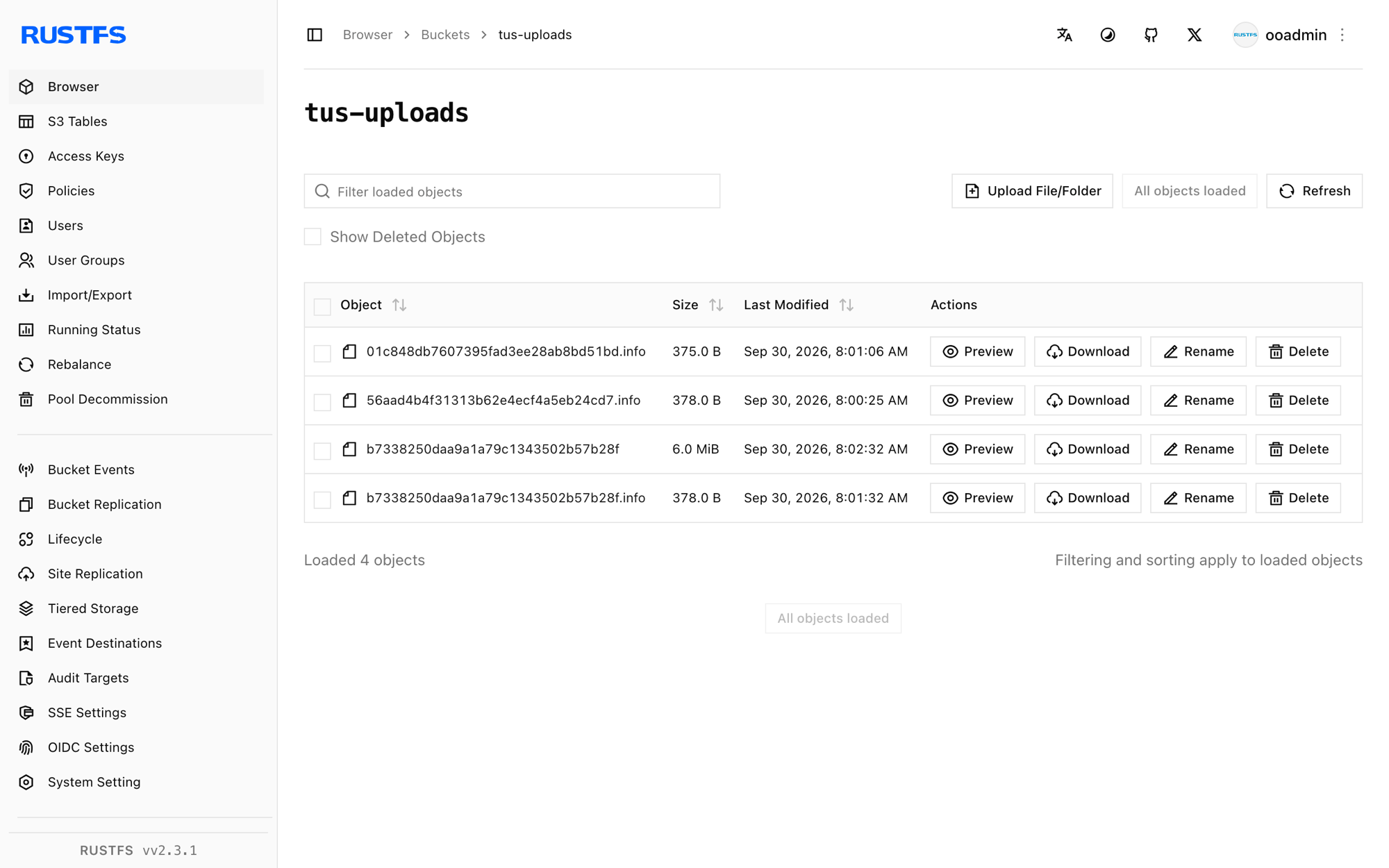
rc ls rustfs/tus-uploads/ -rThe bucket holds the assembled object plus one .info metadata file per upload — both live and finished:
b7338250daa9a1a79c1343502b57b28f       6 MiB
b7338250daa9a1a79c1343502b57b28f.info  378 B
The object key is the upload ID, and the object body is the uploaded file byte-for-byte — so any S3 client can read completed uploads directly from the bucket.
Stop or reset
To tear down the server while keeping the bucket objects:
docker rm -f tusdTo delete the stored uploads:
rc rm rustfs/tus-uploads/ --recursive --forceTroubleshooting
CreateMultipartUpload ... A region must be set when sending requests to S3
tusd builds its S3 client from the AWS environment, and the region is mandatory for endpoint resolution. Export AWS_REGION=us-east-1 next to the credentials, as in step 1.
PATCH returns 404 or connects to the wrong host
The Location URL echoes the Host header of the creation request. When your client and the server use different hostnames (container name versus published port), strip the scheme and host from the URL and send the path to the address the client can reach.
Upload disappears after server restart
The S3 backend keeps .info files in the bucket, so uploads survive restarts. If you run tusd against an empty bucket that another process prunes, the metadata is lost — protect the tus-uploads prefix from cleanup jobs.
Next steps
- Review S3 compatibility notes before adopting additional tusd backends.
- Create dedicated production credentials with Access Key Management.
- Follow the tus protocol documentation for creation-with-upload, termination, and checksum extensions that tusd supports on top of the core protocol.