
Terraform
使用 S3 后端把 Terraform 状态(含状态锁)存储在 RustFS 对象存储中。
本指南将 HashiCorp 的基础设施即代码工具 Terraform 通过 S3 backend 连接到 RustFS:状态文件以及防止并发运行的状态锁都以对象形式存储在 RustFS 中。你将初始化后端、应用一个小配置,并在 RustFS 中验证状态对象。整个流程使用 terraform 1.12.2 和 rustfs/rustfs-x86-musl:v2.3.1 验证通过。
你需要一个可从工作站访问的 RustFS 部署(参见安装章节),以及支持通过 use_lockfile 实现 S3 原生锁的 Terraform 1.10 或更高版本。
架构
S3 backend 把状态文件存储在桶内 key 前缀之下。启用 use_lockfile = true 后,运行期间 Terraform 会写入一个 <key>.tflock 对象作为锁,取代本场景中基于 DynamoDB 的锁。
创建项目文件
创建工作目录:
mkdir rustfs-terraform
cd rustfs-terraform
创建配置。请替换凭证占位符,并把端点指向你的 RustFS 服务器——Terraform 与其同机时使用 localhost:9000:
terraform {
  backend "s3" {
    bucket                      = "my-bucket"
    key                         = "rustfs-demo/terraform.tfstate"
    region                      = "us-east-1"
    endpoint                    = "http://localhost:9000"
    access_key                  = "<your-access-key>"
    secret_key                  = "<your-secret-key>"
    skip_credentials_validation = true
    skip_region_validation      = true
    skip_metadata_api_check     = true
    skip_requesting_account_id  = true
    force_path_style            = true
    insecure                    = true
    use_lockfile                = true
  }
}

provider "local" {}

resource "local_file" "demo" {
  content  = "provisioned with terraform, state stored in RustFS"
  filename = "${path.module}/demo.txt"
}
force_path_style 和 insecure 表示对本地端点使用纯 HTTP 上的 path-style 寻址,这正是 RustFS 所期望的。use_lockfile 启用 S3 原生状态锁,防止并发运行损坏状态。
初始化后端
下载 provider 并配置 S3 后端:
terraform init -input=falseSuccessfully configured the backend "s3"! Terraform will automatically
use this backend unless the backend configuration changes.应用配置
创建资源并把状态写入 RustFS:
terraform apply -auto-approve -input=falseApply complete! Resources: 1 added, 0 changed, 0 destroyed.在 RustFS 中验证状态
通过 rc CLI 列出状态对象:
docker run --rm --network <rustfs-network> -v "$PWD:/m" \
  --entrypoint /bin/sh rustfs/rc:latest \
  -c 'rc alias set rustfs http://rustfs:9000 <your-access-key> <your-secret-key> >/dev/null && rc ls rustfs/my-bucket/rustfs-demo --recursive'
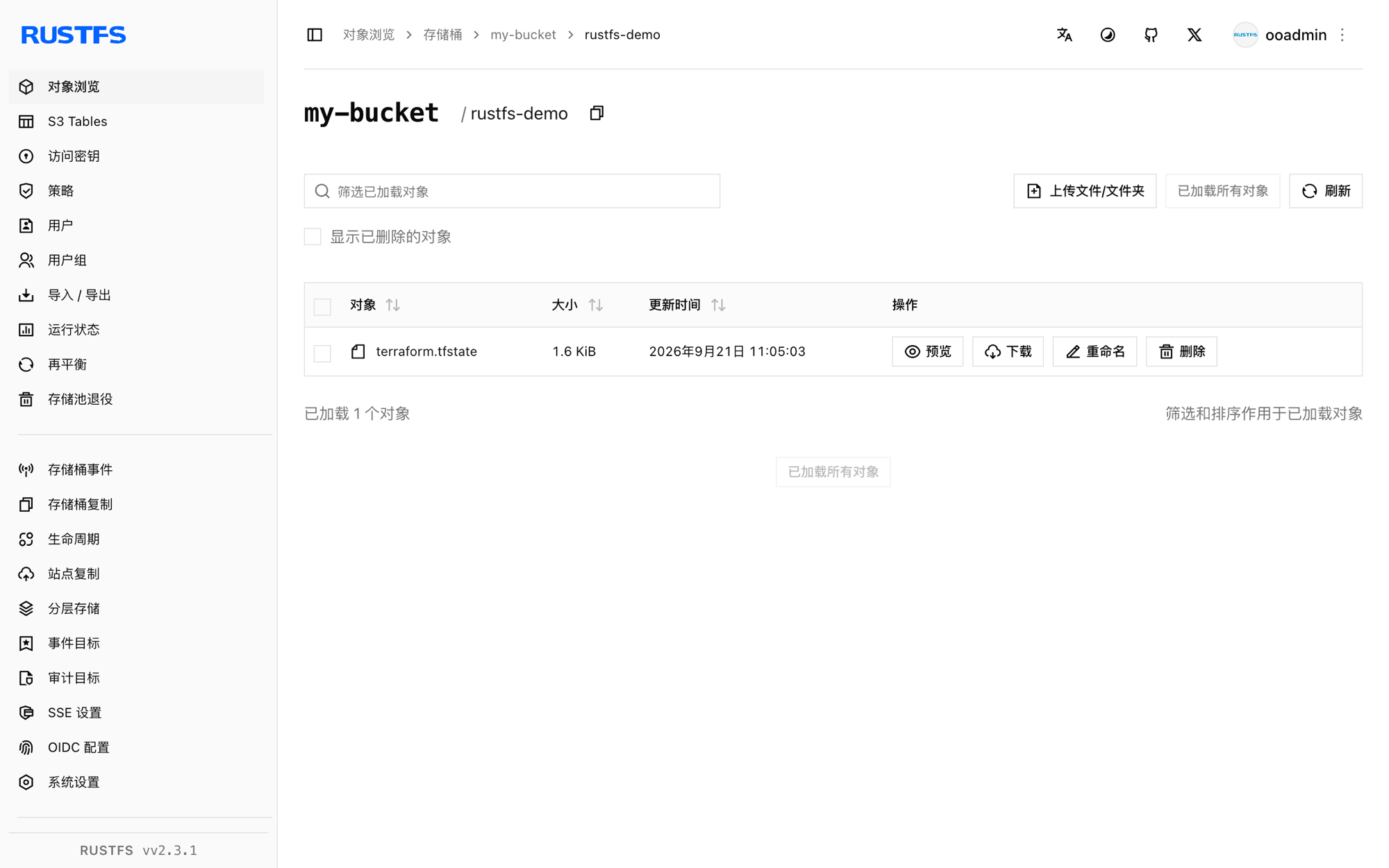
[2026-09-21 03:05:03] 1.62 KiB rustfs-demo/terraform.tfstate你也可以在 RustFS 控制台中浏览该前缀:
确认状态是从 RustFS 重新读取的
执行 plan——Terraform 会从 RustFS 读取状态并与配置比对:
terraform plan -input=falseNo changes. Your infrastructure matches the configuration.plan 结果干净,说明状态是从 RustFS 读回的,而不是来自任何本地文件。
销毁并重置
销毁资源;状态更新同样写回 RustFS:
terraform destroy -auto-approve -input=false在 RustFS 控制台(或用 rc rm)删除状态对象即可从零开始。
故障排除
"dial tcp: lookup rustfs ... server misbehaving" 或连接失败
endpoint 必须能被运行 Terraform 的机器访问。Compose 网络内使用 (http://rustfs:9000),宿主机上使用 (http://localhost:9000)。
"Bucket cannot have ACLs set" 或签名错误
对于非 AWS 端点,skip_credentials_validation、skip_region_validation、skip_metadata_api_check、skip_requesting_account_id、force_path_style 和 insecure 都必须设置;缺任何一个都会导致 backend 与 AWS 默认端点通信而不是 RustFS。
状态没有出现在桶里
确认桶已存在且凭证与 RustFS 凭证一致。状态对象会在第一次 init 或 apply 之后出现在 key 路径下(本指南为 rustfs-demo/terraform.tfstate)。
后续步骤
- 在采用其他 S3 操作前,请查看 S3 兼容性说明。
- 通过访问密钥管理创建专用的生产凭证。
- 阅读 Terraform S3 backend 文档了解 workspace 前缀、角色扮演等选项。