
s3fs
用 s3fs-fuse 把 RustFS 桶挂载为本地文件系统。
本指南将基于 FUSE 的 S3 文件系统 s3fs-fuse 连接到 RustFS。你将把一个桶挂载为本地目录、经挂载点写入文件、卸载后重挂,并确认对象持久保存在桶内。整个流程使用 s3fs v1.93 在 Ubuntu 24.04 上对 rustfs/rustfs-x86-musl:v2.3.1 验证通过。
你需要一台装有 FUSE(fuse3 包)与 s3fs 二进制的 Linux 主机。
架构
挂载点下创建的每个文件都会成为桶内对象,键即其相对路径——一层简单的 1:1 映射,没有缓存层。
保存凭证
把访问密钥与秘密密钥写入 s3fs 要求的密码文件:
echo "<your-access-key>:<your-secret-key>" > ~/.passwd-s3fs
chmod 600 ~/.passwd-s3fs
挂载桶
mkdir -p /mnt/s3fs-demo
s3fs s3fs-demo /mnt/s3fs-demo \
  -o passwd_file=~/.passwd-s3fs \
  -o url=http://<your-rustfs-endpoint>:9000 \
  -o endpoint=us-east-1 \
  -o use_path_request_style \
  -o allow_other -o umask=000
use_path_request_style 选择路径风格寻址,RustFS 即以此方式服务。allow_other 允许非 root 用户读取挂载点。
读写文件
echo "hello from s3fs" > /mnt/s3fs-demo/s3fs-test.txt
dd if=/dev/urandom of=/mnt/s3fs-demo/blob.bin bs=1M count=5
cat /mnt/s3fs-demo/s3fs-test.txthello from s3fs验证对象与持久化
卸载后重挂——对象持久保存在桶内:
fusermount -u /mnt/s3fs-demo
s3fs s3fs-demo /mnt/s3fs-demo -o passwd_file=~/.passwd-s3fs \
  -o url=http://<your-rustfs-endpoint>:9000 -o endpoint=us-east-1 \
  -o use_path_request_style
ls /mnt/s3fs-demo/blob.bin s3fs-test.txt从 S3 侧列举桶,看到同样的对象:
rc ls rustfs/s3fs-demo/[2026-10-06 12:09:27] 5 MiB blob.bin
[2026-10-06 12:09:26] 16 B s3fs-test.txt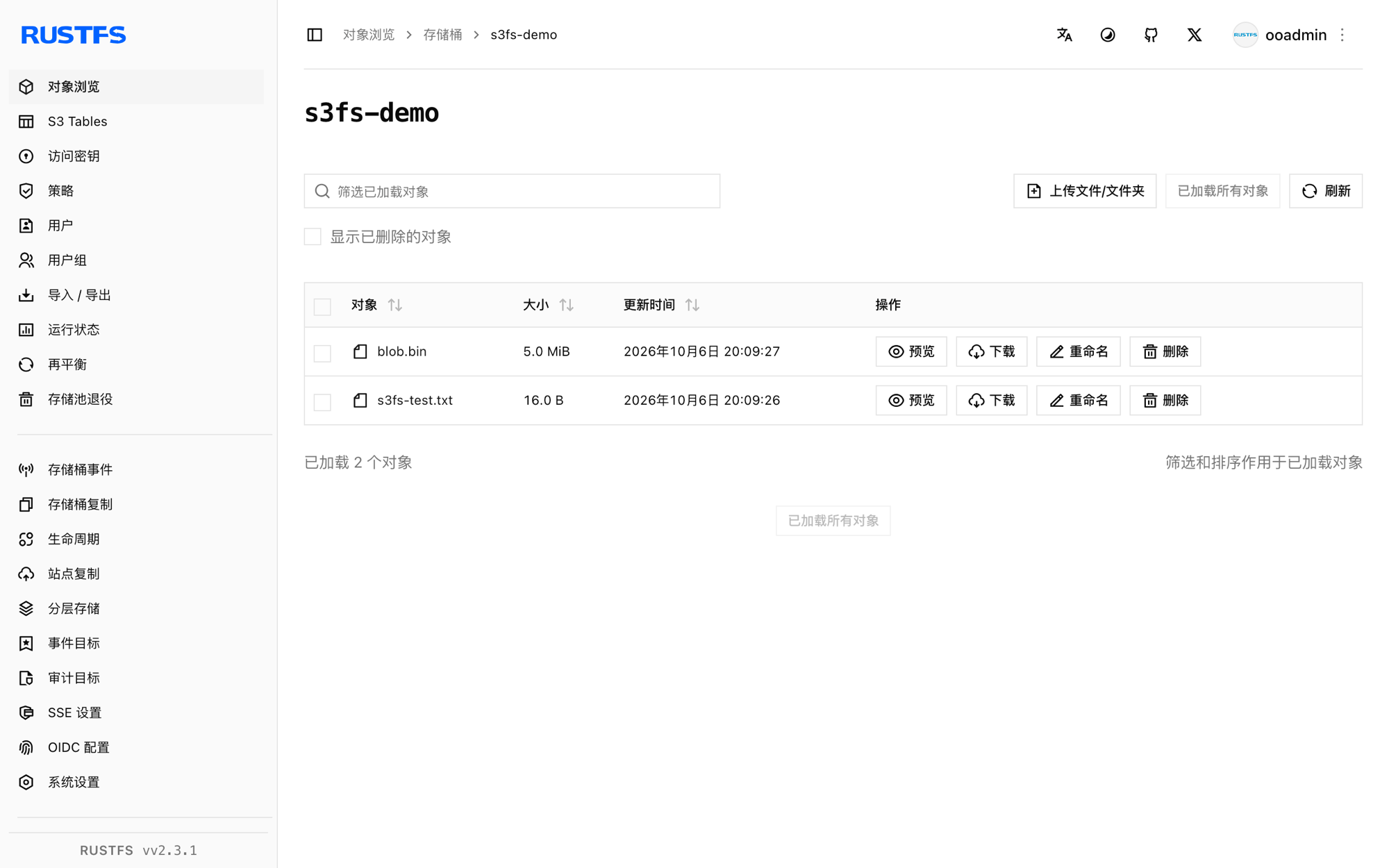
停止或重置
fusermount -u /mnt/s3fs-demo
rc rm rustfs/s3fs-demo/ --recursive --force
故障排查
容器内报 fuse: device not found
给 docker run 加 --device /dev/fuse --cap-add SYS_ADMIN,挂载助手仍失败时用 --privileged。
其他用户读取挂载点报 Permission denied
s3fs 挂载默认仅挂载者可见。挂载时加 -o allow_other -o umask=000(或更严格的 umask)。
挂载成功但另一客户端列举为空
s3fs 没有跨挂载的元数据缓存,列表操作是最终一致的。几秒后重挂或重新列举即可。
下一步
- 在启用更多 FUSE 选项前,先阅读 S3 兼容性说明。
- 使用访问密钥管理创建专用的生产凭证。
- 按照 s3fs-fuse 文档了解
-o multipart、-o parallel_count等性能调优选项。