
Multipart Upload
Upload large objects in parts, monitor Console upload tasks, and verify completed objects with rc.
Multipart upload splits one object into independently uploaded parts and assembles them on the server. Use it for large objects, retryable transfers, and browser uploads that need progress and cancellation controls.
Overview
The S3 multipart workflow has three required phases:
- CreateMultipartUpload returns an upload ID.
- UploadPart uploads numbered parts and returns an ETag for each part.
- CompleteMultipartUpload submits the ordered part numbers and ETags to create the final object.
Abort an unfinished upload with AbortMultipartUpload so temporary parts do not continue consuming storage.
RustFS accepts part numbers from 1 through 10000. ListParts and ListMultipartUploads return at most 1,000 entries per response and use markers for pagination. The completed object appears only after the completion request succeeds.
Upload in the Console
- Sign in to the RustFS Console and open the destination bucket.
- Select Upload File/Folder.
- Optionally enter a Current Prefix.
- Select Select File or Select Folder, then choose the content to upload.
- Review the selected names and sizes, then select Start Upload.
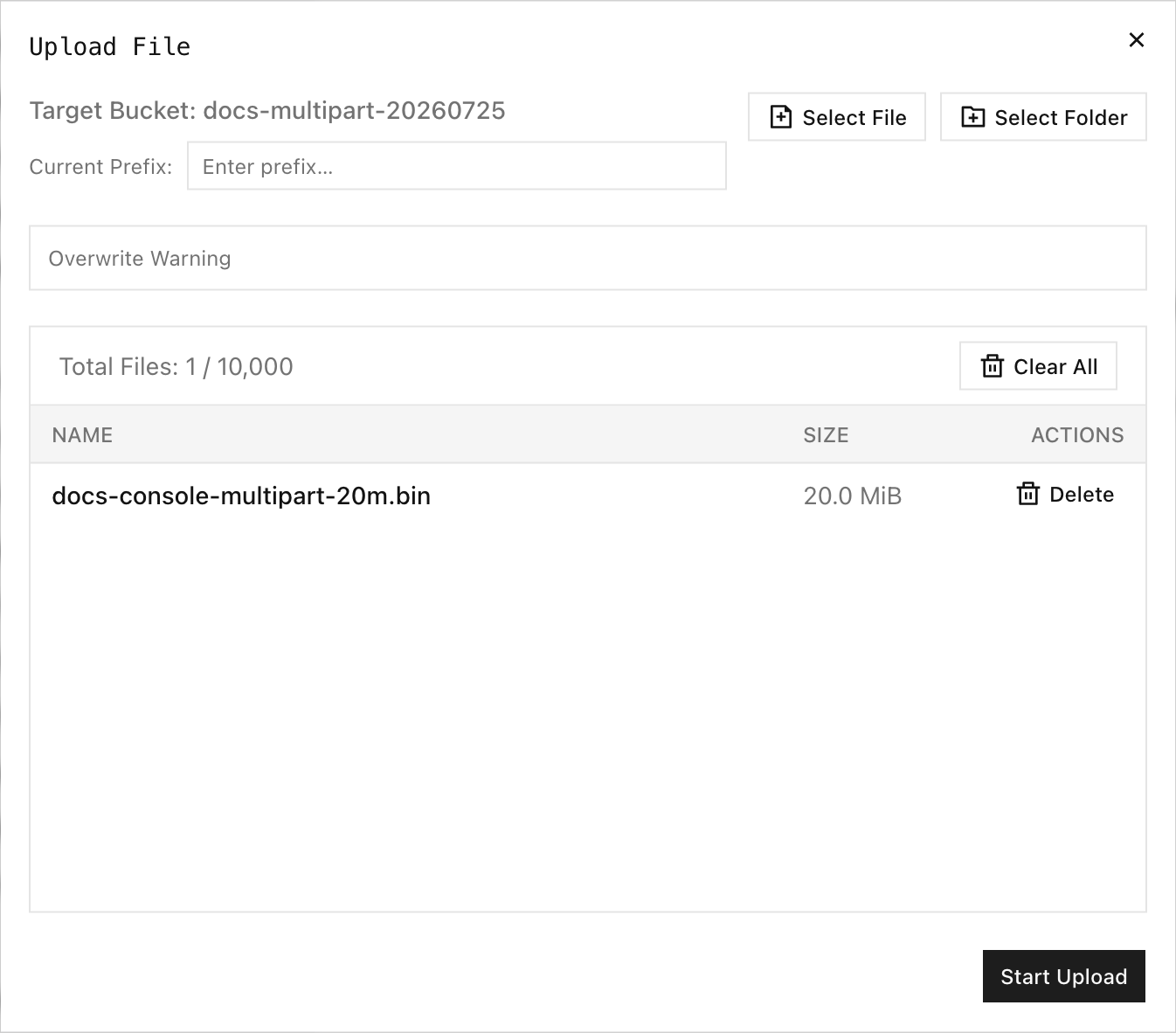
The observed Console upload dialog supports up to 10,000 selected files and reports a 512 GB maximum for a single file. These are Console upload limits; S3 clients can have different local limits.
After upload starts, Task Management groups tasks into Pending, Processing, Completed, Failed, and Canceled states. Each processing task shows progress and a Cancel action. Canceling an active multipart task aborts the current part request and marks the task as canceled.
Refresh the bucket after completion and confirm the object size and modification time.
Use rc
Upload and verify an object with rc:
rc object copy /path/to/hello.txt rustfs/my-bucket/hello.txt
rc object stat rustfs/my-bucket/hello.txt --json
rc 0.1.29 multipart boundary
rc 0.1.29 does not expose create, upload-part, complete, list-parts, or abort multipart commands. A validated 20 MiB rc object copy used a single PutObject request rather than multipart upload. Use the Console or an S3 SDK when explicit multipart behavior is required; use rc object stat to verify the completed object.
For a versioned bucket, list the version created by a completed multipart upload:
rc bucket version list rustfs/my-bucket/hello.txt --jsonRustFS returns a version ID when multipart completion succeeds in a versioned bucket.
S3 multipart operations
Use an S3 SDK that supports these standard operations:
| Phase | S3 operation | Required values |
|---|---|---|
| Initiate | CreateMultipartUpload | Bucket, key, metadata, encryption, and optional Object Lock settings. |
| Upload | UploadPart | Bucket, key, upload ID, part number, and body. Save the returned ETag. |
| Inspect | ListParts | Bucket, key, and upload ID. Paginate when needed. |
| Complete | CompleteMultipartUpload | Ordered part numbers and their exact ETags. |
| Cancel | AbortMultipartUpload | Bucket, key, and upload ID. |
| Discover | ListMultipartUploads | Bucket and optional prefix. Paginate when needed. |
Do not reuse an upload ID for a different key. Submit completed parts in ascending part-number order and preserve each ETag exactly as returned.
Verification
After completion:
rc object stat rustfs/my-bucket/hello.txt --json
rc object show rustfs/my-bucket/hello.txt > /tmp/hello-downloaded.txt
cmp /path/to/hello.txt /tmp/hello-downloaded.txt
Confirm that size_bytes matches the local file and that cmp exits successfully. For a versioned bucket, also confirm that rc bucket version list returns a version ID.
Troubleshooting
| Symptom | Check |
|---|---|
| Upload remains in Processing | Check browser connectivity and keep the Console tab open; cancel and retry when the connection is interrupted. |
| A part request fails | Retry that part with the same upload ID and part number, then use the latest returned ETag. |
| Completion reports an invalid part | Verify the submitted part numbers, ordering, and ETags against ListParts. |
| Object is absent after uploading parts | Send CompleteMultipartUpload; uploaded parts alone do not create the object. |
| Temporary storage continues growing | List incomplete uploads and abort those that are no longer needed. |
| Completion fails on a locked key | Check Object Lock retention or Legal Hold on the current destination version. |