
Helm
Host a private Helm chart repository in a RustFS bucket with the helm-s3 plugin.
This guide connects Helm — the CNCF package manager for Kubernetes — to RustFS through the helm-s3 plugin, so a RustFS bucket becomes a private chart repository. You will initialize the repository in the bucket, push a packaged chart, then add the repository to Helm and pull the chart back. The workflow was verified with alpine/helm:3.16.4 and helm-s3 v0.17.2 against a RustFS bucket.
You need Docker. This deployment is intended for local integration testing, not production.
Architecture
The bucket prefix holds index.yaml and one .tgz per chart version. Helm reads and writes it through the plugin, so the repository is reachable from anywhere that can reach RustFS.
Install the plugin and initialize the repository
The alpine/helm image ships without git, so install the plugin from its release archive instead of the repository URL:
cd /tmp
wget -q https://github.com/hypnoglow/helm-s3/releases/download/v0.17.2/helm-s3_0.17.2_linux_amd64.tar.gz
mkdir -p helm-s3 && tar -xzf helm-s3_0.17.2_linux_amd64.tar.gz -C helm-s3
helm plugin install helm-s3
Point the plugin at RustFS through its own environment variables and initialize the repository prefix:
export AWS_ENDPOINT=<your-rustfs-endpoint>:9000
export AWS_DISABLE_SSL=true
export AWS_ACCESS_KEY_ID=<your-access-key>
export AWS_SECRET_ACCESS_KEY=<your-secret-key>
export AWS_DEFAULT_REGION=us-east-1

helm s3 init s3://my-bucket/chartsInitialized empty repository at s3://my-bucket/chartshelm-s3 uses AWS_ENDPOINT, not AWS_ENDPOINT_URL
The plugin builds its request URLs from AWS_ENDPOINT (host and port, no scheme) plus AWS_DISABLE_SSL=true for plain HTTP. The standard AWS_ENDPOINT_URL variable is not honored, and the SDK-default virtual-hosted addressing it triggers fails against RustFS with 403 Forbidden.
Push a chart
Register the repository before the first push — the plugin reads the Helm repositories file and errors if it is missing:
helm repo add rustfs-charts s3://my-bucket/chartsCreate and package a demo chart, then push it. helm s3 push takes the repository name, not the s3:// URI:
helm create demo
helm package demo
helm s3 push ./demo-0.1.0.tgz rustfs-chartsSuccessfully uploaded the chart to the repository.Install or pull from the bucket
Refresh the repository index and confirm the chart is discoverable:
helm repo update
helm search repo rustfs-charts/demoNAME CHART VERSION APP VERSION DESCRIPTION
rustfs-charts/demo 0.1.0 1.16.0 A Helm chart for KubernetesPull the chart back out of RustFS:
helm pull rustfs-charts/demo --destination ./pullback
tar -tzf ./pullback/demo-0.1.0.tgz | head -2demo/Chart.yaml
demo/values.yaml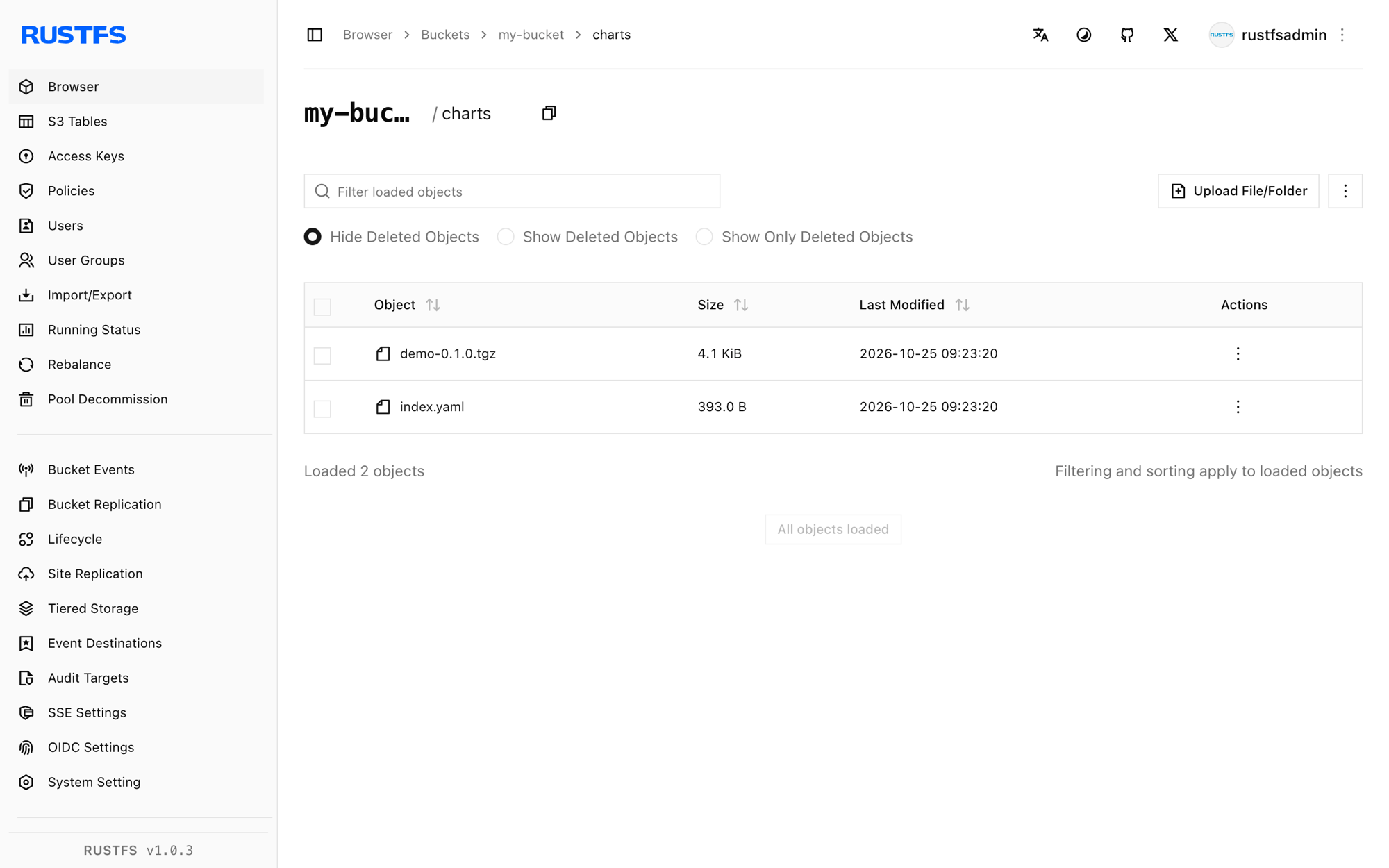
Stop or reset
Charts are plain bucket objects, so cleanup is a prefix delete:
aws s3 rm s3://my-bucket/charts --recursive \
  --endpoint-url http://<your-rustfs-endpoint>:9000
Troubleshooting
head s3 object: Forbidden on helm s3 init
The plugin is using virtual-hosted addressing — AWS_ENDPOINT and AWS_DISABLE_SSL are not set. Export them exactly as shown in step 1.
check if index exists in the storage fails with a git error
The image has no git, so helm plugin install <git-url> cannot clone. Install from the release archive as shown in step 1.
The index file already exists under the provided URI
The repository prefix was initialized before. Re-run with helm s3 init --ignore-if-exists s3://my-bucket/charts, or pass --force to replace the index.
repo with name s3://... not found on push
helm s3 push expects the repository name registered with helm repo add — use helm s3 push ./demo-0.1.0.tgz rustfs-charts.
couldn't load repositories file during push
Helm's repositories.yaml does not exist yet in this environment. Run helm repo add rustfs-charts s3://my-bucket/charts before pushing.
Next steps
- Review S3 compatibility notes before hosting larger repositories with many chart versions.
- Create dedicated production credentials with Access Key Management.
- Follow the helm-s3 documentation for repository reindexing, chart deletion, and CI usage on the same bucket.