
AutoMQ
Run AutoMQ with RustFS as the S3-backed log storage.
This guide connects AutoMQ — the cloud-native Kafka distribution that keeps its log storage in object storage — to RustFS. You will start a single-node AutoMQ broker in KRaft mode with its S3 log buckets pointed at RustFS, then produce and consume messages. The workflow was verified with AutoMQ 1.3.0 (Kafka 3.9.0 API) against rustfs/rustfs-x86-musl:v2.3.1.
You need Docker. This deployment is intended for local integration testing, not production.
Architecture
AutoMQ decouples storage from brokers: the write-ahead log is buffered locally, then uploaded as immutable stream objects into the bucket. The broker keeps no local data directory beyond the WAL.
Run the broker
Start AutoMQ with the S3 buckets pointed at RustFS. Four details are mandatory: space-separated script arguments (--key=value makes the startup script loop forever), JAVA_TOOL_OPTIONS with -XX:-UseContainerSupport (the bundled JDK 17 crashes on cgroup v2 detection otherwise), the server combined role, and credentials via KAFKA_S3_ACCESS_KEY/KAFKA_S3_SECRET_KEY environment variables (the --s3.access.key script arguments are ignored):
docker run -d --name automq --hostname automq --network oo-rustfs_default -p 9092:9092 \
  -e JAVA_TOOL_OPTIONS="-XX:-UseContainerSupport" \
  -e KAFKA_HEAP_OPTS="-Xms512m -Xmx512m -XX:MetaspaceSize=96m -XX:MaxDirectMemorySize=512M" \
  -e KAFKA_S3_ACCESS_KEY=<your-access-key> \
  -e KAFKA_S3_SECRET_KEY=<your-secret-key> \
  -v /opt/automq-data:/data/kafka \
  automqinc/automq:1.3.0 /opt/automq/scripts/start.sh up \
  --process.roles server \
  --node.id 0 \
  --controller.quorum.voters 0@automq:9093 \
  --s3.region us-east-1 \
  --s3.bucket automq-demo \
  --s3.endpoint http://rustfs:9000
The broker binds its listener to the container IP. For the console tools, address it by that IP (the hostname automq also works from inside the container).
Create a topic and produce
AIP=<automq-container-ip>
docker exec automq sh -c "cd /opt/automq/kafka && \
  ./bin/kafka-topics.sh --bootstrap-server $AIP:9092 --create --topic rustfs-automq --partitions 1 --replication-factor 1"

docker exec automq sh -c "cd /opt/automq/kafka && \
  printf 'mq-msg-one\nmq-msg-two\nmq-msg-three\n' | \
  ./bin/kafka-console-producer.sh --bootstrap-server $AIP:9092 --topic rustfs-automq"
Consume the messages
docker exec automq sh -c "cd /opt/automq/kafka && \
  ./bin/kafka-console-consumer.sh --bootstrap-server $AIP:9092 \
--topic rustfs-automq --from-beginning --max-messages 3 --timeout-ms 30000"mq-msg-one
mq-msg-two
mq-msg-three
Processed a total of 3 messagesVerify objects in RustFS
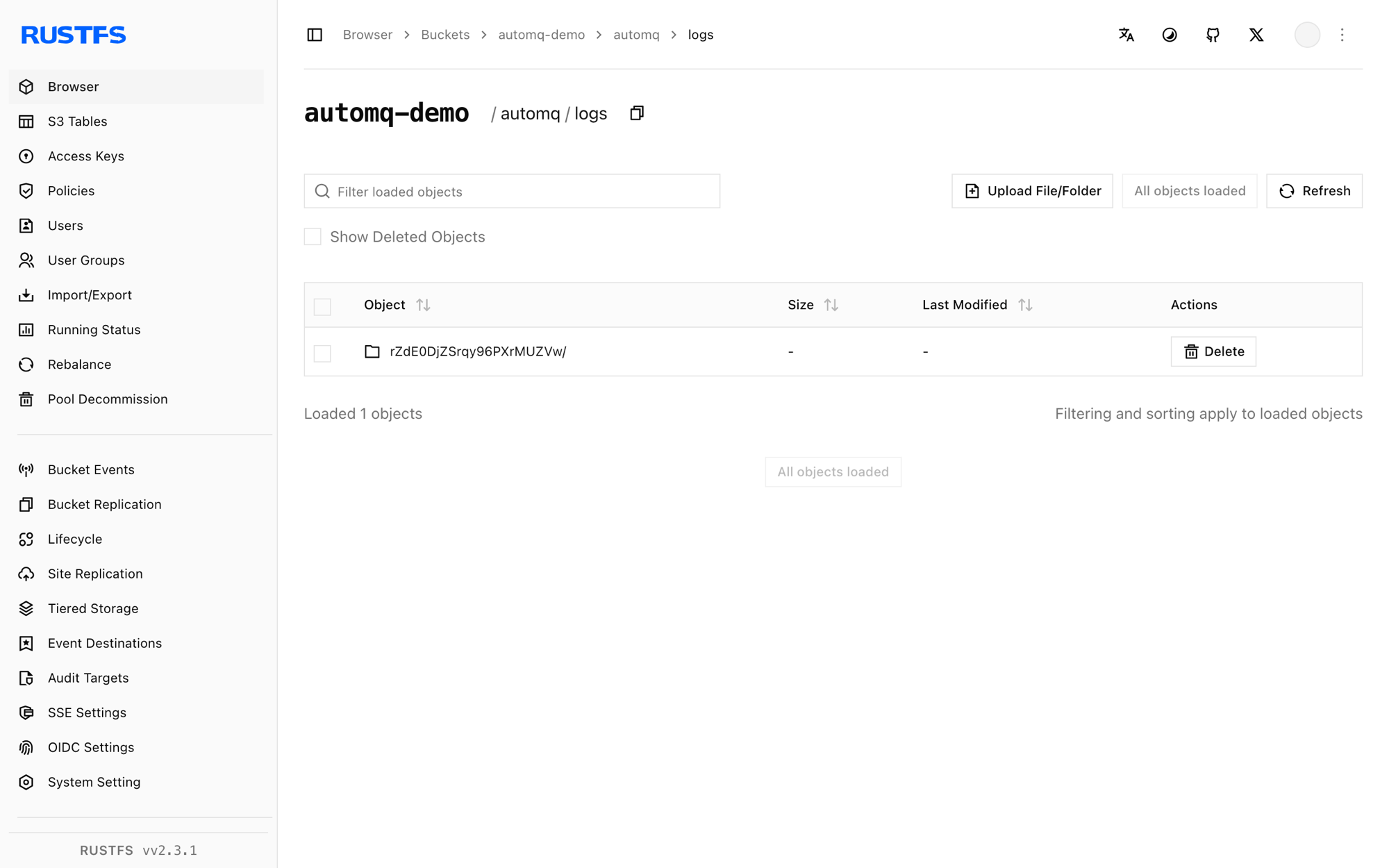
List the bucket — AutoMQ writes its log streams and metrics as objects:
rc ls rustfs/automq-demo/ -rautomq/logs/rZdE0DjZSrqy96PXrMUZVw/0/2026100700/fcd3fc76-...
automq/logs/rZdE0DjZSrqy96PXrMUZVw/0/2026100701/52877dc7-...
automq/metrics/rZdE0DjZSrqy96PXrMUZVw/0/2026100701/4733e680-...The log stream objects hold the topic data — the broker keeps only the WAL locally, so scaling brokers up or down does not move data.
Stop or reset
docker rm -f automq
rc rm rustfs/automq-demo/ --recursive --force
Troubleshooting
Startup script prints setup_value: lines forever at 100% CPU
The argument parser only accepts the space-separated form (--s3.bucket x, not --s3.bucket=x). The = form makes the parser loop forever.
java.lang.NullPointerException ... CgroupInfo.getMountPoint()
The bundled JDK 17 fails cgroup v2 detection in this image. Set JAVA_TOOL_OPTIONS="-XX:-UseContainerSupport".
unknown process role broker,controller
AutoMQ 1.3.0's script expects the combined role to be spelled server.
Broker starts but clients get Connection to node -1 could not be established
The listener binds to the container IP (hostname -I). Address the broker by that IP or by the hostname automq from inside the same Docker network — localhost only works for tools running inside the broker container itself.
List objects failed, cost: 120000+ ms
AutoMQ uses virtual-host addressing by default and falls into a retry loop against IP endpoints. Force path-style buckets by overriding the bucket URLs with KAFKA_CFG_S3_DATA_BUCKETS/KAFKA_CFG_S3_OPS_BUCKETS set to 0@s3://<bucket>?region=us-east-1&endpoint=http://rustfs:9000&pathStyle=true&authType=static, and pass credentials via KAFKA_S3_ACCESS_KEY/KAFKA_S3_SECRET_KEY.
Next steps
- Compare with the Kafka guide when you prefer connect-based S3 integration on stock Kafka.
- Create dedicated production credentials with Access Key Management.
- Follow the AutoMQ documentation for multi-node clusters and WAL parameter tuning on the same bucket.