
DolphinScheduler
Store DolphinScheduler resources on RustFS over S3.
This guide connects Apache DolphinScheduler — the workflow scheduler — to RustFS as its resource center storage. You will run the standalone server, switch the resource storage to S3, upload a resource file through the API, and verify the object in the bucket. The workflow was verified with DolphinScheduler 3.2.1 (standalone server) against rustfs/rustfs-x86-musl:v2.3.1.
You need Docker.
Architecture
The resource center stores workflow scripts, dependency JARs, and other files. With S3 storage every uploaded file becomes an object under dolphinscheduler/<tenant>/resources/ in the bucket.
Run the standalone server
docker run -d --name dolphinscheduler --hostname dolphinscheduler \
  --network oo-rustfs_default -p 12345:12345 \
  apache/dolphinscheduler-standalone-server:3.2.1
The single container bundles master, worker, API, alert, and an embedded ZooKeeper. The UI is at http://localhost:12345/dolphinscheduler/ui (default login admin / dolphinscheduler123).
Switch the resource center to RustFS
The storage backend lives in /opt/dolphinscheduler/conf/common.properties. Append the S3 properties to the existing file — do not replace the file, it holds many other settings:
docker exec dolphinscheduler bash -c "cat >> /opt/dolphinscheduler/conf/common.properties << 'EOF'

resource.storage.type=S3
resource.storage.base.dir=/ds-resources
resource.aws.s3.bucket.name=ds-demo
resource.aws.s3.endpoint=http://<your-rustfs-endpoint>:9000
resource.aws.access.key.id=<your-access-key>
resource.aws.secret.access.key=<your-secret-key>
resource.aws.region=us-east-1
EOF"
docker restart dolphinscheduler
Wait for the API to come back (about a minute), then create the bucket:
rc mb rustfs/ds-demoUpload a resource file
Log in through the API to get a session id, then upload a file. The endpoint requires both name and fullName parameters:
printf "ds resource file stored in rustfs" > /tmp/ds-file.txt
TOKEN=$(curl -s -m 10 -X POST http://localhost:12345/dolphinscheduler/login \
  -d "userName=admin&userPassword=dolphinscheduler123" \
  | python3 -c "import json,sys; print(json.load(sys.stdin)['data']['sessionId'])")

curl -s -m 30 -X POST "http://localhost:12345/dolphinscheduler/resources" \
  -H "session-id: $TOKEN" -H "Cookie: sessionId=$TOKEN" \
  -F "file=@/tmp/ds-file.txt" -F "type=FILE" -F "currentDir=/" \
-F "name=ds-file.txt" -F "fullName=/ds-file.txt" -F "description=demo"{"code":0,"msg":"success","data":null,"failed":false,"success":true}Verify in DolphinScheduler and RustFS
Read the file back through the API:
curl -s -m 30 "http://localhost:12345/dolphinscheduler/resources/view-ui?fullName=/ds-file.txt&skipLineNum=100&limit=100" \
-H "session-id: $TOKEN" -H "Cookie: sessionId=$TOKEN" | grep "ds resource"ds resource file stored in rustfsList the bucket — the file sits under the tenant's resources prefix:
rc ls rustfs/ds-demo/ -rdolphinscheduler/default/resources/ds-file.txt
dolphinscheduler/default/udfs/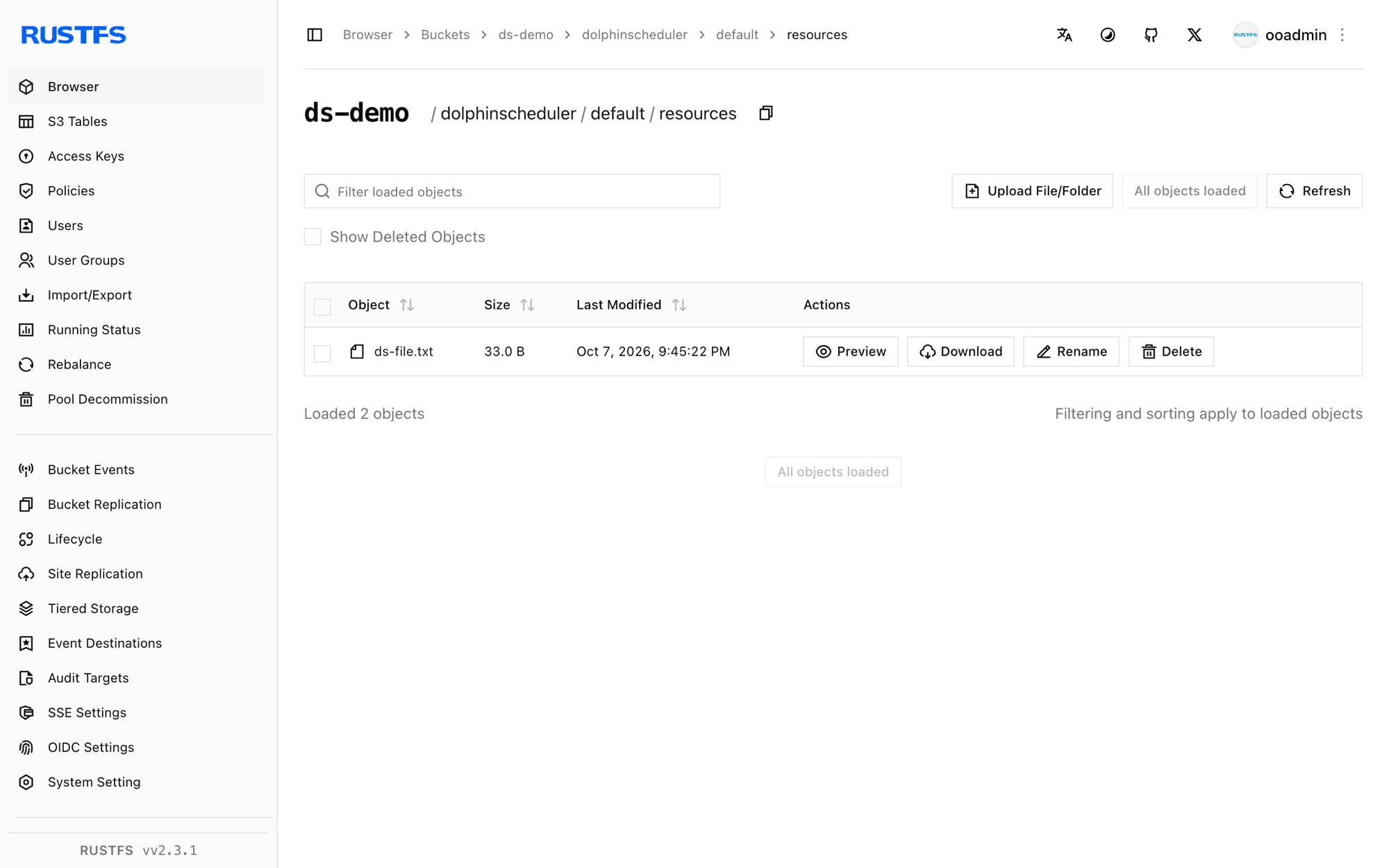
Stop or reset
docker rm -f dolphinscheduler
rc rm rustfs/ds-demo/ --recursive --force
Troubleshooting
Server fails to start with an Azure clientId/tenantId/clientSecret error
The storage config was written as a brand-new file instead of appended, so resource.storage.type=S3 was lost and the defaults pointed at Azure. Always append to the existing common.properties as in step 2.
Required request parameter 'name'/'fullName' is not present
The resource create endpoint requires both name and fullName form fields alongside file, type, and currentDir.
API returns 405 for the token call
The login/token endpoints accept POST but /api/v2/token style endpoints differ per version — use the login form shown in step 3 and pass session-id header plus Cookie: sessionId=... on every call.
Next steps
- Compare with the Airflow guide for orchestration without a built-in resource center.
- Create dedicated production credentials with Access Key Management.
- Follow the DolphinScheduler documentation to wire the same S3 resource center into worker task execution.