
Apache Zeppelin
Store Apache Zeppelin notebooks in RustFS through the S3 notebook repository.
This guide connects Apache Zeppelin — the web-based notebook for data analytics — to RustFS through Zeppelin's S3 notebook storage. You will start Zeppelin pointed at a RustFS bucket, create a note, and verify that the notebook file is stored in RustFS and survives a restart. The workflow was verified with apache/zeppelin:0.12.0 and rustfs/rustfs-x86-musl:v2.3.1.
You need Docker. This deployment is intended for local integration testing, not production.
Architecture
With the S3NotebookRepo storage class, every note is persisted as a .zpln JSON file under the user/notebook/ prefix of the bucket. Zeppelin reads and writes the bucket directly, so notes survive container restarts and can be shared between instances.
Start Zeppelin
Create an environment file and replace both credential placeholders:
AWS_ACCESS_KEY_ID=<your-access-key>
AWS_SECRET_ACCESS_KEY=<your-secret-key>
Start Zeppelin on the same Docker network as RustFS with the S3 storage settings:
docker run -d --name zeppelin --network oo-rustfs_default \
  -p 8080:8080 \
  -e AWS_ACCESS_KEY_ID \
  -e AWS_SECRET_ACCESS_KEY \
  -e ZEPPELIN_NOTEBOOK_STORAGE=org.apache.zeppelin.notebook.repo.S3NotebookRepo \
  -e ZEPPELIN_NOTEBOOK_S3_BUCKET=my-bucket \
  -e ZEPPELIN_NOTEBOOK_S3_ENDPOINT=http://rustfs:9000 \
  -e ZEPPELIN_NOTEBOOK_S3_PATH_STYLE_ACCESS=true \
  apache/zeppelin:0.12.0
Zeppelin reads ZEPPELIN_* environment variables as configuration properties, so no zeppelin-site.xml edit is needed. This guide uses the existing my-bucket; notes land under its user/notebook/ prefix, which the S3 storage creates on demand.
Create a note
Wait for the UI on http://localhost:8080, then create a note named rustfs-demo in the notebook list and add a paragraph, or use the REST API:
NOTE=$(curl -s -X POST "http://localhost:8080/api/notebook" \
  -H "Content-Type: application/json" \
  -d '{"name": "rustfs-demo"}' | python3 -c "import json,sys; print(json.load(sys.stdin)['body'])")
echo "note id: $NOTE"
Verify the notebook in RustFS
List the notebook prefix:
rc ls rustfs/my-bucket/user/notebook/ -rThe note is stored as a JSON file named after the note and its ID:
user/notebook/rustfs-demo_2N4PY7UY5.zpln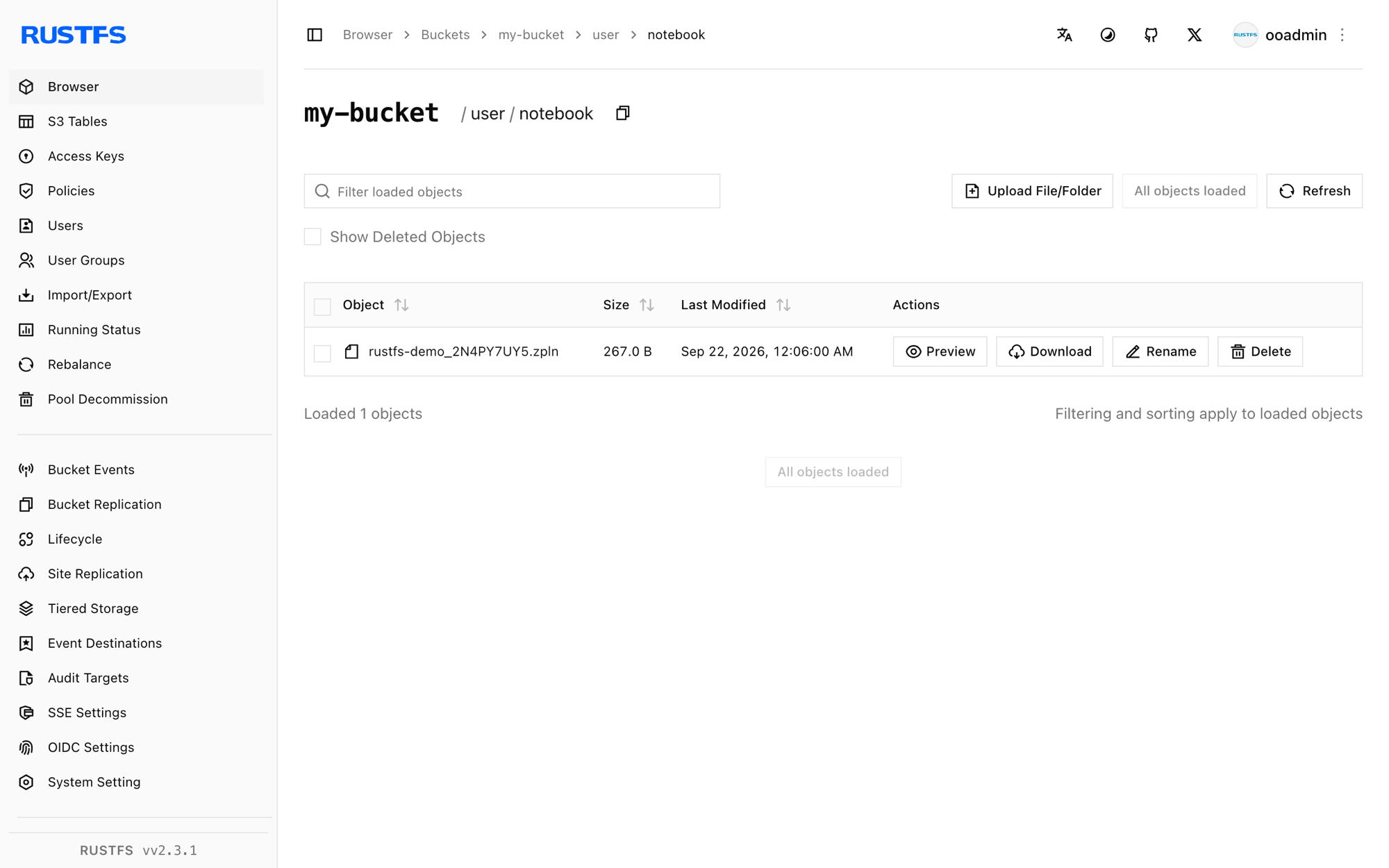
Notes survive a restart because Zeppelin loads them from the bucket:
docker restart zeppelin
curl -s "http://localhost:8080/api/notebook" | head -c 200
The note list contains 2N4PY7UY5 again after the restart.
Stop or reset the deployment
Stop Zeppelin while keeping the notes:
docker rm -f zeppelinThe notes stay in the user/notebook/ prefix of my-bucket. To delete them, remove the prefix:
rc rm rustfs/my-bucket/user/notebook/ --recursive --forceTroubleshooting
Zeppelin starts but notes never appear in the bucket
Confirm the three ZEPPELIN_NOTEBOOK_S3_* variables are set and that the credentials environment variables reach the container — the S3 repository is initialized at startup, so the container must be recreated after any change.
UnknownHostException: my-bucket.rustfs
The path-style flag was not picked up. Keep ZEPPELIN_NOTEBOOK_S3_PATH_STYLE_ACCESS=true exactly as shown; with path-style disabled Zeppelin treats the bucket as a hostname.
Next steps
- Review S3 compatibility notes before adopting additional Zeppelin operations.
- Create dedicated production credentials with Access Key Management.
- Follow the Zeppelin storage documentation to organize notes in per-user prefixes.