
OpenDAL
Access RustFS objects from applications through the Apache OpenDAL data access layer.
This guide connects Apache OpenDAL — the unified data access layer — to RustFS through its s3 service. You will run the OpenDAL Python binding against RustFS, write and read an object, list a prefix, and delete it. The workflow was verified with the opendal Python package 0.46 on python:3.12-slim and rustfs/rustfs-x86-musl:v2.3.1.
You need Docker and Python 3.9 or later. OpenDAL supports the same s3 service from Rust, Java, Node.js, and Go bindings with equivalent settings.
Architecture
An OpenDAL Operator bound to the s3 service exposes one uniform API — write, read, stat, list, delete — over the bucket, so the same code runs against S3, RustFS, or any other supported service by changing the connection settings.
Set up the project
Install the Python binding:
pip install opendalCreate the script, replacing all connection placeholders:
import opendal

op = opendal.Operator(
    "s3",
    endpoint="http://<your-rustfs-endpoint>:9000",
    bucket="my-bucket",
    access_key_id="<your-access-key>",
    secret_access_key="<your-secret-key>",
    region="us-east-1",
)
op.write("opendal-demo/hello.txt", b"hello from opendal against rustfs")
print("read-back:", op.read("opendal-demo/hello.txt"))
print("content_length:", op.stat("opendal-demo/hello.txt").content_length)
for entry in op.list("opendal-demo/"):
    print("listed:", entry.path)
op.delete("opendal-demo/hello.txt")
print("deleted:", not op.exists("opendal-demo/hello.txt"))
The credential option names are access_key_id and secret_access_key — the shorter access_key names do not exist and fail with a signing error. Path-style addressing is the default for non-AWS endpoints.
Run the demo
Run the script from a machine that can reach RustFS:
python opendal_demo.pyread-back: b"hello from opendal against rustfs"
content_length: 33
listed: opendal-demo/hello.txt
deleted: TrueThe round trip exercises the full object lifecycle: write uploads the bytes, read fetches them back, stat returns the object size, list enumerates the prefix, and delete removes the object.
Verify objects in RustFS
Comment out the final op.delete line, run the script again, and list the prefix in RustFS:
rc ls rustfs/my-bucket/opendal-demo/ -rhello.txt
data/rows.csv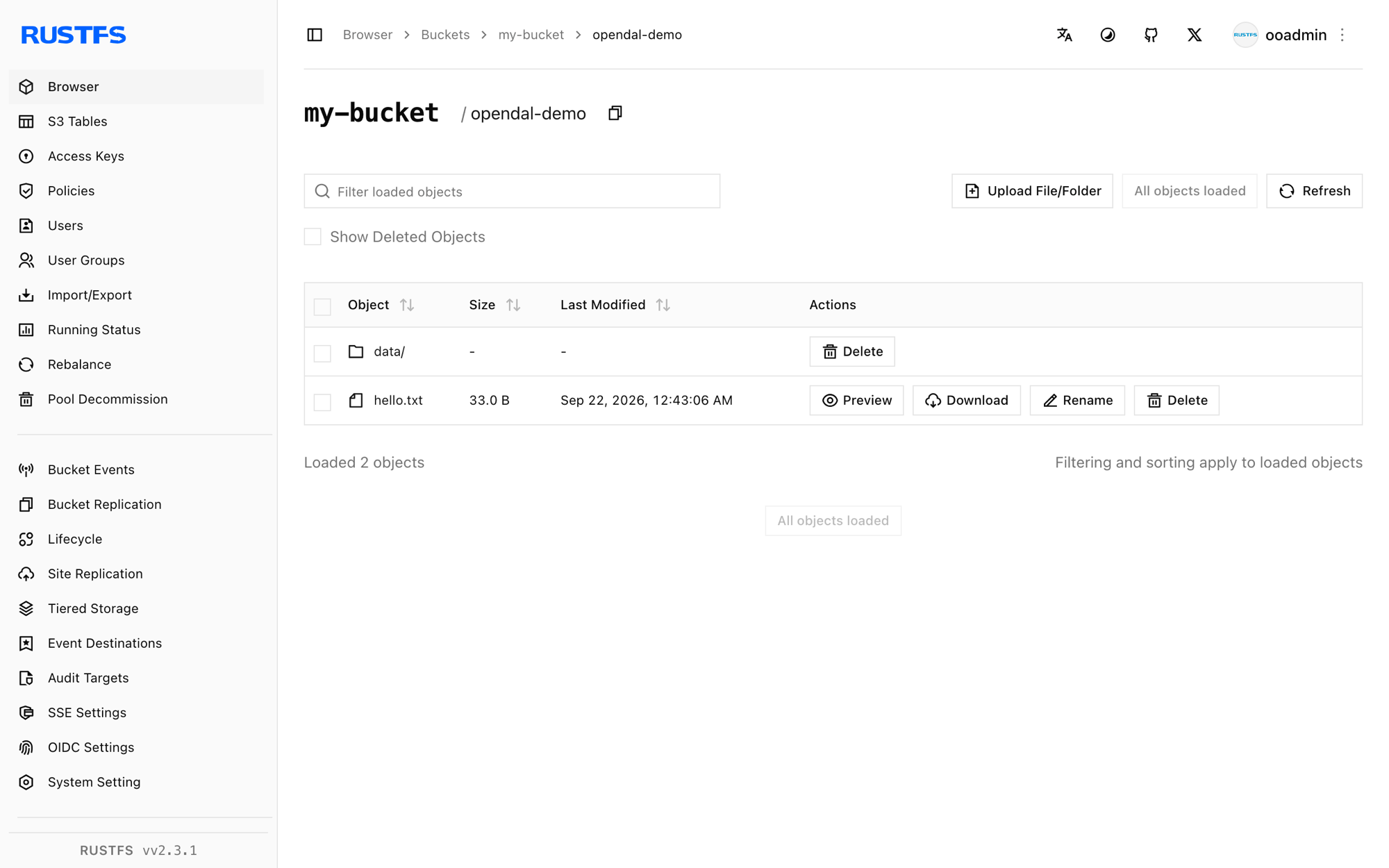
The objects visible in the RustFS Console are exactly the paths the OpenDAL API wrote.
Stop or reset
OpenDAL is a library and holds no state of its own. To clean up the demo objects:
rc rm rustfs/my-bucket/opendal-demo/ --recursive --forceTroubleshooting
failed to load signing credential
The operator received no usable credentials. Use the exact option names access_key_id and secret_access_key; other spellings are silently ignored and signing then fails.
Connection or DNS errors on write
Confirm the endpoint includes the scheme and port and is reachable from the application. Inside a Compose network the hostname is rustfs; from the host use http://localhost:9000.
Next steps
- Review S3 compatibility notes before adopting additional OpenDAL operations.
- Create dedicated production credentials with Access Key Management.
- Follow the OpenDAL documentation to use the same operator from Rust, Java, or Node.js.