
Dapr
Read and write RustFS objects from any Dapr application through the AWS S3 binding.
This guide connects Dapr — the CNCF portable runtime for building distributed applications — to RustFS through its AWS S3 binding. You will declare a binding component backed by a RustFS bucket, run a sidecar, and use the binding's HTTP API to create, read back, and confirm an object. The workflow was verified with daprio/dapr:1.19.0 against a RustFS bucket with path-style addressing.
You need Docker. This deployment is intended for local integration testing, not production.
Architecture
Applications never hold S3 credentials or endpoints. The sidecar exposes the bucket as a named binding, and every operation is a POST to the binding endpoint with an operation and optional metadata.
Define the binding component
Create the component file. The endpoint includes the scheme, and forcePathStyle matches RustFS path-style addressing:
apiVersion: dapr.io/v1alpha1
kind: Component
metadata:
  name: rustfs-s3
spec:
  type: bindings.aws.s3
  version: v1
  metadata:
  - name: bucket
    value: my-bucket
  - name: endpoint
    value: http://<your-rustfs-endpoint>:9000
  - name: accessKey
    value: <your-access-key>
  - name: secretKey
    value: <your-secret-key>
  - name: region
    value: us-east-1
  - name: forcePathStyle
    value: "true"
Start the sidecar
Run daprd with the components directory mounted. --resources-path replaces the deprecated --components-path:
docker run -d --name dapr \
  -v "$PWD:/components" \
  daprio/dapr:1.19.0 /daprd \
  --app-id s3demo \
  --dapr-http-port 3500 \
  --resources-path /components
Confirm the binding initialized — the log ends with:
docker logs dapr 2>&1 | grep "successful init"successful init for output binding (rustfs-s3 (bindings.aws.s3/v1))Create an object through the binding
Invoke the binding from any HTTP client that can reach the sidecar. The key metadata sets the object name:
curl -s -X POST http://localhost:3500/v1.0/bindings/rustfs-s3 \
  -H "Content-Type: application/json" \
-d '{"operation":"create","data":"hello from dapr","metadata":{"key":"dapr/hello.txt"}}'{"location":"http://<your-rustfs-endpoint>:9000/my-bucket/dapr/hello.txt","versionID":null}Read the object back
The get operation returns the object content in the response body:
curl -s -X POST http://localhost:3500/v1.0/bindings/rustfs-s3 \
  -H "Content-Type: application/json" \
-d '{"operation":"get","metadata":{"key":"dapr/hello.txt"}}'hello from daprConfirm the same object from an independent client:
aws s3 cp s3://my-bucket/dapr/hello.txt - \
--endpoint-url http://<your-rustfs-endpoint>:9000hello from dapr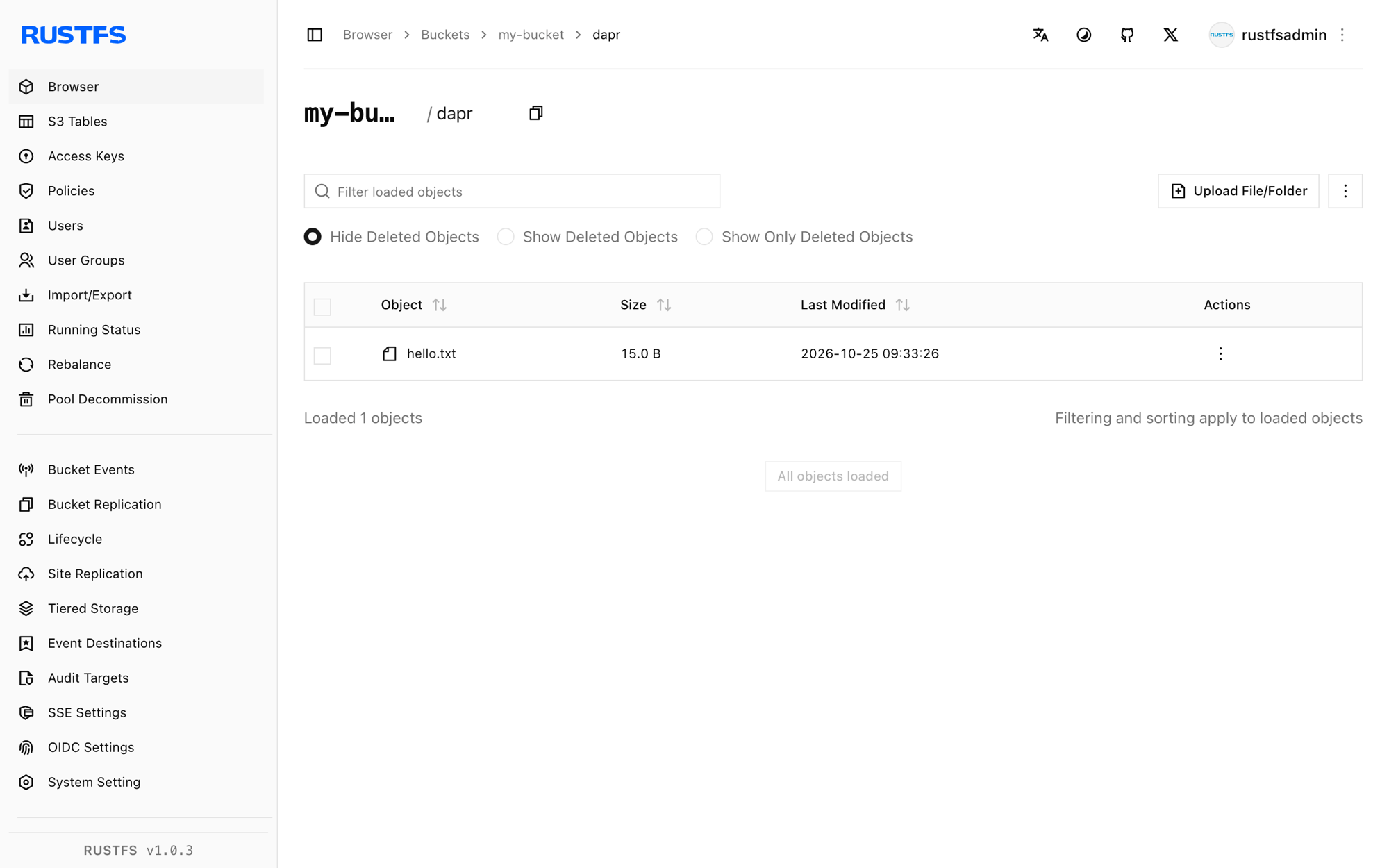
Stop or reset
To tear down the sidecar while keeping the bucket objects:
docker rm -f daprTo delete the demo object:
aws s3 rm s3://my-bucket/dapr/hello.txt \
  --endpoint-url http://<your-rustfs-endpoint>:9000
Troubleshooting
Binding fails to init with an S3 error
Check the four addressing values together: endpoint must include the scheme, region is required even for non-AWS endpoints, and forcePathStyle must be "true". Omitting forcePathStyle sends virtual-hosted requests that RustFS rejects.
no such binding when invoking
The sidecar did not load the component — confirm the file ends in .yaml, sits in the directory passed to --resources-path, and the init line from step 2 appears in the logs.
get returns empty content
The metadata.key does not match the key used at create time. Keys are case-sensitive and include the prefix.
Next steps
- Review S3 compatibility notes before adopting the binding's
list,delete, orpresignoperations. - Create dedicated production credentials with Access Key Management, and reference them through a Dapr secret store instead of plain component values.
- Follow the Dapr S3 binding documentation for the full operation set and retry behavior.