
s3fs
Mount a RustFS bucket as a local filesystem with s3fs-fuse.
This guide connects s3fs-fuse — the FUSE-based S3 filesystem — to RustFS. You will mount a bucket as a local directory, write files through the mount, unmount, and confirm the objects persist in the bucket. The workflow was verified with s3fs v1.93 against rustfs/rustfs-x86-musl:v2.3.1 on Ubuntu 24.04.
You need a Linux host with FUSE (fuse3 package) and the s3fs binary.
Architecture
Every file created under the mount point becomes an object in the bucket, keyed by its relative path — a plain 1:1 mapping with no caching layer.
Store the credentials
Write the access key and secret key to the password file s3fs expects:
echo "<your-access-key>:<your-secret-key>" > ~/.passwd-s3fs
chmod 600 ~/.passwd-s3fs
Mount the bucket
mkdir -p /mnt/s3fs-demo
s3fs s3fs-demo /mnt/s3fs-demo \
  -o passwd_file=~/.passwd-s3fs \
  -o url=http://<your-rustfs-endpoint>:9000 \
  -o endpoint=us-east-1 \
  -o use_path_request_style \
  -o allow_other -o umask=000
use_path_request_style selects path-style addressing, which is what RustFS serves. allow_other lets non-root users read the mount.
Write and read files
echo "hello from s3fs" > /mnt/s3fs-demo/s3fs-test.txt
dd if=/dev/urandom of=/mnt/s3fs-demo/blob.bin bs=1M count=5
cat /mnt/s3fs-demo/s3fs-test.txthello from s3fsVerify objects and persistence
Unmount and remount — the objects persist in the bucket:
fusermount -u /mnt/s3fs-demo
s3fs s3fs-demo /mnt/s3fs-demo -o passwd_file=~/.passwd-s3fs \
  -o url=http://<your-rustfs-endpoint>:9000 -o endpoint=us-east-1 \
  -o use_path_request_style
ls /mnt/s3fs-demo/blob.bin s3fs-test.txtList the bucket to see the same objects from the S3 side:
rc ls rustfs/s3fs-demo/[2026-10-06 12:09:27] 5 MiB blob.bin
[2026-10-06 12:09:26] 16 B s3fs-test.txt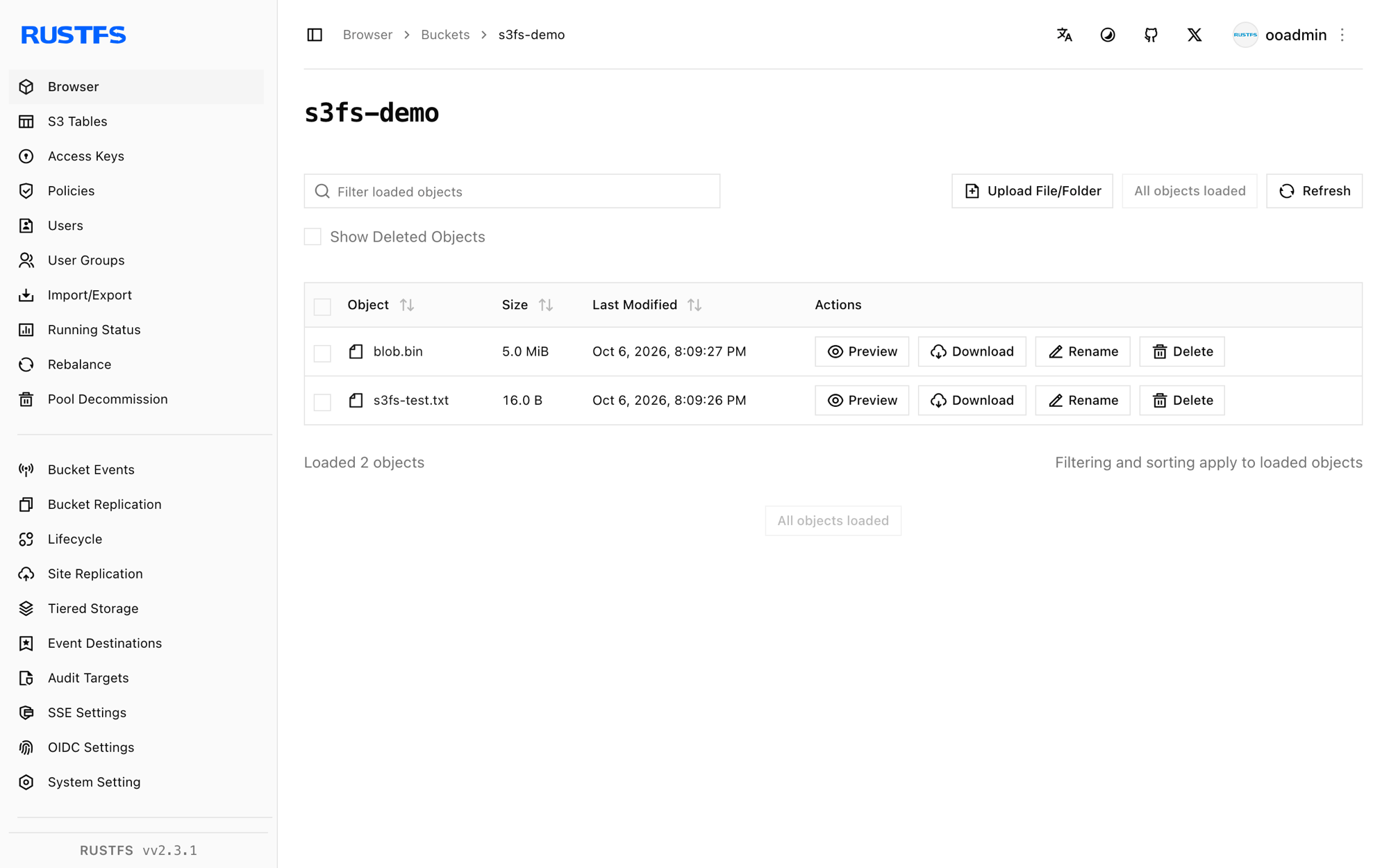
Stop or reset
fusermount -u /mnt/s3fs-demo
rc rm rustfs/s3fs-demo/ --recursive --force
Troubleshooting
fuse: device not found inside a container
Pass --device /dev/fuse --cap-add SYS_ADMIN to docker run, or --privileged if the mount helper still fails.
Permission denied reading the mount as another user
s3fs mounts are private to the mounting user by default. Add -o allow_other -o umask=000 (or a tighter umask) at mount time.
Mount succeeds but listing is empty on another client
s3fs has no metadata cache shared across mounts, but clients and list operations are eventually consistent. Remount or re-list after a few seconds.
Next steps
- Review S3 compatibility notes before adopting additional FUSE options.
- Create dedicated production credentials with Access Key Management.
- Follow the s3fs-fuse documentation for performance tuning options such as
-o multipartand-o parallel_count.