
Pool Expansion
Add a storage pool to a RustFS cluster and verify the expanded topology through the Console or rc.
Overview
Requirements
- Install
rcon the administration host before using thercworkflow in this guide. - Configure credentials with permission to read RustFS cluster and pool status.
RustFS expands capacity by appending a server pool to the cluster topology. Each pool is one space-separated volume expression in RUSTFS_VOLUMES. After the expanded topology is applied, new writes can use the added capacity; existing objects remain in their current pools until you run Rebalancing.
This guide uses the following two-pool example:
RUSTFS_VOLUMES="http://rustfs-node1:9000/data/rustfs{1...4}/mnmd http://rustfs-node2:9000/data/rustfs{1...4}/mnmd"Before expanding:
- Back up critical data and run the workflow during a maintenance window.
- Use the same RustFS version, credentials, and complete
RUSTFS_VOLUMESvalue on every node. - Verify name resolution, time synchronization, and port
9000connectivity between all old and new nodes. - Prepare the new pool with the intended disk count and storage specification.
Append the pool; do not replace the topology
Every node must start with the complete ordered pool list. Omitting the existing pool or using a different expression on one node creates an inconsistent topology.
Operation
Expand with Console assistance
The Console displays storage pools but does not add a pool to the server startup topology. Use this Console-assisted workflow:
- Record the existing pools and their usage from Rebalance or Pool Decommission.
- Install the same RustFS version and service configuration on the new pool node or nodes.
- Append the new pool expression to
RUSTFS_VOLUMESon every existing and new node. Keep the existing expressions unchanged and in the same order. - Restart RustFS across all nodes so every process starts with the same expanded topology.
- Wait for all nodes to become ready, then refresh the pool list in the Console.
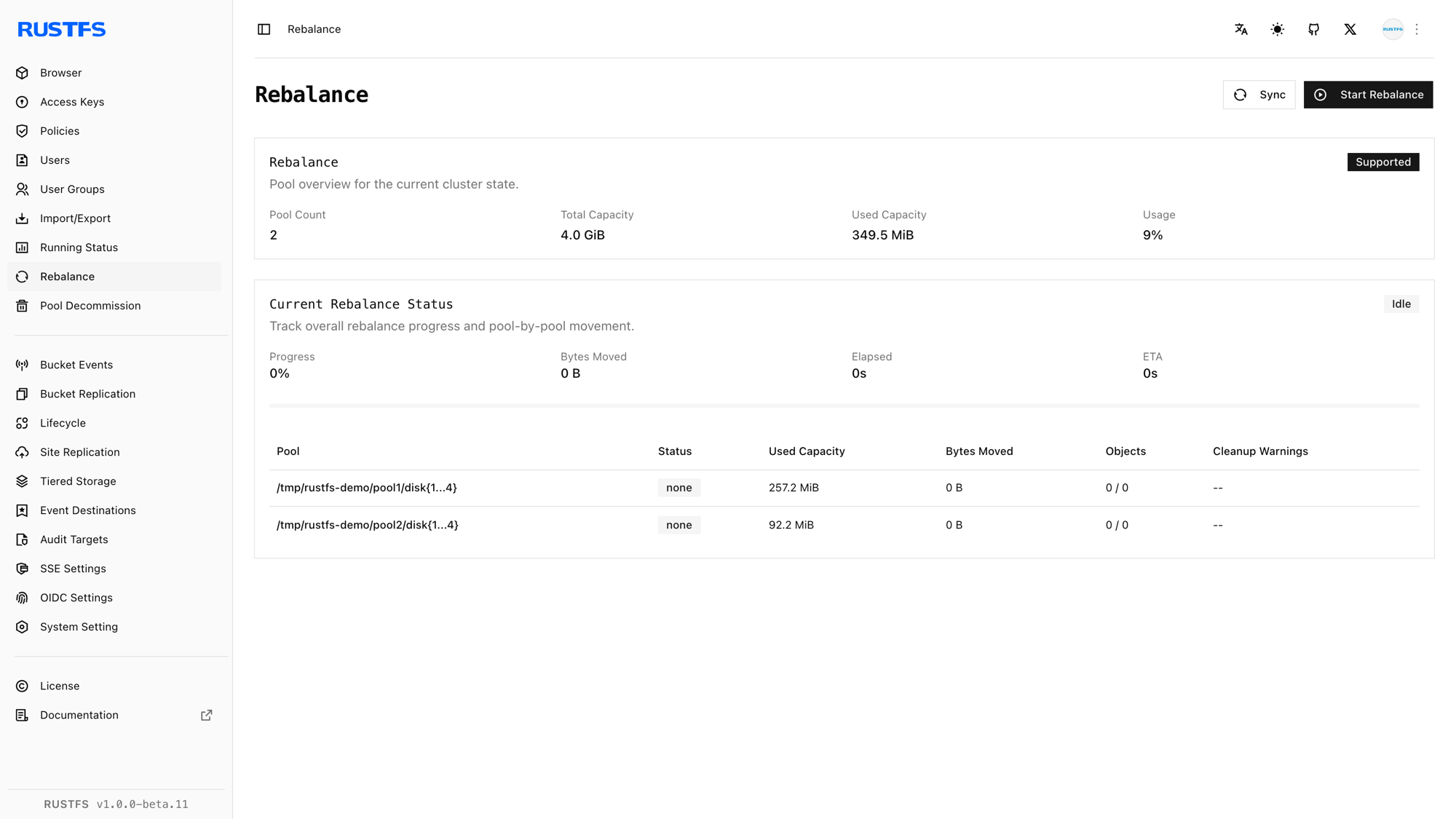
For a Helm deployment, append the new entry to pools.list and apply helm upgrade. Do not remove or reorder existing entries.
Inspect the expansion with rc
Configure an alias with credentials that can read cluster and pool status:
rc alias set rustfs http://<server-ip>:9000 <your-access-key> <your-secret-key>Record the current topology:
rc admin pool list rustfsPrepare the new nodes, append the new pool expression to the complete RUSTFS_VOLUMES value on every node, and restart RustFS across the cluster. rc does not mutate the server startup topology.
After the cluster returns, list the pools again:
rc admin pool list rustfsUse a zero-based pool ID to inspect the new pool in detail:
rc admin pool status rustfs 1 --by-idRebalance aliases
rc admin expand start, status, and stop are aliases for the post-expansion rebalance workflow. They redistribute existing data; they do not append a pool to RUSTFS_VOLUMES.
Verification
Verify the expansion in the Console
Confirm that:
- The pool list shows the original pool and the new pool.
- Every expected node and disk is online.
- The new pool reports the expected total and available capacity.
- The cluster reports no degraded nodes before you resume normal traffic.
Verify the expansion with rc
Run:
rc admin pool list rustfs
rc admin pool status rustfs 1 --by-id
Verify that the new pool has the expected command-line expression and an active state. Write and read a test object through the normal S3 endpoint before starting a rebalance.