
Fluentd
Ship Fluentd log events to RustFS with the S3 output plugin.
This guide connects Fluentd — the open-source data collector — to RustFS through the out_s3 output plugin. You will run Fluentd with a tail source, buffer log events, and verify that the flushed objects are stored in RustFS. The workflow was verified with fluent/fluentd:v1.17-1, fluent-plugin-s3 1.8.6, and rustfs/rustfs-x86-musl:v2.3.1.
You need Docker. This deployment is intended for local integration testing, not production.
Architecture
The tail source reads new lines from app.log and hands them to the S3 output, which buffers events on a time key and uploads a gzip object per flush window.
Create the project files
Create the bucket first — Fluentd does not create buckets:
rc alias set rustfs http://<your-rustfs-endpoint>:9000 <your-access-key> <your-secret-key>
rc mb rustfs/fluentd-data
The official Fluentd image runs as a non-root user and cannot install gems at startup, so build a small image with the S3 plugin:
FROM fluent/fluentd:v1.17-1
USER root
RUN gem install fluent-plugin-s3 --no-document
USER fluent
Create the Fluentd configuration, replacing both credential placeholders:
<source>
  @type tail
  path /var/log/app.log
  pos_file /var/log/app.log.pos
  tag rustfs.demo
  <parse>
    @type none
  </parse>
</source>

<match **>
  @type s3
  aws_key_id <your-access-key>
  aws_sec_key <your-secret-key>
  s3_bucket fluentd-data
  s3_endpoint http://rustfs:9000/
  s3_region us-east-1
  force_path_style true
  path fluentd-logs
  <buffer>
    @type memory
    timekey 30s
    timekey_wait 0s
    flush_mode immediate
  </buffer>
</match>
force_path_style true is required — without it the plugin constructs fluentd-data.rustfs as a hostname and every request fails with a DNS error. Inside the Compose network the hostname is rustfs; from the host use http://localhost:9000/.
Build the image and start Fluentd on the same Docker network as RustFS:
docker build -t fluentd-rustfs .
mkdir -p logs
docker run -d --name fluentd --network oo-rustfs_default \
  -v "$PWD/fluent.conf":/fluentd/etc/fluent.conf:ro \
  -v "$PWD/logs":/var/log fluentd-rustfs
Produce log events
Append lines to the watched file:
echo "rustfs fluentd demo line 1" >> logs/app.log
echo "rustfs fluentd demo line 2" >> logs/app.log
With a 30-second time key and immediate flush mode, each window uploads one gzip object shortly after it closes. Wait about a minute.
Verify objects in RustFS
List the bucket:
rc ls rustfs/fluentd-data/ -rEach flush window produces one gzipped object:
fluentd-logs20260921154400_0.gz
fluentd-logs20260921154400_1.gz
Read one object back to confirm the events are intact:
rc cat rustfs/fluentd-data/fluentd-logs20260921154400_0.gz | gunzip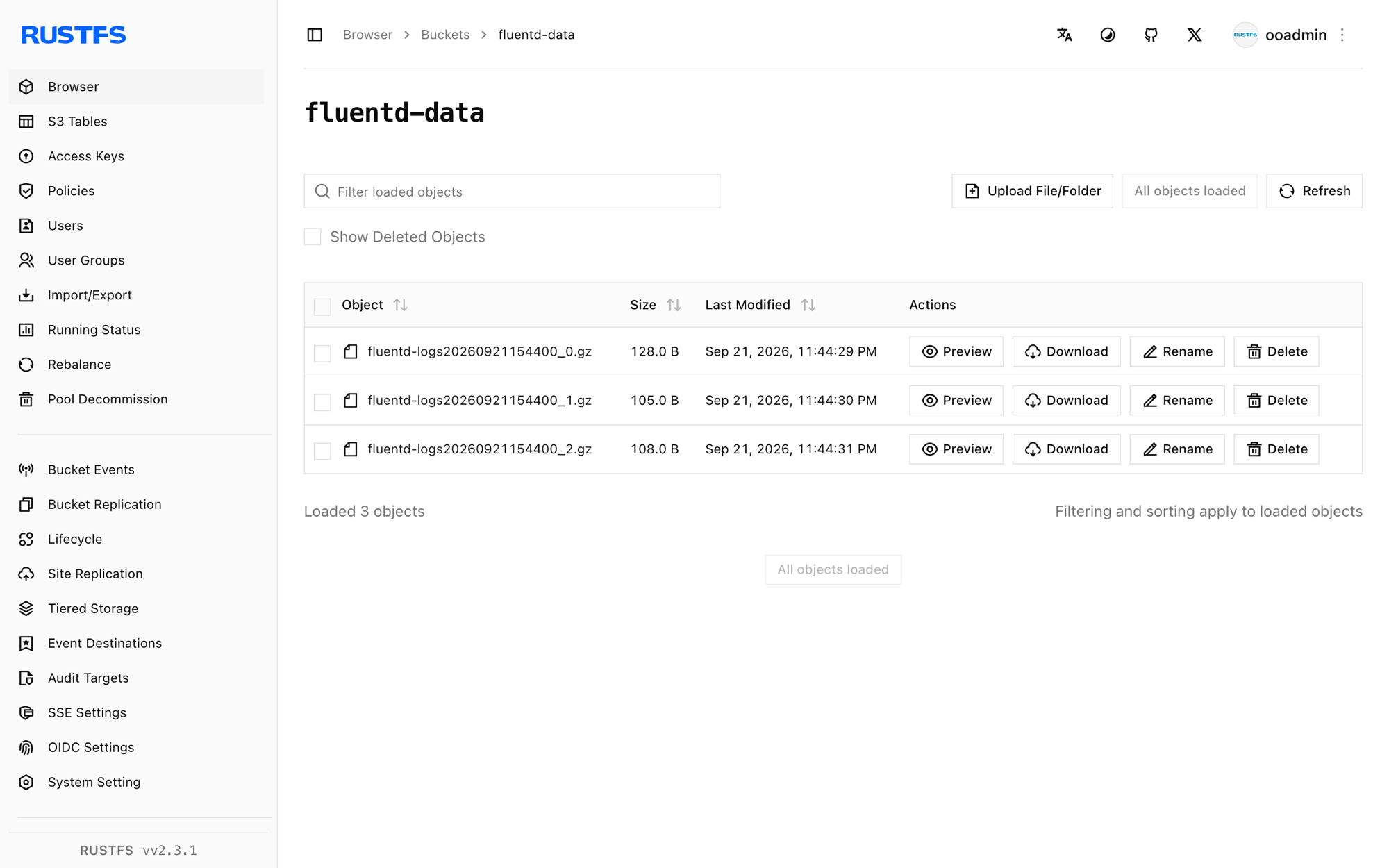
Stop or reset the deployment
Stop Fluentd while keeping the data:
docker rm -f fluentdThe objects stay in the fluentd-data bucket. To delete them, remove the bucket:
rc rb rustfs/fluentd-data --forceTroubleshooting
Unknown output plugin 's3'
The plugin is not installed. Confirm the Dockerfile installs fluent-plugin-s3 as root before switching back to the fluent user — installing at container start as the default user fails with permission errors.
Failed to open TCP connection to fluentd-data.rustfs
Virtual-hosted addressing is in use. Add force_path_style true to the s3 output so the bucket stays in the URL path.
The worker crashes in a restart loop
The output fails hard when the bucket does not exist. Create fluentd-data before starting Fluentd and check the startup log:
docker logs fluentd | grep -iE "error|bucket" | tailNext steps
- Review S3 compatibility notes before adopting additional Fluentd outputs.
- Create dedicated production credentials with Access Key Management.
- Follow the fluent-plugin-s3 documentation for object key formats and compression options.