
Tempo
Run Grafana Tempo with RustFS as its S3 trace storage backend, deployed with Docker Compose.
This guide runs Grafana Tempo — the distributed tracing backend from Grafana Labs — with RustFS as its trace storage. You will start a single-binary Tempo with Docker Compose, push a trace through the Zipkin-compatible receiver, query it through the search API, and verify that the trace block is stored as a Parquet object in RustFS. The workflow was verified with grafana/tempo:2.9.5 and rustfs/rustfs-x86-musl:v2.3.1.
You need Docker with the Compose plugin. This deployment is intended for local integration testing, not production.
Architecture
Tempo accepts spans from a Zipkin-compatible endpoint, buffers them in an in-memory block, and flushes completed blocks to object storage as Parquet files. Searches scan the block index and read the block data from object storage, so every trace survives a Tempo restart.
Create the project files
Create a working directory:
mkdir rustfs-tempo
cd rustfs-tempo
Create an environment file and replace both credential placeholders:
RUSTFS_ACCESS_KEY=<your-access-key>
RUSTFS_SECRET_KEY=<your-secret-key>
Use dedicated credentials for the bucket. Do not commit .env to source control.
Create the Tempo configuration — a single-binary setup with the S3 backend pointed at RustFS and a short block duration so a verification run does not have to wait the default 30 minutes:
server:
  http_listen_port: 3200

distributor:
  receivers:
    zipkin:
      endpoint: 0.0.0.0:9411

ingester:
  max_block_duration: 1m

compactor:
  compaction:
    block_retention: 24h

storage:
  trace:
    backend: s3
    s3:
      endpoint: rustfs:9000
      bucket: my-bucket
      access_key: <your-access-key>
      secret_key: <your-secret-key>
      insecure: true
      forcepathstyle: true
    wal:
      path: /var/tempo/wal
    blocklist_poll: 30s
forcepathstyle: true and insecure: true select path-style addressing over plain HTTP, which is what RustFS expects for the container-network endpoint. max_block_duration: 1m and blocklist_poll: 30s accelerate the flush and discovery cycle for testing.
Create the Compose file:
services:
  rustfs:
    image: rustfs/rustfs-x86-musl:v2.3.1
    environment:
      RUSTFS_ACCESS_KEY: ${RUSTFS_ACCESS_KEY}
      RUSTFS_SECRET_KEY: ${RUSTFS_SECRET_KEY}
      RUSTFS_VOLUMES: /data
      RUSTFS_ADDRESS: ":9000"
      RUSTFS_CONSOLE_ADDRESS: ":9001"
      RUSTFS_CONSOLE_ENABLE: "true"
    volumes:
      - rustfs-data:/data
    ports:
      - "9000:9000"
      - "9001:9001"
    healthcheck:
      test: ["CMD", "curl", "-sf", "http://127.0.0.1:9000/health"]
      interval: 10s
      timeout: 5s
      retries: 6
      start_period: 10s
    networks:
      - tempo

  create-bucket:
    image: rustfs/rc:latest
    depends_on:
      rustfs:
        condition: service_healthy
    environment:
      RUSTFS_ACCESS_KEY: ${RUSTFS_ACCESS_KEY}
      RUSTFS_SECRET_KEY: ${RUSTFS_SECRET_KEY}
    entrypoint:
      - /bin/sh
      - -c
      - |
        until /usr/bin/rc alias set rustfs http://rustfs:9000 "$${RUSTFS_ACCESS_KEY}" "$${RUSTFS_SECRET_KEY}"; do
          echo "Waiting for RustFS..."
          sleep 2
        done
        /usr/bin/rc ls rustfs/my-bucket >/dev/null 2>&1 || /usr/bin/rc mb rustfs/my-bucket
    networks:
      - tempo

  tempo:
    image: grafana/tempo:2.9.5
    command: -config.file=/tempo-local.yaml
    volumes:
      - ./tempo.yml:/tempo-local.yaml:ro
    ports:
      - "3200:3200"
      - "9411:9411"
    depends_on:
      create-bucket:
        condition: service_completed_successfully
    networks:
      - tempo

networks:
  tempo:

volumes:
  rustfs-data:
Start the deployment
Resolve the Compose file before starting containers:
docker compose configStart the services and wait for the bucket initializer to finish:
docker compose up -d
docker compose ps -a
Tempo is up when the status endpoint answers:
curl -s http://localhost:3200/status | head -c 120Push a trace
Post a small Zipkin trace with five spans to the Zipkin-compatible receiver:
python3 - <<'PY'
import json, time, urllib.request, random

now_us = int(time.time() * 1e6)
trace_id = "".join(random.choice("0123456789abcdef") for _ in range(32))
span_id = "".join(random.choice("0123456789abcdef") for _ in range(16))

spans = []
for i in range(5):
    spans.append({
        "traceId": trace_id,
        "id": "".join(random.choice("0123456789abcdef") for _ in range(16)),
        "name": f"rustfs-tempo-span-{i}",
        "timestamp": now_us - i * 1000,
        "duration": 1000 + i * 500,
        "localEndpoint": {"serviceName": "rustfs-tempo-demo"},
        "tags": {"job": "rustfs-integration"},
    })
spans[0]["parent_id"] = ""
for s in spans[1:]:
    s["parent_id"] = span_id

req = urllib.request.Request(
    "http://localhost:9411/api/v2/spans",
    data=json.dumps(spans).encode(),
    headers={"Content-Type": "application/json"},
    method="POST",
)
with urllib.request.urlopen(req, timeout=30) as r:
    print("push:", r.status)
print("trace_id:", trace_id)
PY
push: 202Search and read the trace
After roughly one minute the ingester flushes the completed block to RustFS and the compactor discovers it. Search by tag:
curl -s "http://localhost:3200/api/search?tags=job=rustfs-integration"{"traces":[{"traceID":"5354809288c0d1a3de0e09ce74d06987","rootServiceName":"rustfs-tempo-demo","rootTraceName":"rustfs-tempo-span-0",...}]}Fetch the trace by its ID with the trace ID printed by the push script:
curl -s "http://localhost:3200/api/traces/<your-trace-id>" -o /dev/null -w "%{http_code}\n"200Verify the trace block in RustFS
List the tenant prefix through the bucket-initializer image:
docker compose run --rm --entrypoint /bin/sh create-bucket -c \
  '/usr/bin/rc alias set rustfs http://rustfs:9000 "$RUSTFS_ACCESS_KEY" "$RUSTFS_SECRET_KEY" >/dev/null && /usr/bin/rc ls rustfs/my-bucket/single-tenant --recursive'
single-tenant is the tenant Tempo uses when multitenancy_enabled is false. Each completed trace block is a Parquet object:
[2026-09-20 15:03:54] 25.16 KiB single-tenant/619118dc-a512-4ca6-90f5-e8b15bc9013f/data.parquetYou can also browse the prefix in the RustFS Console:
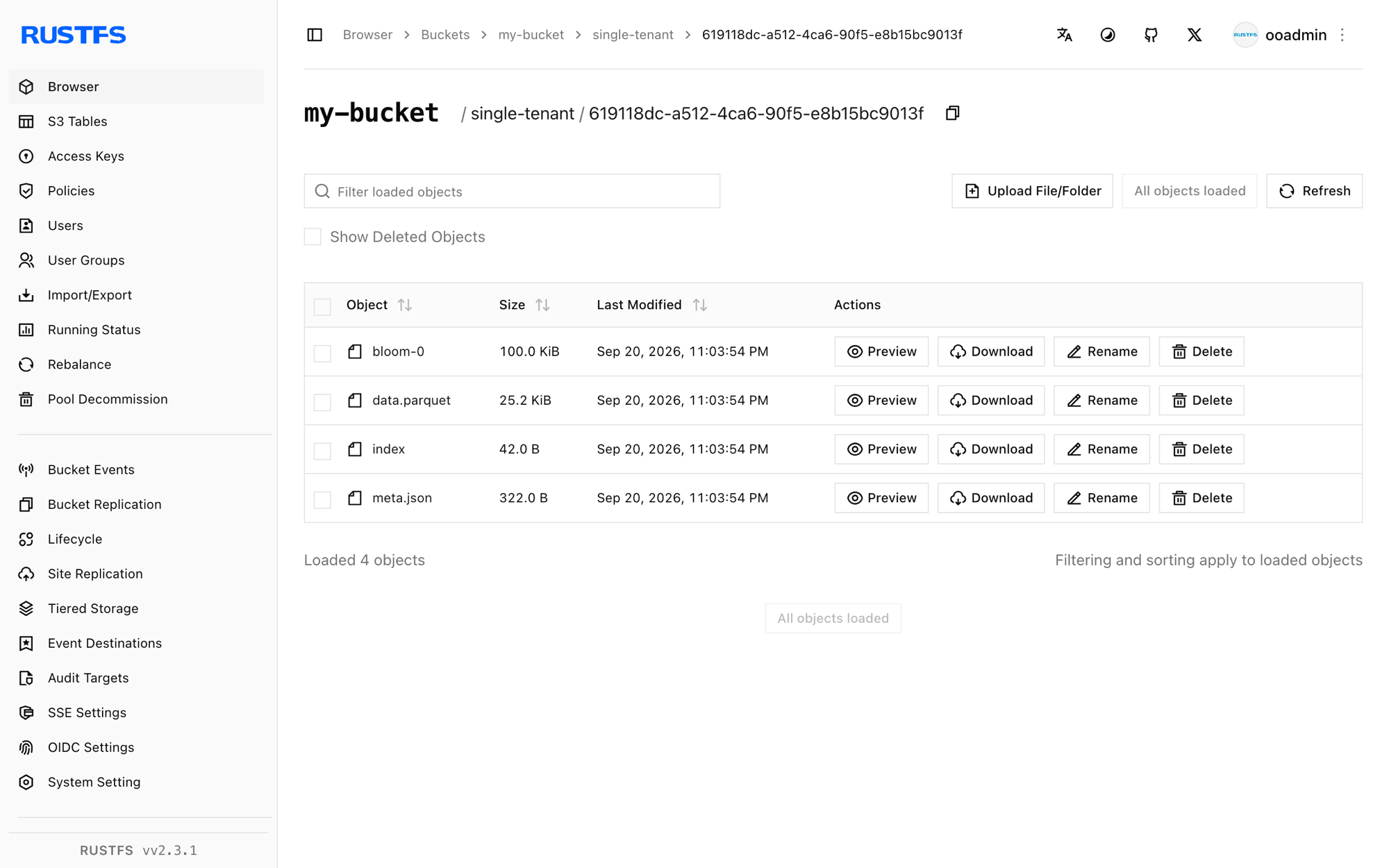
Because the block lives in RustFS, the trace stays queryable across Tempo restarts — restart the container and repeat the search to confirm.
Stop or reset the stack
Stop the containers while keeping the RustFS data volume:
docker compose downTo delete the stored traces and start from an empty RustFS volume, explicitly include --volumes:
docker compose down --volumesTroubleshooting
The config file is rejected with "field ingester not found"
Tempo 3.x changed the configuration layout. This guide pins grafana/tempo:2.9.5, whose configuration matches the classic ingester/compactor blocks shown above.
The search returns no traces right after the push
The ingester flushes a completed block after max_block_duration (one minute in this guide), and the querier discovers new blocks on every blocklist_poll (30 seconds). Wait for the flush and search again, then check the Tempo logs:
docker compose logs tempoAccessDenied or 403 responses
Confirm the credentials in tempo.yml match the RustFS credentials and that the create-bucket service completed successfully:
docker compose logs create-bucketConnection or certificate errors
endpoint takes no scheme; insecure: true selects plain HTTP and forcepathstyle: true selects path-style addressing for the container-network endpoint. Inside the Compose network use rustfs:9000; from the host use localhost:9000.
Next steps
- Review S3 compatibility notes before adopting additional S3 operations.
- Create dedicated production credentials with Access Key Management.
- Follow the Grafana Tempo documentation to connect the OpenTelemetry Collector or instrumented applications as trace producers.