
Object Deletion
This guide covers object deletion.
For concepts related to objects, see Core Concepts.
Using the RustFS UI
- Log in to the RustFS Console.
- Select the bucket containing the file to be deleted.
- On the bucket page, select the file to be deleted.
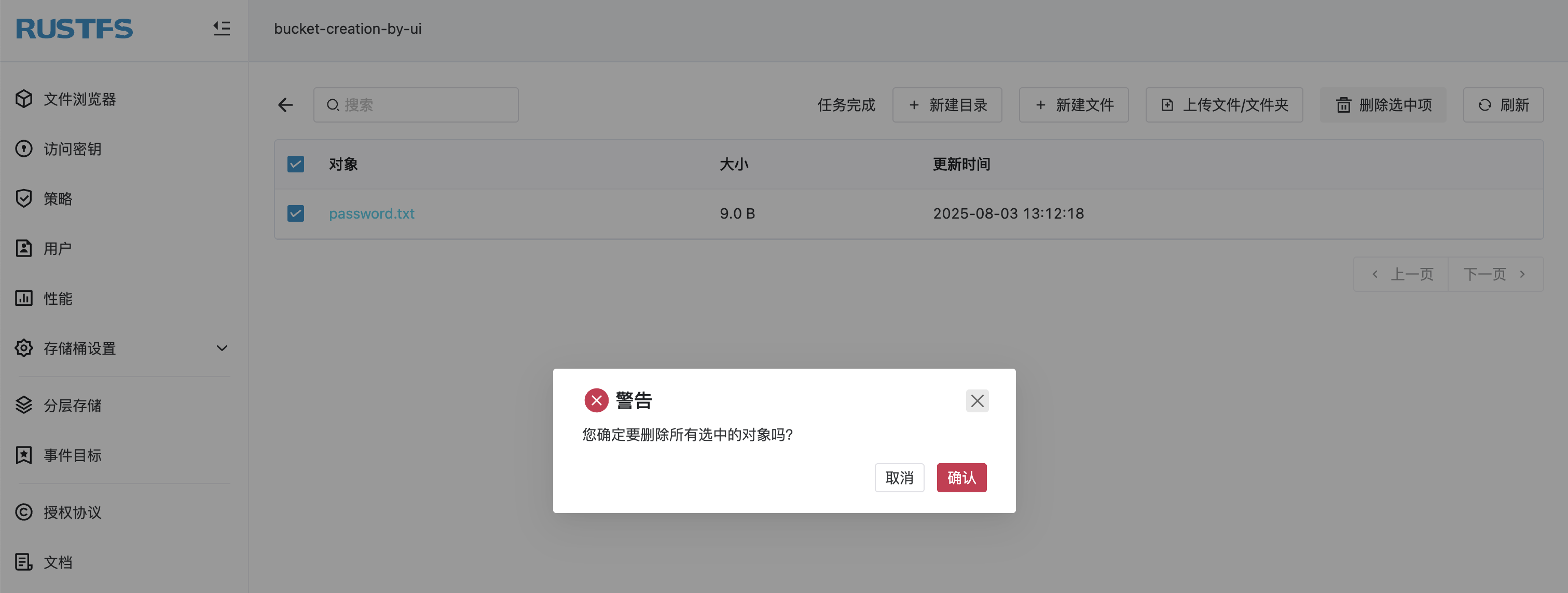
- Click Delete Selected Items in the upper right corner, then click Confirm in the popup dialog.
Using mc
Delete a file:
bash
# delete file
mc rm rustfs/bucket-creation-by-mc/1.txt
Removed `rustfs/bucket-creation-by-mc/1.txt`.

# confirm deletion
mc ls  rustfs/bucket-creation-by-mc/1.txt
Verify the deletion in the RustFS Console.
Using the API
Delete a file via API:
DELETE /{bucketName}/{objectName} HTTP/1.1Request example:
bash
curl --location --request DELETE 'http://12.34.56.78:9000/bucket-creation-by-api/password.txt' \
--header 'Content-Type: text/plain' \
--header 'X-Amz-Content-Sha256: e3b0c44298fc1c149afbf4c8996fb92427ae41e4649b934ca495991b7852b855' \
--header 'X-Amz-Date: 20250801T030822Z' \
--header 'Authorization: AWS4-HMAC-SHA256 Credential=H4xcBZKQfvJjEnk3zp1N/20250801/cn-east-1/s3/aws4_request, SignedHeaders=content-length;content-type;host;x-amz-content-sha256;x-amz-date, Signature=1ee63bb0b699598602b2fdbd013e355a57bcb9991307a8ad41f6512e8afebf3a' \
--data-binary '@/Users/jhma/Desktop/password.txt'
Verify the deletion in the RustFS Console.