
Feast
Keep the Feast feature registry and offline parquet sources in a RustFS bucket.
This guide connects Feast — the open-source feature store — to RustFS for two storage roles at once: the feature registry (registry.db) lives in a bucket, and the offline feature source is a Parquet file in the same bucket. You will apply a feature repository, materialize features from RustFS into the online store, and read them back. The workflow was verified with Feast 0.67.0.
You need Python 3.10+. This deployment is intended for local integration testing, not production.
Architecture
The registry store reads and writes registry.db in the bucket over boto3, and the file offline store reads Parquet over s3fs — both honor custom endpoints, so the whole feature-history layer is bucket-backed while the online store stays local.
Install Feast with S3 support
The base package omits the S3 clients; install them explicitly:
python3 -m venv .venv
./.venv/bin/pip install feast boto3 s3fs
Upload the offline feature data, replacing all connection placeholders:
aws s3 cp driver_stats.parquet s3://my-bucket/feast/driver_stats.parquet \
  --endpoint-url http://<your-rustfs-endpoint>:9000
Configure the repository
Create the repository files. The registry is a plain s3:// URI and the endpoint override comes from the FEAST_S3_ENDPOINT_URL environment variable; the data source carries its own s3_endpoint_override:
project: rustfs_demo
provider: local
registry: s3://my-bucket/feast/registry.db
offline_store:
  type: file
entity_key_serialization_version: 3from datetime import timedelta
from feast import Entity, FeatureView, Field, FileSource
from feast.types import Float32, Int64
driver = Entity(name="driver", join_keys=["driver_id"])
source = FileSource(
name="driver_stats_source",
path="s3://my-bucket/feast/driver_stats.parquet",
timestamp_field="event_timestamp",
s3_endpoint_override="http://<your-rustfs-endpoint>:9000",
)
driver_stats = FeatureView(
name="driver_stats",
entities=[driver],
ttl=timedelta(days=1),
schema=[Field(name="conv_rate", dtype=Float32), Field(name="avg_daily_trips", dtype=Int64)],
source=source,
)Export the endpoint and credentials for the registry client:
export FEAST_S3_ENDPOINT_URL=http://<your-rustfs-endpoint>:9000
export AWS_ACCESS_KEY_ID=<your-access-key>
export AWS_SECRET_ACCESS_KEY=<your-secret-key>
export AWS_DEFAULT_REGION=us-east-1
Apply the repository and materialize
feast apply writes registry.db into the bucket; materialize-incremental reads the Parquet features from RustFS into the local online store:
./.venv/bin/feast apply
./.venv/bin/feast materialize-incremental 2026-11-02T00:00:00ZCreated entity driver
Created feature view driver_stats
...
driver_stats from 2026-10-31 ... to 2026-11-02 00:00:00+00:00:Confirm the registry object in RustFS:
aws s3 ls s3://my-bucket/feast/ \
--endpoint-url http://<your-rustfs-endpoint>:90002026-11-01 13:57:58 1322 registry.db
2026-11-01 13:56:43 3680 driver_stats.parquet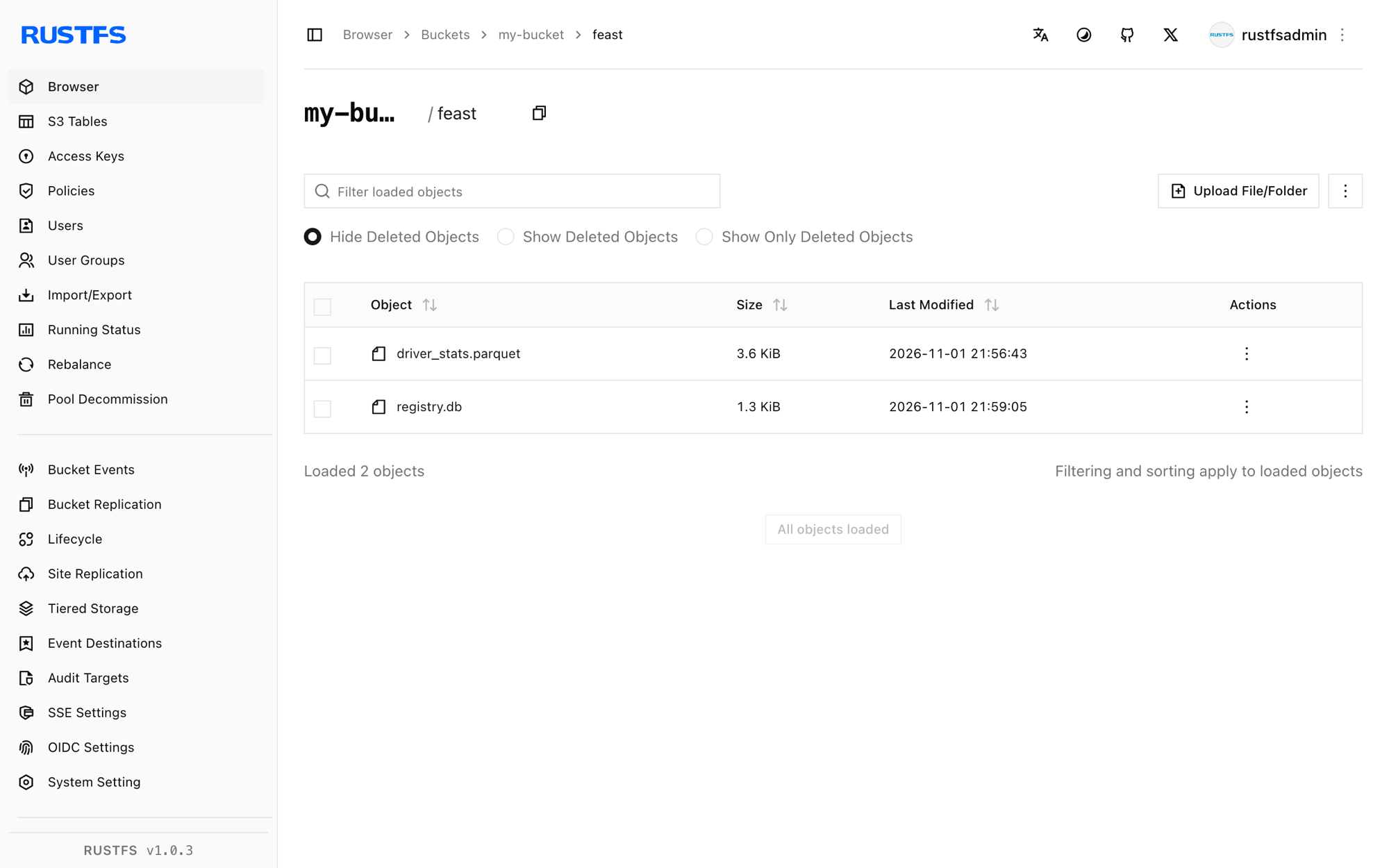
Read the features back
./.venv/bin/python - <<'PY'
from feast import FeatureStore
store = FeatureStore(repo_path=".")
res = store.get_online_features(
    features=["driver_stats:conv_rate", "driver_stats:avg_daily_trips"],
    entity_rows=[{"driver_id": 101}],
).to_dict()
print("conv_rate:", res["conv_rate"][0])
print("avg_daily_trips:", res["avg_daily_trips"][0])
PYconv_rate: 0.699999988079071
avg_daily_trips: 130The served features were materialized from the Parquet file that RustFS stores.
Stop or reset
To delete the repository objects:
aws s3 rm s3://my-bucket/feast --recursive \
  --endpoint-url http://<your-rustfs-endpoint>:9000
Troubleshooting
Could not import module 'feast.infra.registry.s3'
The S3 registry store needs boto3, which the base Feast package does not install. pip install boto3 (and s3fs for the offline store) resolves it.
Install s3fs to access S3 during materialize
The file offline store reads Parquet through s3fs. Install it alongside boto3 as shown in step 1.
The registry S3 store ignores the endpoint
The registry reads its endpoint only from the FEAST_S3_ENDPOINT_URL environment variable — plain AWS_ENDPOINT_URL is not honored there. The FileSource carries its own s3_endpoint_override instead; both are required.
A deprecation warning about entity key serialization
Set entity_key_serialization_version: 3 in feature_store.yaml — versions below 3 are rejected for new online stores.
Next steps
- Review S3 compatibility notes before pointing production registries at the bucket.
- Create dedicated production credentials with Access Key Management.
- Follow the Feast documentation for streaming sources, feature serving, and registry alternatives on the same bucket.