
Fluent Bit
Ship logs and events from Fluent Bit into a RustFS bucket through the S3 output plugin.
This guide connects Fluent Bit — the CNCF log processor and forwarder — to RustFS as a log destination. You will run Fluent Bit with its s3 output, buffer records on disk, upload them into a RustFS bucket, and read a delivered log file back. The workflow was verified with fluent/fluent-bit:3.2.10 writing to a RustFS bucket over path-style addressing.
You need Docker. This deployment is intended for local integration testing, not production.
Architecture
The S3 output buffers tagged records in store_dir and uploads a file once it reaches total_file_size, or when upload_timeout expires — whichever happens first. Each uploaded object is a file of JSON lines.
Create the bucket
The S3 output never creates buckets, and uploads fail with NoSuchBucket when the bucket is missing. Create it first, replacing all connection placeholders:
aws s3 mb s3://my-bucket \
  --endpoint-url http://<your-rustfs-endpoint>:9000
Configure the S3 output
Create the Fluent Bit configuration:
[SERVICE]
    Flush 2
    Log_Level info

[INPUT]
    Name dummy
    Tag rustfs.test
    Rate 200

[OUTPUT]
    Name s3
    Match *
    endpoint http://<your-rustfs-endpoint>:9000
    region us-east-1
    bucket my-bucket
    total_file_size 1M
    use_put_object On
    upload_timeout 30s
    store_dir /tmp/flb-store
    json_date_key date
    json_date_format iso8601
use_put_object On uploads each buffered file with a single PutObject call. upload_timeout forces an upload after 30 seconds even when the buffer has not reached total_file_size — low-volume inputs need it or their records stay on local disk.
Custom endpoints use path-style by default
Fluent Bit 3.2 has no s3_force_path_style option — the plugin rejects it as an unknown property. When endpoint points at a custom S3 service, requests address the bucket path-style, which matches RustFS defaults. No extra flag is required.
Run Fluent Bit
Start the container with credentials passed through the standard AWS environment variables:
docker run -d --name fluent-bit \
  -e AWS_ACCESS_KEY_ID=<your-access-key> \
  -e AWS_SECRET_ACCESS_KEY=<your-secret-key> \
  -v "$PWD/fluent-bit.conf:/fluent-bit/etc/fluent-bit.conf:ro" \
  fluent/fluent-bit:3.2.10
Wait for the first upload, then confirm the worker started cleanly:
docker logs fluent-bit 2>&1 | grep "worker #0 started"[output:s3:s3.0] worker #0 startedVerify the uploaded objects
List the bucket — the default key layout is fluent-bit-logs/<tag>/YYYY/MM/DD/HH/MM/:
aws s3 ls s3://my-bucket/ --recursive \
--endpoint-url http://<your-rustfs-endpoint>:90002026-10-25 01:13:28 1021326 fluent-bit-logs/rustfs.test/2026/10/25/01/13/59-objectbmjH9744
2026-10-25 01:16:05 333735 fluent-bit-logs/rustfs.test/2026/10/25/01/15/34-objectKfCq13ioRead one object back — every line is a JSON record:
aws s3 cp s3://my-bucket/fluent-bit-logs/rustfs.test/2026/10/25/01/13/59-objectbmjH9744 - \
--endpoint-url http://<your-rustfs-endpoint>:9000 | head -2{"date":"2026-10-25T01:13:59.204844Z","message":"dummy"}
{"date":"2026-10-25T01:13:59.206396Z","message":"dummy"}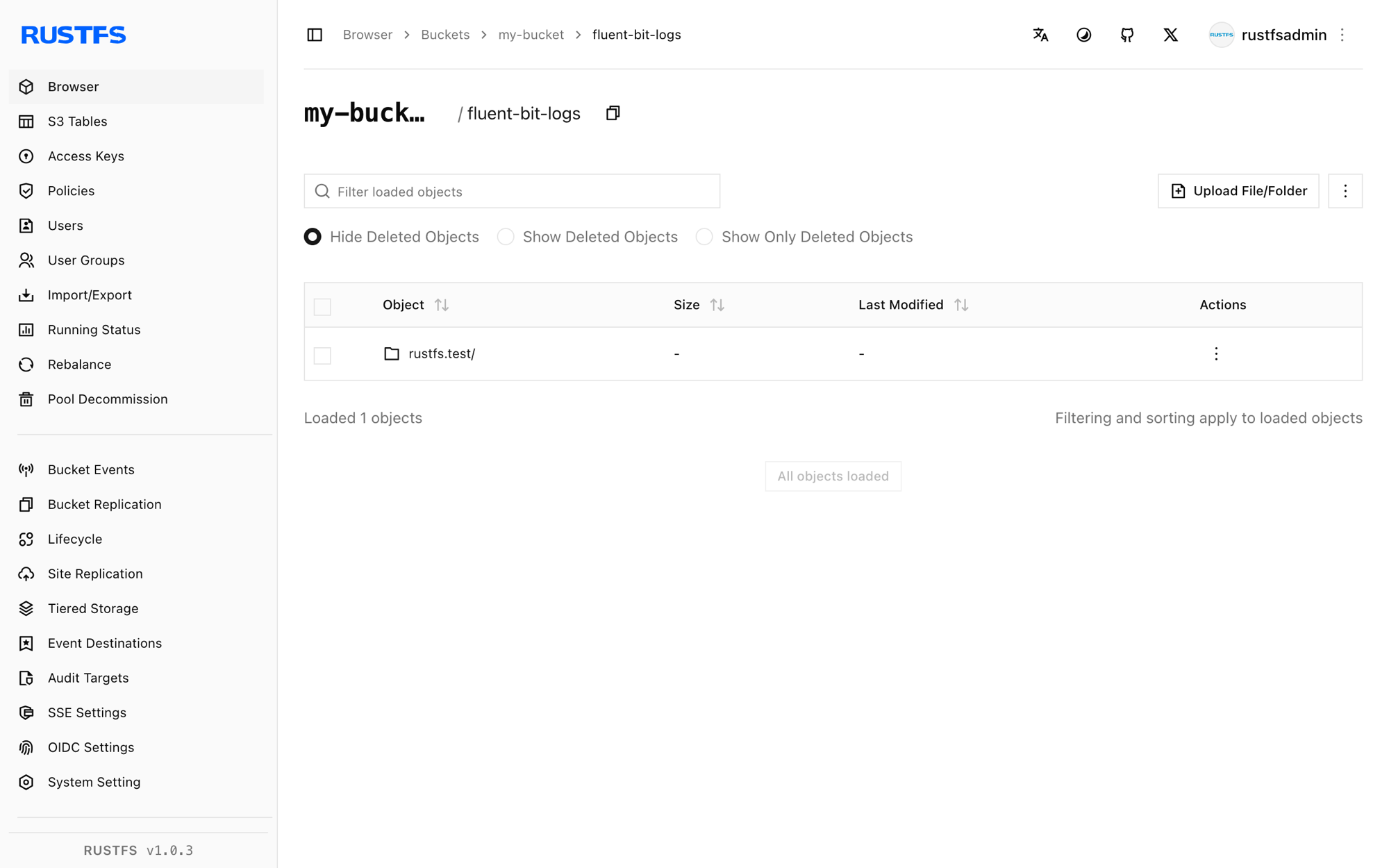
Stop or reset
To tear down the demo while keeping the bucket objects:
docker rm -f fluent-bitTo delete the uploaded logs:
aws s3 rm s3://my-bucket/fluent-bit-logs --recursive \
  --endpoint-url http://<your-rustfs-endpoint>:9000
Troubleshooting
PutObject request failed with NoSuchBucket
The output bucket does not exist. Create it as shown in step 1 — the plugin never creates buckets.
[config] s3: unknown configuration property 's3_force_path_style'
Fluent Bit 3.2 does not have this option. Remove it; custom endpoints already use path-style addressing.
Objects never appear and the log stays quiet
The buffer has not reached total_file_size and no upload_timeout is set. Add upload_timeout 30s so low-volume inputs flush periodically.
InvalidAccessKeyId in the Fluent Bit log
The credential environment variables are missing from the container, or the values are wrong. The S3 output reads AWS_ACCESS_KEY_ID and AWS_SECRET_ACCESS_KEY.
Next steps
- Review S3 compatibility notes before enabling multipart uploads or compression on this output.
- Create dedicated production credentials with Access Key Management.
- Follow the Fluent Bit S3 output documentation for
s3_key_format, compression, andtailinput tuning on the same bucket.