
Delta Lake
Write and read Delta tables on RustFS with delta-rs.
This guide connects Delta Lake — the open-source lakehouse table format — to RustFS through delta-rs, the Rust-native Delta implementation. You will write a Delta table to a RustFS bucket from Python, read it back with ACID transaction history, and confirm the _delta_log and Parquet files in the bucket. The workflow was verified with the deltalake Python package (delta-rs) and pandas against rustfs/rustfs-x86-musl:v2.3.1.
You need Python 3.9 or newer. This deployment is intended for local integration testing, not production.
Architecture
delta-rs stores each table as Parquet files plus a transaction log (_delta_log/). All I/O goes through the object_store crate, configured with the same AWS environment variables as other S3 clients.
Install the client
pip install deltalake pandas pyarrowpyarrow is required to convert pandas frames into Delta-compatible record batches.
Write a Delta table
Create the bucket and write a table, replacing all connection placeholders. AWS_S3_ALLOW_UNSAFE_RENAME is needed because RustFS does not provide copy-if-not-exists, which delta-rs otherwise uses for commit conflicts:
import pandas as pd
from deltalake import DeltaTable, write_deltalake

storage_options = {
    "AWS_ENDPOINT_URL": "http://<your-rustfs-endpoint>:9000",
    "AWS_ACCESS_KEY_ID": "<your-access-key>",
    "AWS_SECRET_ACCESS_KEY": "<your-secret-key>",
    "AWS_REGION": "us-east-1",
    "AWS_ALLOW_HTTP": "true",
    "AWS_S3_ALLOW_UNSAFE_RENAME": "true",
}

table = "s3://<your-bucket>/events"
df = pd.DataFrame({"id": [1, 2, 3], "name": ["alpha", "beta", "gamma"]})
write_deltalake(table, df, storage_options=storage_options)
print("written:", df.shape[0], "rows")
written: 3 rowsThe table URI uses the standard s3://bucket/prefix form; the endpoint and credentials come from storage_options.
Read the table back
from deltalake import DeltaTable

back = DeltaTable("s3://<your-bucket>/events", storage_options=storage_options).to_pandas()
print("read back:", back.shape[0], "rows")
print(back.sort_values("id").to_string(index=False))
print("version:", DeltaTable("s3://<your-bucket>/events", storage_options=storage_options).version())
read back: 3 rows
id name
1 alpha
2 beta
3 gamma
version: 0Because the version is tracked in the transaction log, the same table supports time travel with DeltaTable(..., version=N) and appends that bump the version.
Verify objects in RustFS
List the table prefix:
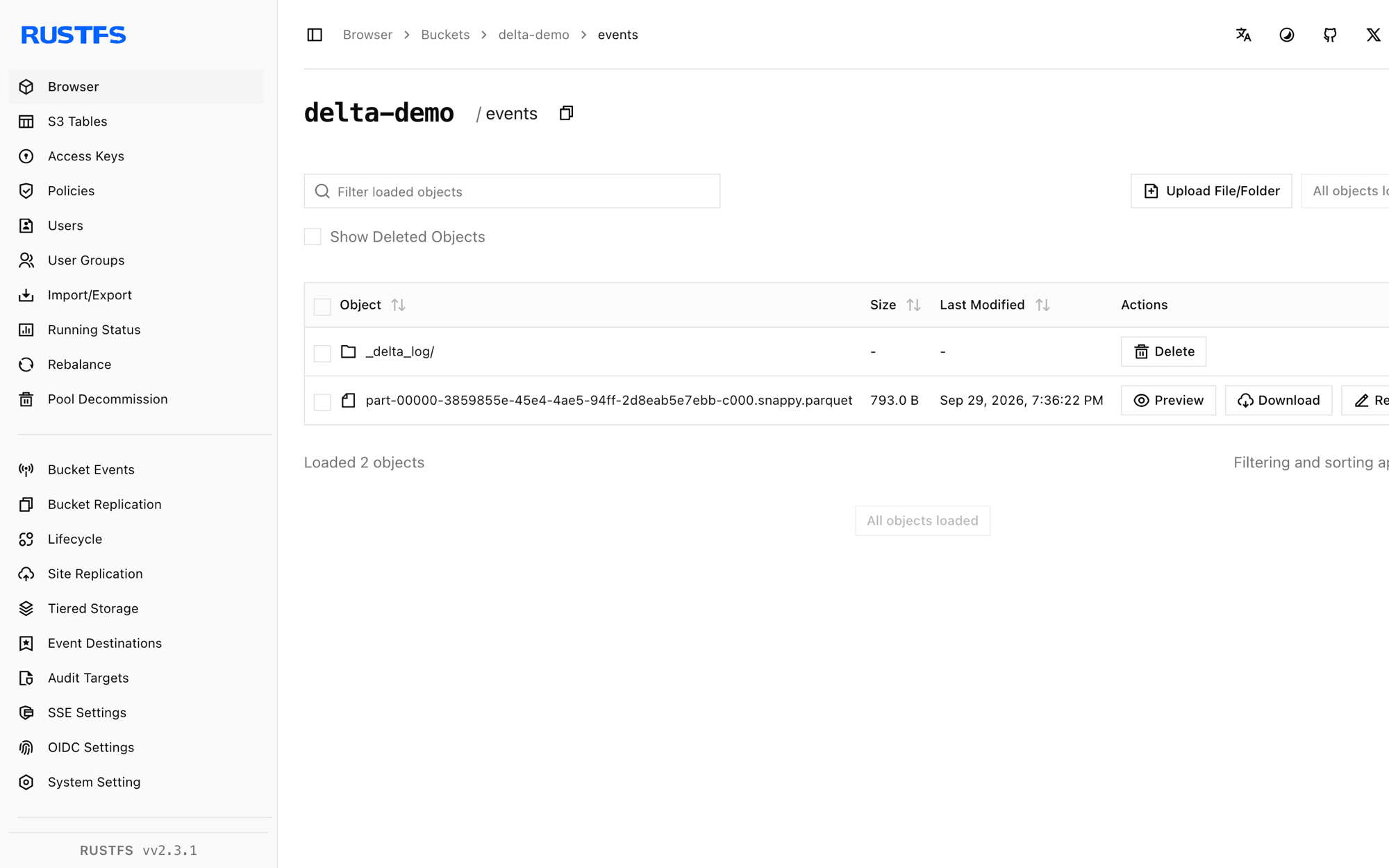
rc ls rustfs/<your-bucket>/ -rThe first commit created the transaction log and one Parquet file:
events/_delta_log/00000000000000000000.json
events/part-00000-3859855e-45e4-4ae5-94ff-2d8eab5e7ebb-c000.snappy.parquet
Every new write adds a NNNNNNNNNNNNNNNNNNNN.json log entry and Parquet parts; readers replay the log to get a consistent snapshot.
Stop or reset
delta-rs holds no state of its own. To delete the table:
rc rm rustfs/<your-bucket>/events/ --recursive --forceTroubleshooting
Import pyarrow failed when writing a pandas DataFrame
write_deltalake converts frames through Arrow. Install pyarrow alongside deltalake and pandas.
Generic DeltaTable error: commit conflict or rename errors on commit
delta-rs commits by copying and renaming temporary objects, which requires atomic rename on the backend. For S3-compatible stores without copy-if-not-exists, set AWS_S3_ALLOW_UNSAFE_RENAME: "true" in storage_options — acceptable for a single writer, not for concurrent writers.
Unknown lengthy error: AWS connectivity or endpoint errors
Confirm AWS_ENDPOINT_URL includes the scheme and that AWS_ALLOW_HTTP is "true" for plain-HTTP endpoints; without it the S3 client only speaks HTTPS.
Next steps
- Review S3 compatibility notes before adopting additional Delta clients.
- Create dedicated production credentials with Access Key Management.
- Follow the delta-rs usage documentation for concurrent-writer setups with DynamoDB-backed commit coordination.