
Kafka
Offload Kafka topic data to RustFS with the Kafka Connect S3 sink connector.
This guide connects Apache Kafka — the distributed event streaming platform — to RustFS through the Kafka Connect S3 sink connector. You will run a KRaft broker and a Connect worker, deploy the S3 sink for a topic, and produce records that land as objects in a RustFS bucket. The workflow was verified with apache/kafka:4.0.0 and confluentinc/kafka-connect-s3 v10.5.25 against rustfs/rustfs-x86-musl:v2.3.1.
Kafka's KIP-405 tiered storage needs a RemoteLogStorageManager plugin, and the S3 implementations in the ecosystem are vendor-proprietary. The Connect S3 sink is the open, self-hosted way to move topic data to S3-compatible storage and is the approach documented here.
You need Docker. This deployment is intended for local integration testing, not production.
Architecture
The sink task consumes a topic in a dedicated consumer group and writes record batches to the bucket, one object per flush.size records per partition.
Run the broker
Start a KRaft broker whose advertised listener is reachable from other containers:
docker run -d --name kafka --hostname kafka --network oo-rustfs_default \
  -e CLUSTER_ID=5L6g3nShT-eMCtK--X86sw \
  -e KAFKA_NODE_ID=1 \
  -e KAFKA_PROCESS_ROLES=broker,controller \
  -e KAFKA_LISTENERS=PLAINTEXT://:9092,CONTROLLER://:9093 \
  -e KAFKA_ADVERTISED_LISTENERS=PLAINTEXT://kafka:9092 \
  -e KAFKA_CONTROLLER_LISTENER_NAMES=CONTROLLER \
  -e KAFKA_LISTENER_SECURITY_PROTOCOL_MAP=CONTROLLER:PLAINTEXT,PLAINTEXT:PLAINTEXT \
  -e KAFKA_CONTROLLER_QUORUM_VOTERS=1@kafka:9093 \
  -e KAFKA_OFFSETS_TOPIC_REPLICATION_FACTOR=1 \
  -e KAFKA_TRANSACTION_STATE_LOG_REPLICATION_FACTOR=1 \
  -e KAFKA_TRANSACTION_STATE_LOG_MIN_ISR=1 \
  apache/kafka:4.0.0

docker exec kafka /opt/kafka/bin/kafka-topics.sh \
  --bootstrap-server localhost:9092 \
  --create --topic rustfs-topic --partitions 1 --replication-factor 1

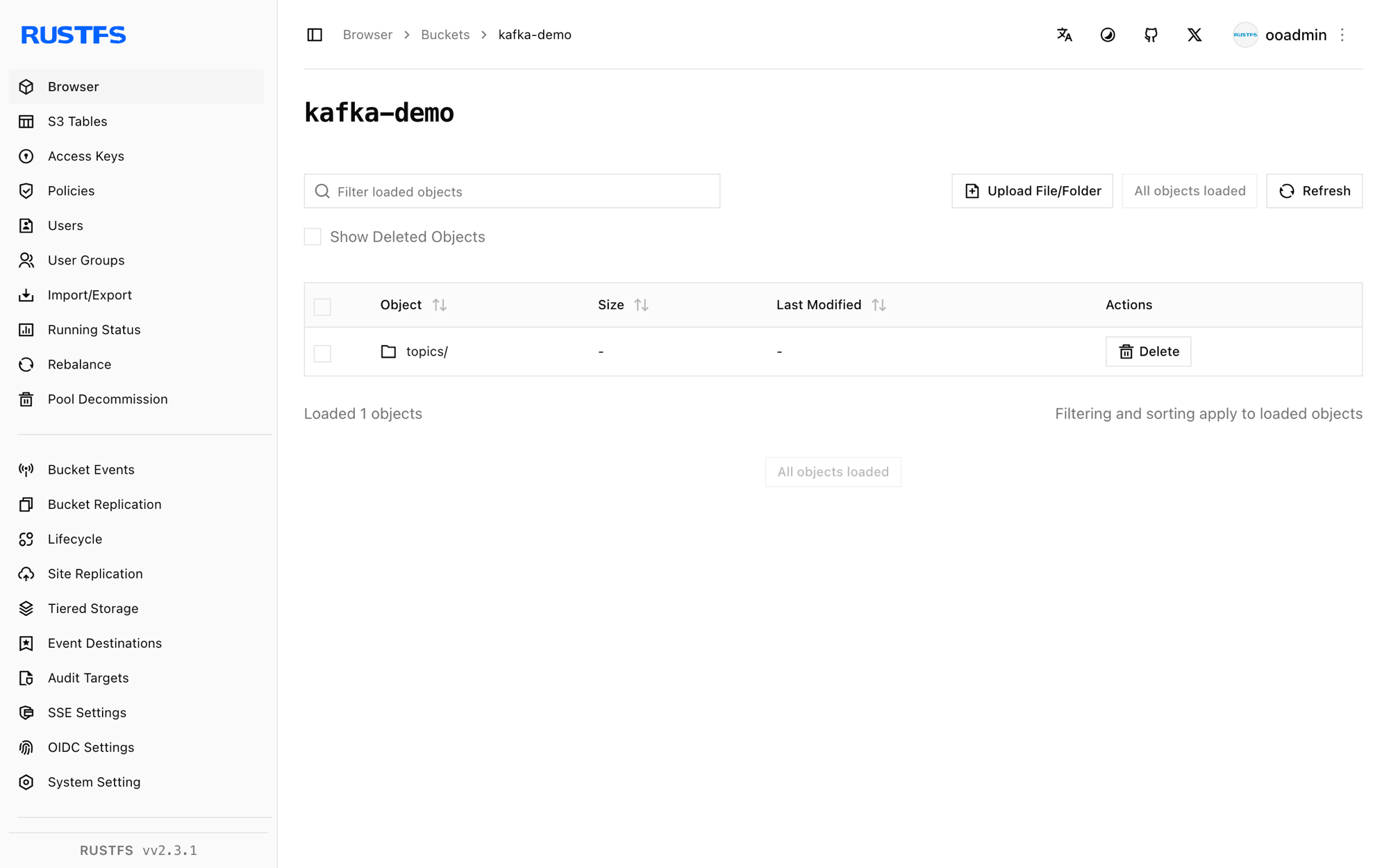
rc mb rustfs/kafka-demo
The image defaults to advertising localhost:9092, which only works from inside the broker container. The KAFKA_ADVERTISED_LISTENERS override is what makes Connect (and any remote client) able to reach the broker.
Install the connector
Download the Confluent Hub archive, which bundles the connector and its dependencies, and unpack it where the worker can see it:
curl -Lo kafka-connect-s3.zip "https://hub-downloads.confluent.io/api/plugins/confluentinc/kafka-connect-s3/versions/10.5.25/confluentinc-kafka-connect-s3-10.5.25.zip"
unzip kafka-connect-s3.zip -d /opt/kafka-conn/plugins
Configure the worker and the sink
Create the worker properties. The value converter must be ByteArrayConverter so records are written verbatim:
bootstrap.servers=kafka:9092
key.converter=org.apache.kafka.connect.storage.StringConverter
value.converter=org.apache.kafka.connect.converters.ByteArrayConverter
offset.storage.file.filename=/tmp/connect.offsets
offset.flush.interval.ms=5000
plugin.path=/opt/kafka-conn-plugins
Create the sink connector configuration, replacing all connection placeholders:
name=rustfs-sink
connector.class=io.confluent.connect.s3.S3SinkConnector
tasks.max=1
topics=rustfs-topic
s3.bucket.name=kafka-demo
s3.region=us-east-1
store.url=http://<your-rustfs-endpoint>:9000
s3.path.style.access.enabled=true
flush.size=3
storage.class=io.confluent.connect.s3.storage.S3Storage
format.class=io.confluent.connect.s3.format.bytearray.ByteArrayFormat
consumer.override.auto.offset.reset=earliest
Kafka 4.0 moved the class to org.apache.kafka.connect.converters.ByteArrayConverter — the old storage package path no longer resolves.
Run the worker
Run connect-standalone in the foreground so its logs go to docker logs, with the bucket credentials in the environment:
docker run -d --name kafka-connect --hostname kafka-connect \
  --network oo-rustfs_default \
  -v /opt/kafka-conn/plugins:/opt/kafka-conn-plugins:ro \
  -v "$PWD/worker.properties":/etc/kafka/worker.properties:ro \
  -v "$PWD/rustfs-sink.properties":/etc/kafka/sink.properties:ro \
  -e AWS_ACCESS_KEY_ID=<your-access-key> \
  -e AWS_SECRET_ACCESS_KEY=<your-secret-key> \
  apache/kafka:4.0.0 \
  /opt/kafka/bin/connect-standalone.sh /etc/kafka/worker.properties /etc/kafka/sink.properties
The worker is ready when the sink task claims the partition:
INFO [rustfs-sink|task-0] Assigned topic partitions: [rustfs-topic-0]Produce records
Send at least flush.size records so the connector completes a batch:
docker exec kafka sh -c "printf 'msg-one\nmsg-two\nmsg-three\n' | \
  /opt/kafka/bin/kafka-console-producer.sh --bootstrap-server localhost:9092 --topic rustfs-topic"
After a few seconds the batch becomes an object in the bucket:
rc ls rustfs/kafka-demo/ -r
rc cat rustfs/kafka-demo/topics/rustfs-topic/partition=0/rustfs-topic+0+0000000000.bin
topics/rustfs-topic/partition=0/rustfs-topic+0+0000000000.bin
topics/rustfs-topic/partition=0/rustfs-topic+0+0000000003.bin
msg-one
msg-two
msg-threeThe object name encodes topic, partition, and starting offset. Each subsequent batch of three records lands in the next object (+0000000003.bin and so on).
Stop or reset
To tear down the demo while keeping the bucket objects:
docker rm -f kafka-connect kafkaTo delete the stored data:
rc rm rustfs/kafka-demo/ --recursive --forceTroubleshooting
AdminClient ... Rebootstrapping with Cluster (id: null) loops forever
The broker advertises localhost:9092, so a remote client receives metadata pointing at itself. Set KAFKA_ADVERTISED_LISTENERS=PLAINTEXT://kafka:9092 (and matching listener variables) as in step 1.
Invalid schema type for ByteArrayConverter: STRING
The ByteArrayFormat writer only accepts raw bytes. Either switch the worker's value.converter to the ByteArray converter or choose a format class that matches the converter you use.
Class org.apache.kafka.connect.storage.ByteArrayConverter could not be found
Kafka 4.0 moved the class to org.apache.kafka.connect.converters.ByteArrayConverter. Use the new package path in worker.properties.
The connector downloads but the plugin is not found
The plain connector JAR from Maven lacks its dependencies. Use the Confluent Hub archive from step 2, which bundles the complete lib/ directory, and make sure plugin.path points at the directory that contains the connector folder.
Next steps
- Review S3 compatibility notes before adopting additional connectors.
- Create dedicated production credentials with Access Key Management.
- Follow the Kafka Connect S3 sink documentation for Parquet and Avro formats, partitioning by time, and IAM-based credential chains.