
DuckDB
Query and write Parquet files stored in RustFS object storage with DuckDB and its httpfs extension, deployed with Docker Compose.
This guide runs DuckDB against RustFS as its S3-compatible storage. You will start both services with Docker Compose, configure DuckDB's httpfs extension for the RustFS endpoint, write query results to the bucket as Parquet, read them back, and verify the objects in RustFS. The workflow was verified with the duckdb/duckdb:latest image (v1.5.5) and rustfs/rustfs-x86-musl:v2.3.1.
You need Docker with the Compose plugin. This deployment is intended for local integration testing, not production.
Architecture
DuckDB reads and writes objects through its httpfs extension, which implements the S3 API. An S3 secret carries the RustFS endpoint, credentials, path-style addressing, and the plain-HTTP setting; Parquet files then load from and write to s3://my-bucket/... paths like local files.
Create the project files
Create a working directory:
mkdir rustfs-duckdb
cd rustfs-duckdb
Create an environment file and replace both credential placeholders:
RUSTFS_ACCESS_KEY=<your-access-key>
RUSTFS_SECRET_KEY=<your-secret-key>
Use dedicated credentials for the bucket. Do not commit .env to source control.
Create the Compose file:
services:
  rustfs:
    image: rustfs/rustfs-x86-musl:v2.3.1
    environment:
      RUSTFS_ACCESS_KEY: ${RUSTFS_ACCESS_KEY}
      RUSTFS_SECRET_KEY: ${RUSTFS_SECRET_KEY}
      RUSTFS_VOLUMES: /data
      RUSTFS_ADDRESS: ":9000"
      RUSTFS_CONSOLE_ADDRESS: ":9001"
      RUSTFS_CONSOLE_ENABLE: "true"
    volumes:
      - rustfs-data:/data
    ports:
      - "9000:9000"
      - "9001:9001"
    healthcheck:
      test: ["CMD", "curl", "-sf", "http://127.0.0.1:9000/health"]
      interval: 10s
      timeout: 5s
      retries: 6
      start_period: 10s
    networks:
      - warehouse

  create-bucket:
    image: rustfs/rc:latest
    depends_on:
      rustfs:
        condition: service_healthy
    environment:
      RUSTFS_ACCESS_KEY: ${RUSTFS_ACCESS_KEY}
      RUSTFS_SECRET_KEY: ${RUSTFS_SECRET_KEY}
    entrypoint:
      - /bin/sh
      - -c
      - |
        until /usr/bin/rc alias set rustfs http://rustfs:9000 "$${RUSTFS_ACCESS_KEY}" "$${RUSTFS_SECRET_KEY}"; do
          echo "Waiting for RustFS..."
          sleep 2
        done
        /usr/bin/rc ls rustfs/my-bucket >/dev/null 2>&1 || /usr/bin/rc mb rustfs/my-bucket
    networks:
      - warehouse

  duckdb:
    image: duckdb/duckdb:latest
    entrypoint: ["/duckdb"]
    depends_on:
      create-bucket:
        condition: service_completed_successfully
    networks:
      - warehouse

networks:
  warehouse:

volumes:
  rustfs-data:
The rc image provides the official RustFS command-line client. The initializer checks for my-bucket before creating it, so repeated starts do not delete existing data. The duckdb/duckdb image contains only the /duckdb binary and no shell, so the service sets entrypoint: ["/duckdb"].
Start the deployment
Resolve the Compose file before starting containers:
docker compose configStart the services and wait for the bucket initializer to finish:
docker compose up -d
docker compose ps -a
The create-bucket service should show an exit code of 0. Open the RustFS Console at http://localhost:9001/rustfs/console/ to inspect the bucket at any time.
Configure the S3 secret in DuckDB
Start an interactive DuckDB session:
docker compose run --rm duckdbInstall the extension and register the RustFS endpoint:
INSTALL httpfs;
LOAD httpfs;

CREATE SECRET rustfs (
    TYPE S3,
    KEY_ID '<your-access-key>',
    SECRET '<your-secret-key>',
    ENDPOINT 'rustfs:9000',
    USE_SSL FALSE,
    URL_STYLE 'path'
);
The endpoint is given as host:port without a scheme. USE_SSL FALSE selects plain HTTP inside the Compose network, and URL_STYLE 'path' selects path-style addressing, which is what RustFS expects. Secrets live for the current session — re-create the secret each time you start a new session.
Write query results to RustFS
Write a small table as Parquet into the bucket:
COPY
    (SELECT i AS id, 'rustfs-duckdb-demo' AS source FROM range(1000) t(i))
    TO 's3://my-bucket/duckdb-demo/events.parquet'
    (FORMAT PARQUET);
┌─────────┐
│ Success │
│ boolean │
├─────────┤
│ true │
└─────────┘Read Parquet back from RustFS
Query the object you just wrote as if it were a local file:
SELECT count(*) AS rows, min(id) AS min_id, max(id) AS max_id
FROM read_parquet('s3://my-bucket/duckdb-demo/events.parquet');
┌───────┬────────┬────────┐
│ rows │ min_id │ max_id │
│ int64 │ int64 │ int64 │
├───────┼────────┼────────┤
│ 1000 │ 0 │ 999 │
└───────┴────────┴────────┘Any Parquet object under the bucket can be queried this way, including files written by other systems such as OpenObserve, Spark, or Iceberg.
Verify objects in RustFS
List the prefix through the bucket-initializer image:
docker compose run --rm --entrypoint /bin/sh create-bucket -c \
  '/usr/bin/rc alias set rustfs http://rustfs:9000 "$RUSTFS_ACCESS_KEY" "$RUSTFS_SECRET_KEY" >/dev/null && /usr/bin/rc ls rustfs/my-bucket/duckdb-demo --recursive'
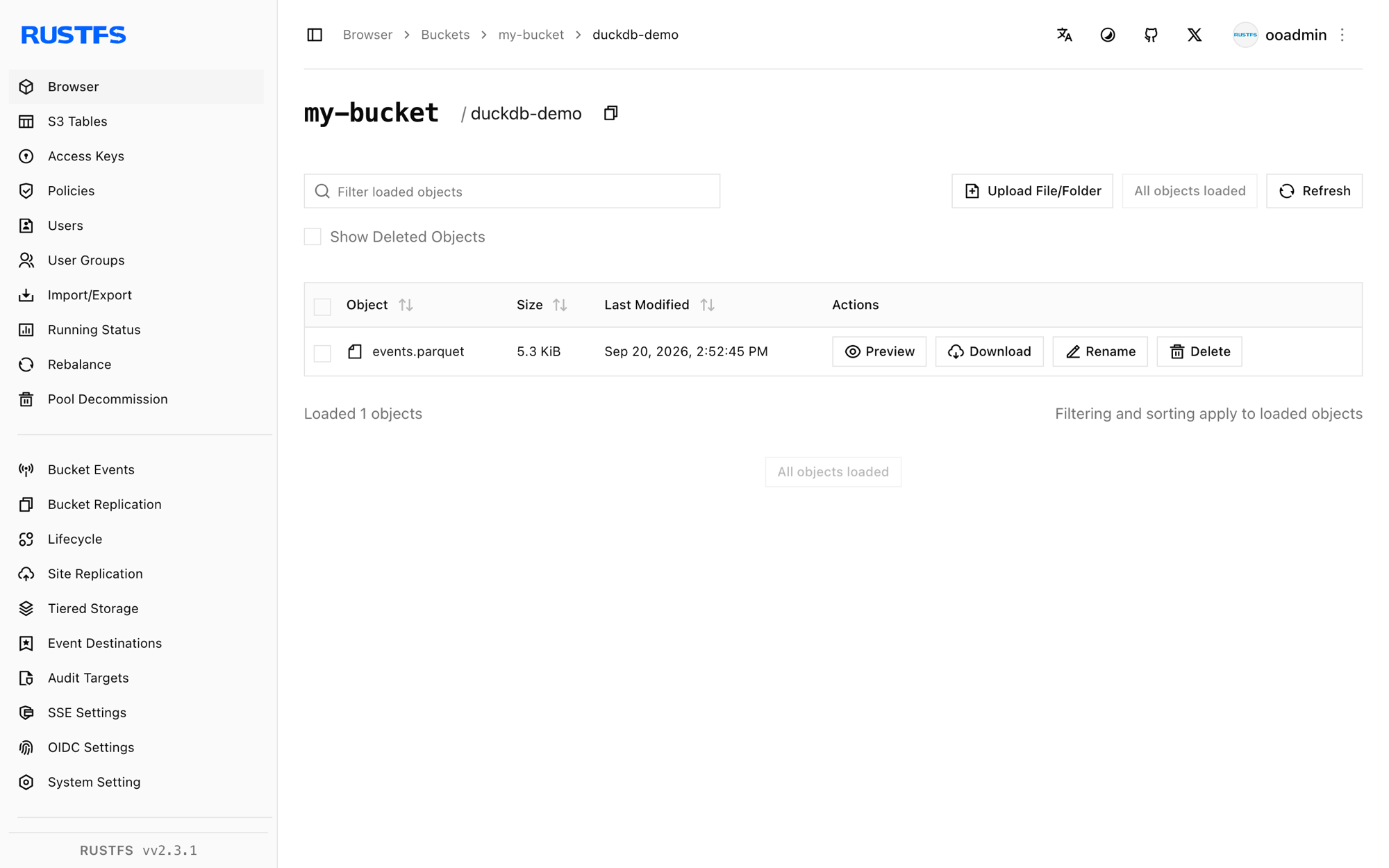
[2026-09-20 06:52:45] 5.32 KiB duckdb-demo/events.parquetYou can also inspect the duckdb-demo prefix in the RustFS Console:
Stop or reset the stack
Stop the containers while keeping the RustFS data volume:
docker compose downTo delete the local objects and start from an empty RustFS volume, explicitly include --volumes:
docker compose down --volumesTroubleshooting
DuckDB cannot reach RustFS
Inside the Compose network the endpoint is rustfs:9000. From a DuckDB process running on the host, use localhost:9000 instead and publish port 9000 as shown in the Compose file.
SSL or connection errors with a plain-HTTP endpoint
ENDPOINT takes no scheme. If RustFS runs without TLS, USE_SSL FALSE must be set in the secret; otherwise httpfs attempts HTTPS and fails with a connection or certificate error.
AccessDenied responses
Check that the credentials in the secret match the RustFS credentials, and that the bucket initializer completed successfully:
docker compose logs create-bucketVirtual-host style requests
URL_STYLE 'path' is required for the container-network endpoint. Virtual-host style requests need a RustFS domain configuration (RUSTFS_SERVER_DOMAINS) and matching DNS records, and are not needed for this setup.
Next steps
- Review S3 compatibility notes before adopting additional S3 operations.
- Create dedicated production credentials with Access Key Management.
- Follow the DuckDB httpfs documentation for advanced options such as region overrides and connection limits.