
Trino
Query CSV and Parquet data stored in RustFS object storage with Trino and the hive connector's file metastore.
This guide connects Trino — the distributed SQL query engine — to RustFS through the hive connector with its file-based metastore and the native S3 filesystem. You will create a schema and a table, insert rows, read them back, and verify the objects in RustFS. Both the table metadata and the data files live in RustFS. The workflow was verified with trinodb/trino:435 and rustfs/rustfs-x86-musl:v2.3.1.
You need Docker with the Compose plugin. This deployment is intended for local integration testing, not production.
Architecture
The hive connector with hive.metastore=file keeps schema and table metadata as JSON objects under the catalog directory, and the native S3 filesystem (fs.s3.enabled) stores both metadata and data files in RustFS with path-style addressing over plain HTTP.
Create the project files
Create a working directory:
mkdir rustfs-trino
cd rustfs-trino
Create an environment file and replace both credential placeholders:
RUSTFS_ACCESS_KEY=<your-access-key>
RUSTFS_SECRET_KEY=<your-secret-key>
Use dedicated credentials for the bucket. Do not commit .env to source control.
Create the catalog configuration for Trino:
connector.name=hive
hive.metastore=file
hive.metastore.catalog.dir=s3://my-bucket/trino-metastore
fs.s3.enabled=true
s3.endpoint=http://rustfs:9000
s3.region=us-east-1
s3.path-style-access=true
s3.aws-access-key=<your-access-key>
s3.aws-secret-key=<your-secret-key>
hive.metastore.catalog.dir points the file metastore into the bucket, so metadata and data both live in RustFS. fs.s3.enabled activates the native S3 filesystem; s3.path-style-access is required for the container-network endpoint.
Create the Compose file:
services:
  rustfs:
    image: rustfs/rustfs-x86-musl:v2.3.1
    environment:
      RUSTFS_ACCESS_KEY: ${RUSTFS_ACCESS_KEY}
      RUSTFS_SECRET_KEY: ${RUSTFS_SECRET_KEY}
      RUSTFS_VOLUMES: /data
      RUSTFS_ADDRESS: ":9000"
      RUSTFS_CONSOLE_ADDRESS: ":9001"
      RUSTFS_CONSOLE_ENABLE: "true"
    volumes:
      - rustfs-data:/data
    ports:
      - "9000:9000"
      - "9001:9001"
    healthcheck:
      test: ["CMD", "curl", "-sf", "http://127.0.0.1:9000/health"]
      interval: 10s
      timeout: 5s
      retries: 6
      start_period: 10s
    networks:
      - warehouse

  create-bucket:
    image: rustfs/rc:latest
    depends_on:
      rustfs:
        condition: service_healthy
    environment:
      RUSTFS_ACCESS_KEY: ${RUSTFS_ACCESS_KEY}
      RUSTFS_SECRET_KEY: ${RUSTFS_SECRET_KEY}
    entrypoint:
      - /bin/sh
      - -c
      - |
        until /usr/bin/rc alias set rustfs http://rustfs:9000 "$${RUSTFS_ACCESS_KEY}" "$${RUSTFS_SECRET_KEY}"; do
          echo "Waiting for RustFS..."
          sleep 2
        done
        /usr/bin/rc ls rustfs/my-bucket >/dev/null 2>&1 || /usr/bin/rc mb rustfs/my-bucket
    networks:
      - warehouse

  trino:
    image: trinodb/trino:435
    volumes:
      - ./hive.properties:/etc/trino/catalog/hive.properties:ro
      - metastore-data:/data/metastore
    depends_on:
      create-bucket:
        condition: service_completed_successfully
    networks:
      - warehouse

networks:
  warehouse:

volumes:
  rustfs-data:
  metastore-data:
Start the deployment
Resolve the Compose file before starting containers:
docker compose configStart the services and wait for the bucket initializer to finish:
docker compose up -d
docker compose ps -a
Trino is up when the server log reports SERVER STARTED. The container runs as user trino (uid 1000); make sure the metastore volume is writable:
docker compose exec trino id
docker compose exec trino ls -la /data/metastore
Create a schema and a table
Create the schema without an explicit location — Trino places it under the catalog directory in RustFS:
docker compose exec trino trino --execute \
  "CREATE SCHEMA hive.demo"
Create a table and insert five rows:
docker compose exec trino trino --execute \
  "CREATE TABLE hive.demo.events (id bigint, label varchar) WITH (format = 'parquet')"

docker compose exec trino trino --execute \
  "INSERT INTO hive.demo.events VALUES (1,'alpha'),(2,'bravo'),(3,'charlie'),(4,'delta'),(5,'echo')"
INSERT: 5 rowsQuery the data
Read the rows back:
docker compose exec trino trino --execute \
  "SELECT * FROM hive.demo.events ORDER BY id"
"1","alpha"
"2","bravo"
"3","charlie"
"4","delta"
"5","echo"Verify objects in RustFS
List the metastore prefix through the bucket-initializer image:
docker compose run --rm --entrypoint /bin/sh create-bucket -c \
  '/usr/bin/rc alias set rustfs http://rustfs:9000 "$RUSTFS_ACCESS_KEY" "$RUSTFS_SECRET_KEY" >/dev/null && /usr/bin/rc ls rustfs/my-bucket/trino-metastore --recursive'
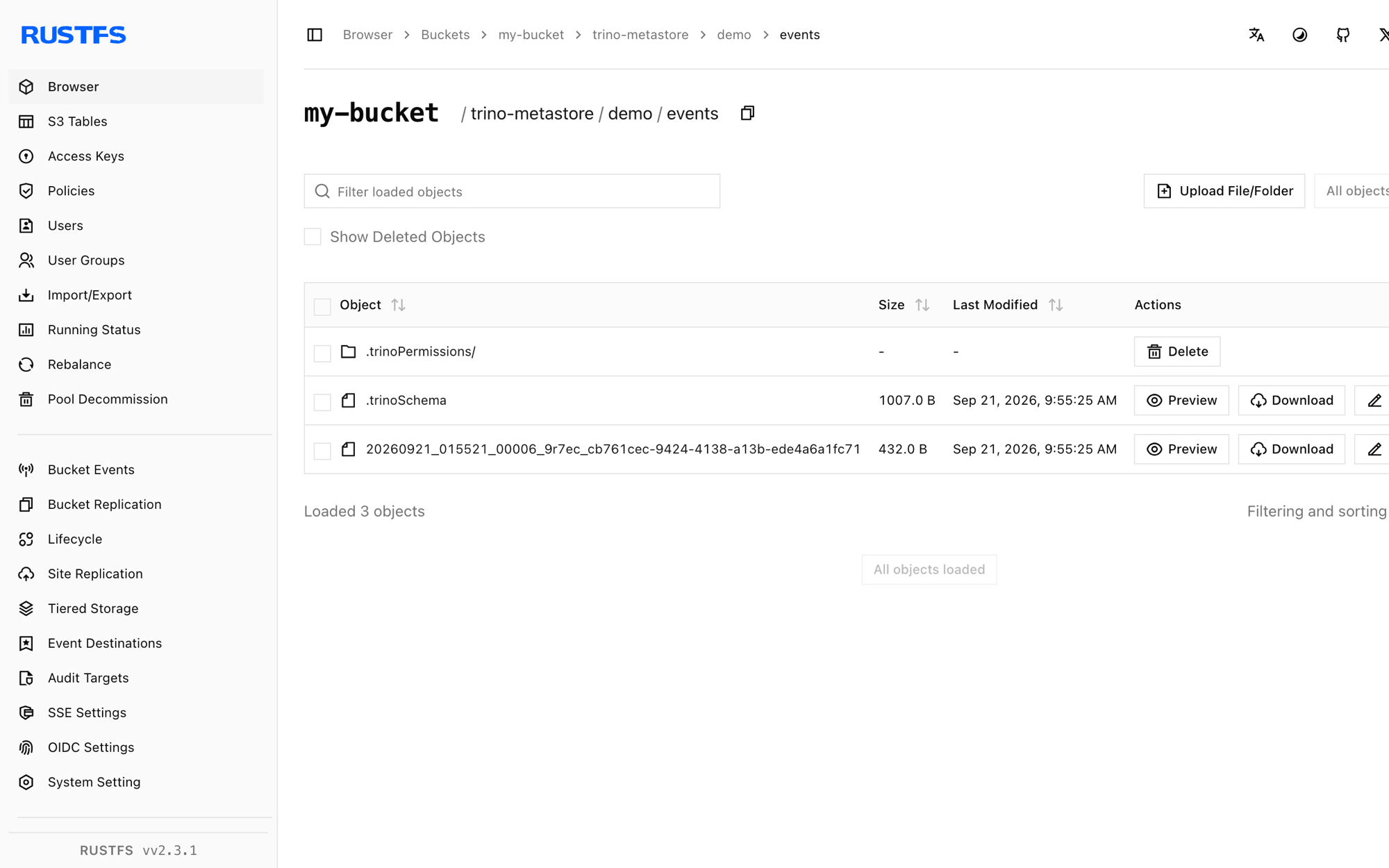
[2026-09-21 01:55:16] 155 B trino-metastore/.demo.trinoSchema
[2026-09-21 01:55:19] 474 B trino-metastore/demo/events/.trinoPermissions/user_trino
[2026-09-21 01:55:25] 1007 B trino-metastore/demo/events/.trinoSchema
[2026-09-21 01:55:25] 432 B trino-metastore/demo/events/20260921_..._cb761cec-...parquetYou can also browse the prefix in the RustFS Console:
Use RustFS S3 Tables
RustFS S3 Tables provides a built-in Apache Iceberg REST catalog, so Trino can treat a table bucket as a managed Iceberg warehouse while the data stays in RustFS. Enable a table bucket and connect Trino's Iceberg connector to the REST catalog as described in S3 Tables: the REST catalog URI is http://<rustfs-host>:9000/iceberg, the warehouse is the bucket name, and both catalog requests (AWS Signature Version 4, signing name s3) and S3 file access use path-style addressing.
Per the S3 Tables support matrix, Trino has been probed for read-only access against the catalog; validate write compatibility and the exact Trino version you deploy before adopting this path in production.
Stop or reset the stack
Stop the containers while keeping the RustFS data volume:
docker compose downTo delete the stored metadata and data and start from an empty RustFS volume, explicitly include --volumes:
docker compose down --volumesTroubleshooting
Configuration errors for fs.native-s3.enabled or fs.s3.enabled
The native S3 filesystem property changed across Trino versions: Trino 435 uses fs.native-s3.enabled, newer releases use fs.s3.enabled. This guide pins trinodb/trino:435, so use fs.native-s3.enabled.
"Table directory must be ..." when creating a table
With the file metastore, table locations must stay under hive.metastore.catalog.dir. Create the schema without an explicit location, or point the schema location at a directory inside the same bucket prefix.
Hive CSV storage format only supports VARCHAR
The CSV format rejects non-string columns. Use format = 'parquet' (as in this guide) for typed tables.
AccessDenied or 403 responses
Confirm that the credentials in hive.properties match the RustFS credentials and that the create-bucket service completed successfully:
docker compose logs create-bucketNext steps
- Review S3 compatibility notes before adopting additional S3 operations.
- Create dedicated production credentials with Access Key Management.
- Follow the Trino documentation to connect BI tools and add object storage catalogs.